1. Produktua amaitu daview
The SLuB HGD T2 Wireless Earbuds feature advanced Bluetooth 5.4 technology, delivering stable connectivity and high-fidelity audio. Designed for comfort and versatility, these ear-hook style earbuds offer ENC noise cancellation for clear calls, IPX6 water resistance, and intuitive touch controls.

Image: SLuB HGD T2 Wireless Earbuds in their charging case, displaying battery levels on an LED screen.
Ezaugarri nagusiak

Image: Visual representation of the earbuds' key features: Noise Reduction, Bluetooth 5.4, Hi-Fi Sound Quality, Stable Fit, Battery Level Display, and Long Playback Time.
- Bluetooth 5.4 teknologia: Ensures stable connection, reduced audio delay, and efficient power consumption.
- Hi-Fi Audio Quality: Equipped with high-sensitivity dynamic drivers for balanced sound reproduction, enhanced bass, and immersive audio.
- ENC Zarata Ezeztapena: Effectively reduces ambient noise for clear call quality.
- Ergonomic Ear-Hook Design: Provides a secure and comfortable fit, ideal for sports and extended wear, preventing accidental drops.
- IPX6 Uraren Erresistentzia: Protects against sweat and rain, suitable for outdoor activities and workouts.
- Smart Touch Kontrolak: Manage music playback, calls, volume, and activate voice assistants with simple taps.
- Long Battery Life with LED Display: Up to 7 hours of playback per charge, with the charging case providing multiple recharges. The case features an LED display for battery status.
- Single/Dual Earbud Mode: Use either earbud independently or both together.
Paketearen edukia

Image: Illustration of the package contents, including earbuds, charging case, USB Type-C cable, and user manual.
- SLuB HGD T2 Wireless Earbuds (Left and Right)
- Kargatzeko kaxa
- USB motako C kargatzeko kablea
- Erabiltzailearen eskuliburua
2. Konfigurazio gida
2.1 Entzungailuak eta zorroa kargatzea
- Hasierako karga: Lehenengo aldiz erabili aurretik, kargatu guztiz entzungailuak eta kargatzeko zorroa.
- Kasua kargatzea: Connect the provided USB Type-C cable to the charging port on the case and to a USB power adapter (not included). The LED display on the case will show the charging progress.
- Entzungailuak kargatzea: Place the earbuds into the charging case. Ensure they are correctly seated. The LED indicators on the earbuds and the case display will show charging status.
- Karga osoa adieraztea: The LED display will show "100" when the charging case is fully charged. The individual earbud indicators will turn off when fully charged.
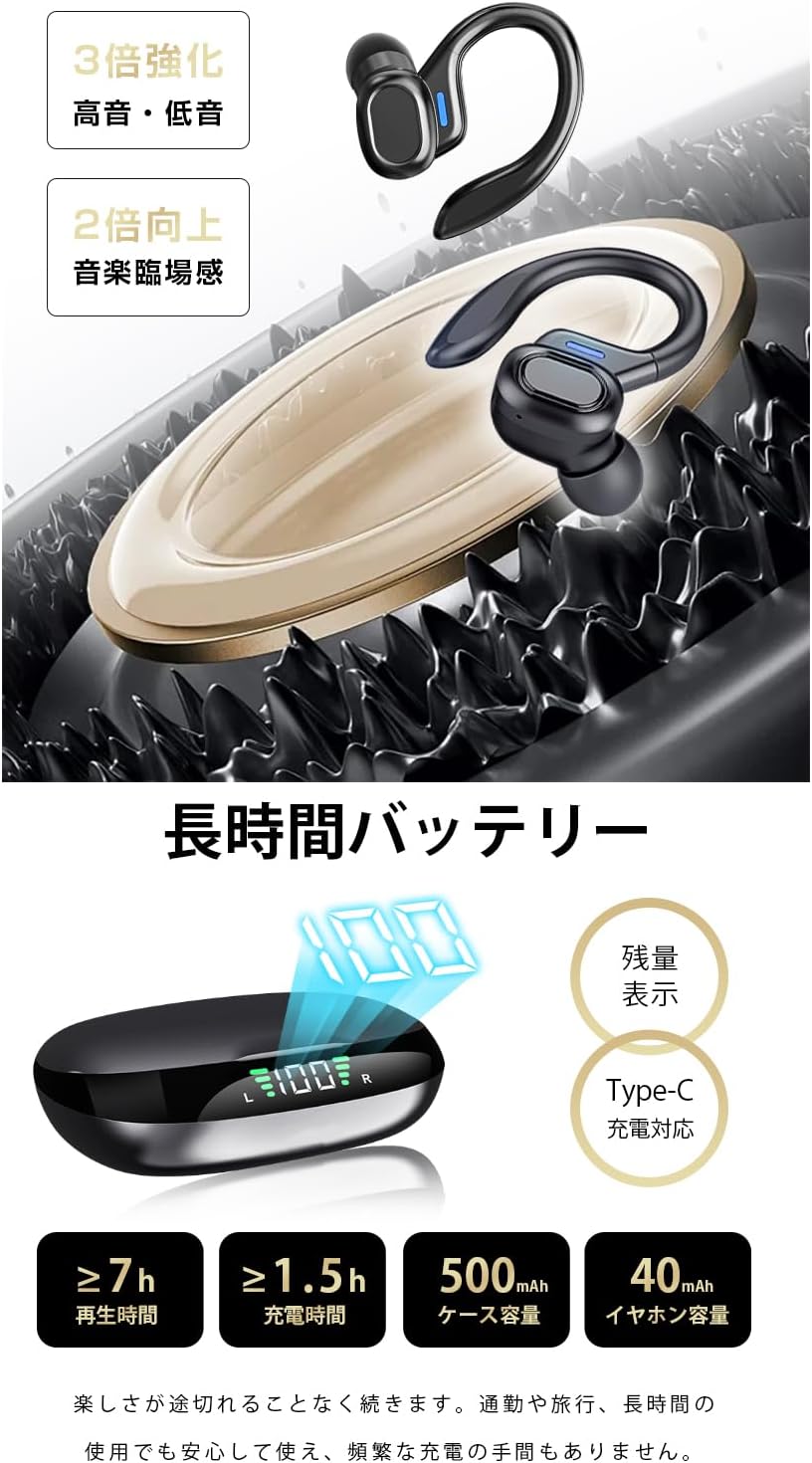
Image: The charging case displaying battery percentage and individual earbud charge status.
2.2 Zure gailuarekin parekatzea
- Lehenengo bikotea:
- Ireki kargatzeko zorroa. Aurikularrak automatikoki sartuko dira parekatze moduan.
- Zure gailuan (smartphone-an, tabletan, etab.), gaitu Bluetooth-a.
- Bilatu "HGD T2" in the list of available Bluetooth devices and select it to connect.
- Behin konektatuta, ahots-abisu batek parekatzea behar bezala egin dela baieztatuko du.
- Birkonexio automatikoa: After the initial pairing, the earbuds will automatically connect to the last paired device when removed from the charging case and Bluetooth is enabled on the device.
- Aurikular bakarreko modua: You can use either the left or right earbud independently. Simply take one earbud out of the case, and it will connect. The other earbud can remain in the case or be used later.

Image: Illustration showing the automatic connection process when opening the charging case and pairing with a smartphone.
3. Funtzionamendu-argibideak
3.1 Ukitu Kontrolak
The SLuB HGD T2 earbuds feature intuitive touch controls on each earbud. The functions are as follows:

Image: Visual guide to the touch controls for music playback, calls, volume adjustment, and voice assistant activation.
| Ekintza | Ezkerreko aurikularra | Eskuineko Aurikularra |
|---|---|---|
| Erreproduzitu/Pausatu musika | Sakatu bakarra | Sakatu bakarra |
| Hurrengo Pista | Sakatu birritan | Sakatu birritan |
| Aurreko Pista | Sakatu hirukoitza | Sakatu hirukoitza |
| Bolumena igo | N/A | Sakatu luzea (1s) |
| Bolumena jaitsi | Sakatu luzea (1s) | N/A |
| Erantzun/Amaitu deia | Sakatu bakarra | Sakatu bakarra |
| Deia baztertu | Sakatu luzea (2s) | Sakatu luzea (2s) |
| Aktibatu ahots-laguntzailea (Siri/Google laguntzailea) | Sakatu luzea (2s) | Sakatu luzea (2s) |
4. Mantentzea eta Zainketa
4.1 Garbiketa
- Garbitu aldizka entzungailuak eta kargatzeko zorroa oihal leun, lehor eta lihorik gabeko batekin.
- Ez erabili garbitzaile urratzailerik, disolbatzailerik edo aerosol-sprayrik.
- Karga behar bezala mantentzeko, ziurtatu entzungailuen eta zorroaren kargatzeko kontaktuak garbi eta hondakinik gabe daudela.
4.2 Biltegiratzea
- Erabiltzen ez dituzunean, gorde entzungailuak kargatzeko zorroan babesteko eta kargatuta mantentzeko.
- Gorde gailua leku fresko eta lehor batean, muturreko tenperaturetatik eta eguzki-argitik babestuta.
4.3 Urarekiko Erresistentzia (IPX6)
- The earbuds are rated IPX6, meaning they are resistant to powerful water jets. This makes them suitable for workouts and light rain.
- Garrantzitsua: IPX6 rating does not mean they are waterproof for submersion. Do not submerge the earbuds in water.
- Kargatzeko kontaktuak kaltetu ez daitezen, ziurtatu entzungailuak lehor daudela kargatzeko zorroan berriro sartu aurretik.
5. Arazoak
| Arazoa | Irtenbide posiblea |
|---|---|
| Entzungailuak ez dira parekatzen/konektatzen. |
|
| Entzungailu bakarra dabil. |
|
| Soinurik ez edo bolumen baxua. |
|
| Kargatzeko kaxa ez da kargatzen ari. |
|
6. Zehaztapenak
| Ezaugarri | Xehetasuna |
|---|---|
| Marka | SLuB |
| Modelo zenbakia | HGD T2 |
| Bluetooth bertsioa | 5.4 |
| Onartutako Profiles | HSP, HFP, A2DP, AVRCP |
| Transmisio Distantzia | Gutxi gorabehera 10 metro (33 oin) |
| Eragiketa-maiztasun-banda | 2.402 GHz ~ 2.480 GHz |
| Earbud bateriaren edukiera | 40mAh (bakoitza) |
| Kargatzeko kasua bateriaren edukiera | 500mAh |
| Musika erreproduzitzeko denbora | ≥ 7 ordu |
| Kargatzeko denbora (aurikularrak) | Gutxi gorabehera. 1.5 ordu |
| Kargatzeko ataka | C motakoa |
| Uraren Erresistentzia Balorazioa | IPX6 |
| Gailu bateragarriak | iOS/Android gailuak |
7. Bermea eta Laguntza
For warranty information and customer support, please refer to the documentation included with your purchase or contact SLuB customer service through the retailer where you purchased the product.
SLuB is committed to providing a worry-free experience. If you encounter any issues or have questions regarding your HGD T2 Wireless Earbuds, please do not hesitate to reach out for assistance.


