Sarrera
This manual provides instructions for the Nulea RT07B Wireless Ergonomic Keyboard. Designed for comfort and efficiency, this keyboard features a split layout, integrated wrist rest, and versatile connectivity options to enhance your typing experience across multiple devices.
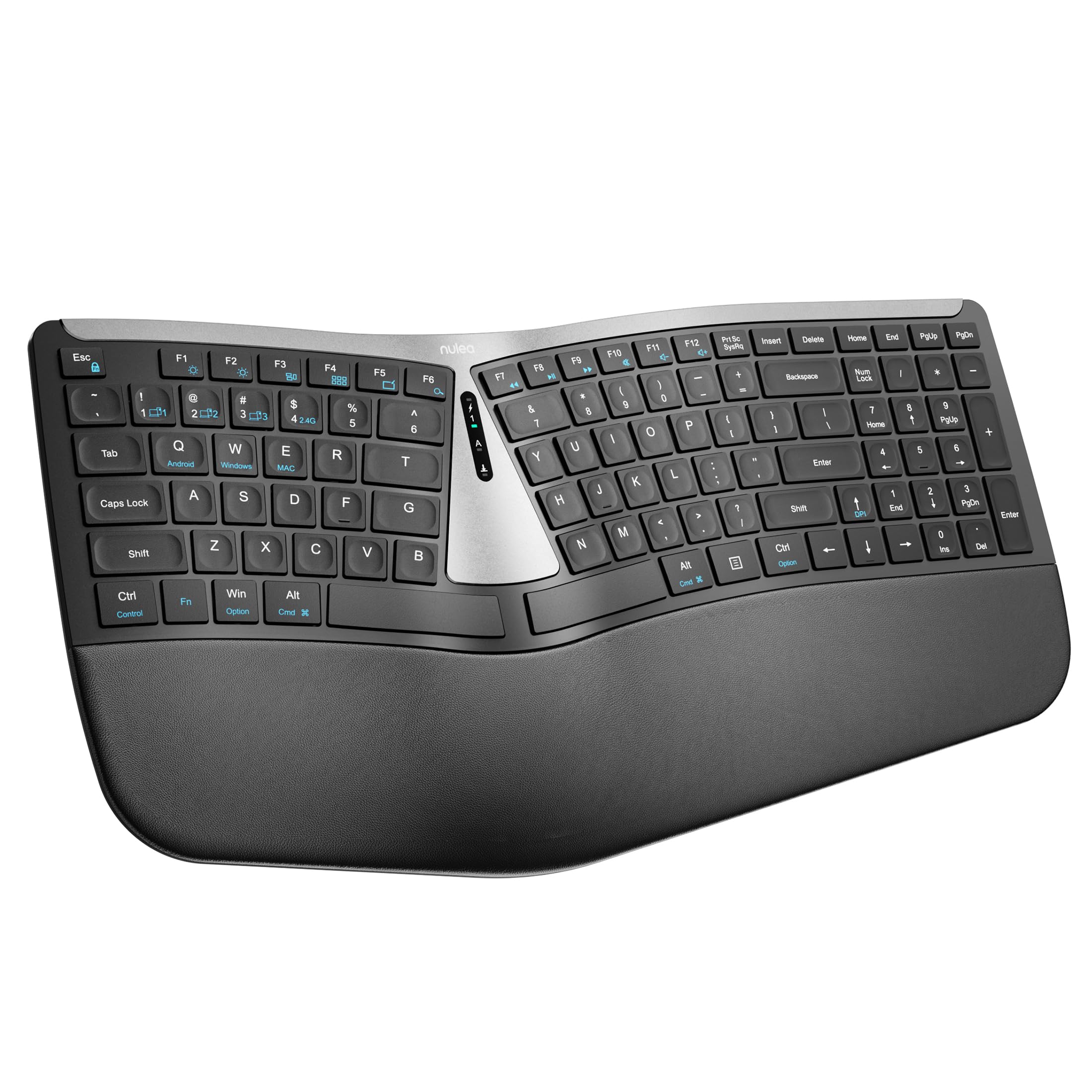
Figure 1: Nulea RT07B Wireless Ergonomic Keyboard
Konfigurazioa
Paketearen edukia
- Nulea RT07B Wireless Ergonomic Keyboard
- USB 2.4G Receiver (stored in the keyboard's underside)
- USB-C kargatzeko kablea
- Erabiltzailearen eskuliburua (dokumentu hau)
Teklatua kargatzen
The Nulea RT07B keyboard is equipped with a rechargeable battery. To charge, connect the provided USB-C cable to the keyboard's USB-C port and to a power source (e.g., computer USB port, USB wall adapter). A full charge typically takes 2-3 hours and provides approximately 200 hours of standby time.

2. irudia: USB-C kargatzeko ataka
Konektibitate-aukerak
The keyboard supports dual-mode wireless connectivity: 2.4G wireless via a USB receiver and Bluetooth. It can connect to up to three devices simultaneously (one 2.4G and two Bluetooth devices).
2.4G haririk gabeko konexioa
- Locate the USB 2.4G receiver stored in the compartment on the underside of the keyboard.
- Konektatu USB hargailua zure ordenagailuko USB ataka erabilgarri batean.
- Turn on the keyboard using the ON/OFF switch located on the top center of the keyboard.
- The keyboard should automatically connect to your device. If not, press fn+4 2.4G modura aldatzeko.
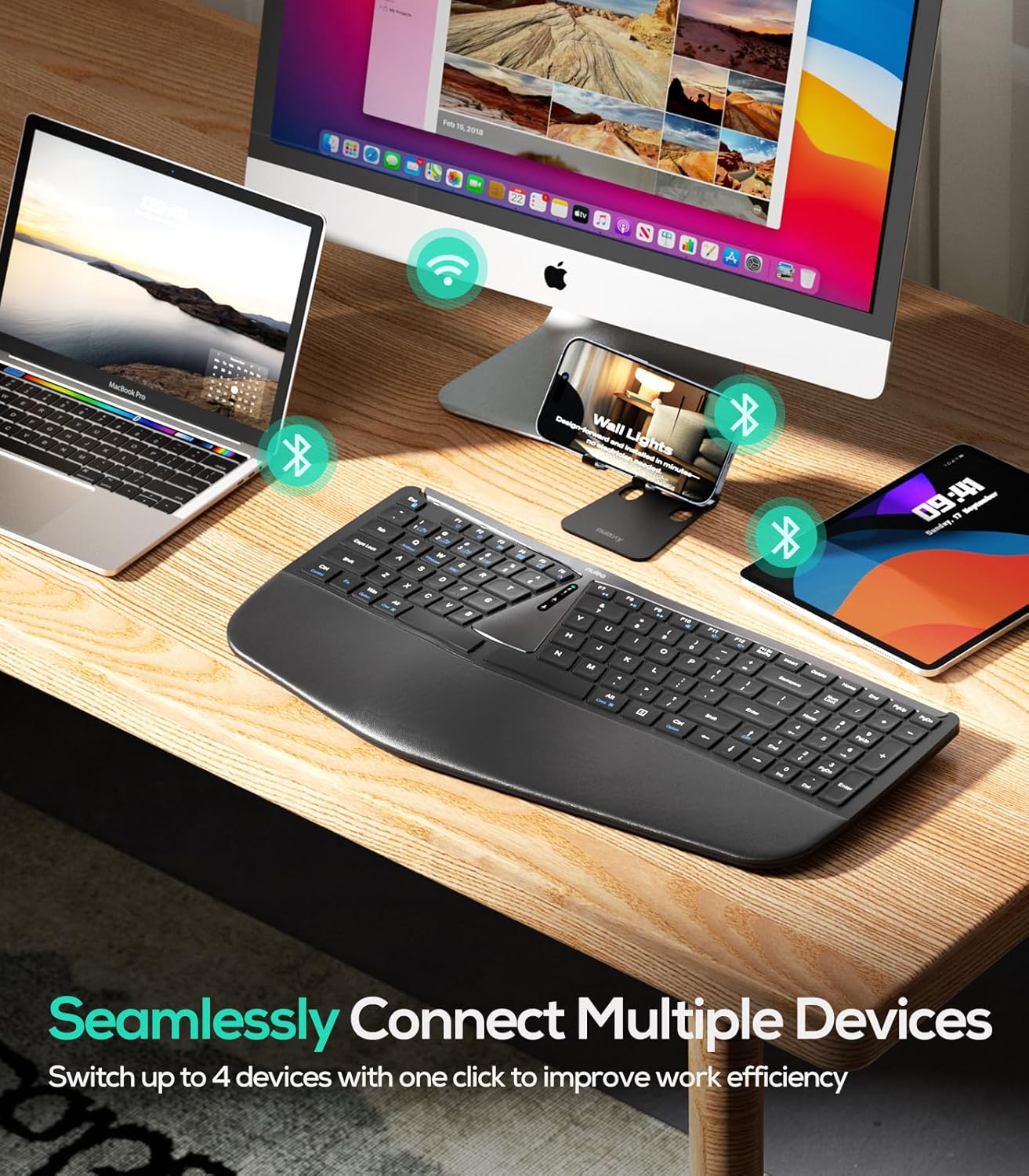
3 irudia: Gailu anitzeko konexioa
Bluetooth konexioa (BT1 / BT2)
- Piztu teklatua ON/OFF etengailua erabiliz.
- Sakatu fn+1 or fn+2 to select a Bluetooth channel (BT1 or BT2). The corresponding indicator light will flash.
- Luze sakatu fn+1 (edo fn+2) 3 segundoz, adierazle-argia azkar keinuka hasi arte, parekatze-modua adieraziz.
- On your device (computer, tablet, smartphone), enable Bluetooth and search for "Nulea RT07B".
- Select the keyboard from the list of available devices to complete pairing.
- To switch between connected Bluetooth devices, simply press fn+1 or fn+2.
Funtzionamendu-argibideak
Diseinu ergonomikoa eta erosotasuna
The Nulea RT07B features a split keyboard layout and a comprehensive palm rest designed to promote a natural typing posture. This reduces forearm muscle twisting and wrist strain, contributing to long-term comfort.

Figure 4: Natural Hand Position on Split Keyboard
The integrated palm rest is made with soft material, providing excellent support for your wrists during extended use.

Figure 5: Integrated Palm Rest
Okertutako hankak erregulagarriak
The keyboard includes adjustable tilt legs on both the front and back. These can be used to customize the typing angle for optimal wrist comfort. Raising the front legs can create a negative tilt, which some users find more ergonomic by allowing wrists to remain in a more neutral position.

Figure 6: Adjustable Tilt Legs for Customized Angle
Scissor-Switch Keys
The keyboard utilizes scissor-switch keys, which provide stable, responsive, and quiet typing. This design ensures even pressure distribution and a comfortable tactile feedback with each keystroke.
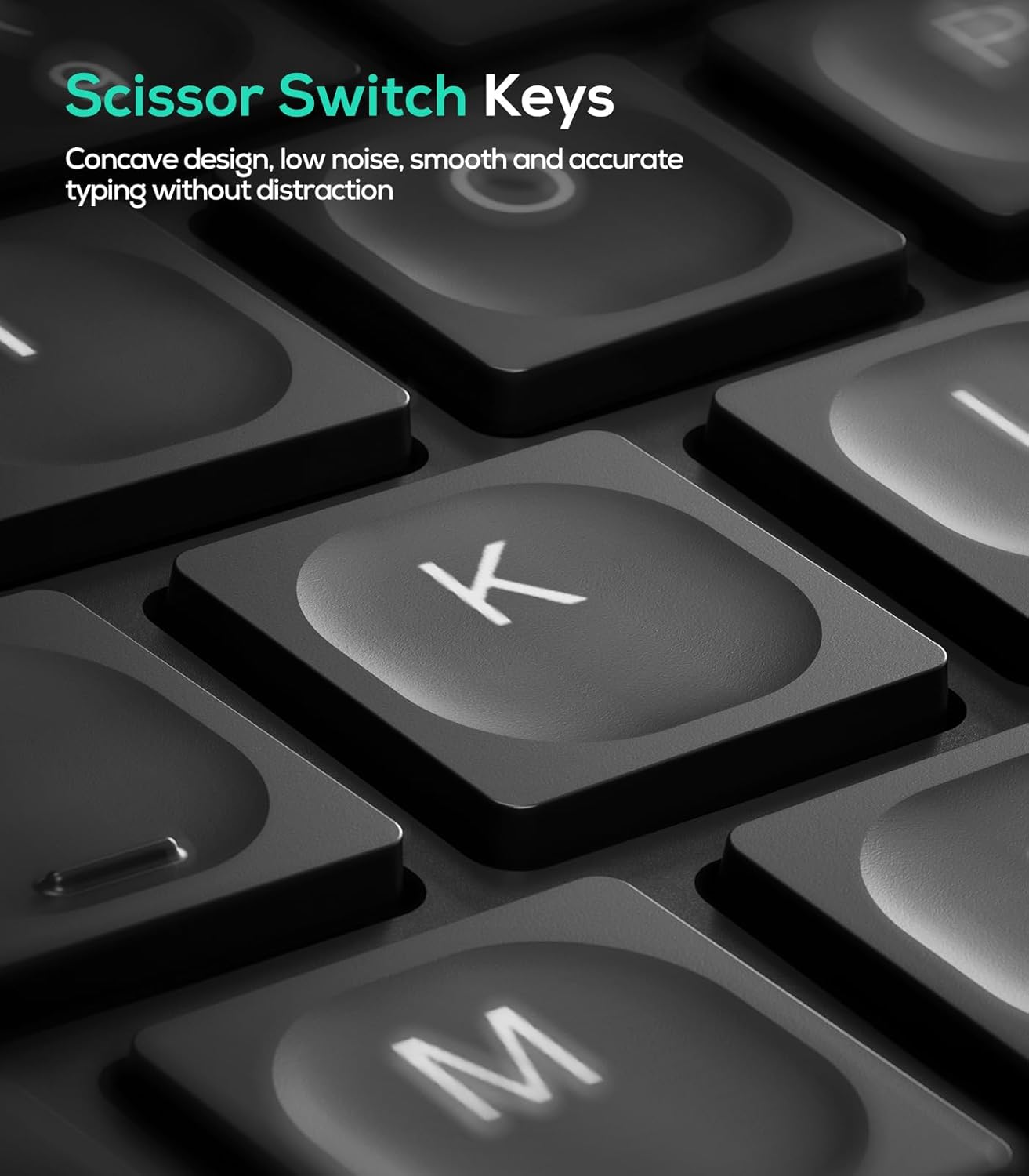
7. irudia: Guraize-etengailuaren giltza-mekanismoa
Sistema eragileen bateragarritasuna
The Nulea RT07B keyboard is compatible with Windows and Mac operating systems. Dedicated keys for Windows (Win) and Mac (Option, Cmd) functions are clearly marked on the keyboard.
Funtzio-teklak
The top row of keys (F1-F12) includes multimedia and shortcut functions. These functions can be accessed directly or by pressing the Fn tekla nahi den funtzio-teklarekin konbinatuta.
Mantentzea
To ensure the longevity and optimal performance of your Nulea RT07B keyboard, follow these maintenance guidelines:
- Garbiketa: Erabili lipurrik gabeko zapi leun bat dampened with water or a mild cleaning solution to wipe the surface of the keyboard. Avoid harsh chemicals or abrasive materials.
- Hautsa kentzea: Erabili aire konprimatua teklen arteko hautsa eta hondakinak kentzeko.
- Bateria zaintzea: Recharge the keyboard when the battery indicator is low. Avoid fully discharging the battery frequently to prolong its lifespan.
- Biltegiratzea: Denbora luzez erabiltzen ez baduzu, gorde teklatua leku fresko eta lehor batean.
Arazoak konpontzea
| Gaia | Kausa posiblea | Irtenbidea |
|---|---|---|
| Keyboard not responding (2.4G) | USB receiver not properly connected; low battery; incorrect mode selected. | Ensure USB receiver is securely plugged in. Charge the keyboard. Press fn+4 to select 2.4G mode. |
| Teklatuak ez du erantzuten (Bluetooth) | Not paired; out of range; low battery; incorrect Bluetooth channel selected. | Ensure keyboard is in pairing mode (Fn + 1/2 held for 3s). Check device's Bluetooth settings. Charge the keyboard. Press fn+1 or fn+2 to select the correct channel. |
| Teklak ez dute erantzuten edo itsaskorrak dira | Accumulated dust or debris under keys; low battery. | Clean the keyboard using compressed air. Charge the keyboard. |
| Caps Lock indicator light turns off quickly | Designed behavior to conserve battery. | This is normal operation. The Caps Lock function remains active even if the light turns off. |
Zehaztapenak
- Eredua: RT07B
- Konektibitatea: 2.4G Wireless, Bluetooth (BT1, BT2)
- Teklatu mota: Ergonomic Split, Membrane, Scissor-Switch
- Bateragarritasuna: Windows, Mac, Laptops, PCs, Tablets, Smartphones
- Energia iturria: USB-C bateria kargagarria
- Bateriaren iraupena: Gehienez 200 ordu (itxarote moduan)
- Materiala: Plastikoa edo silikona
- Elementuaren pisua: 2.66 kilo
- Neurriak: 17.76 x 9.8 x 2.09 hazbete
- Dakarten osagaiak: Palm atsedenlekua
Produktuaren bideo ofiziala
1. bideoa: Amaitu daview of the Nulea RT07B Wireless Ergonomic Keyboard, demonstrating its features and ergonomic design.
Bermea eta Laguntza
Nulea offers a 12-month hassle-free replacement warranty for this product. For support or warranty claims, please refer to the contact information provided in your product packaging or visit the official Nulea webgunea.
Official Nulea Webgunea: www.nulea.com


