1. Sarrera
Welcome to the OnePlus 15 user manual. This guide provides essential information for setting up, operating, maintaining, and troubleshooting your new smartphone. The OnePlus 15 is designed for high performance and extended battery life, featuring a Snapdragon 8 Elite Gen 5 processor, a 7300mAh battery, and a triple 50 MP camera system. Please read this manual thoroughly to ensure optimal use of your device.
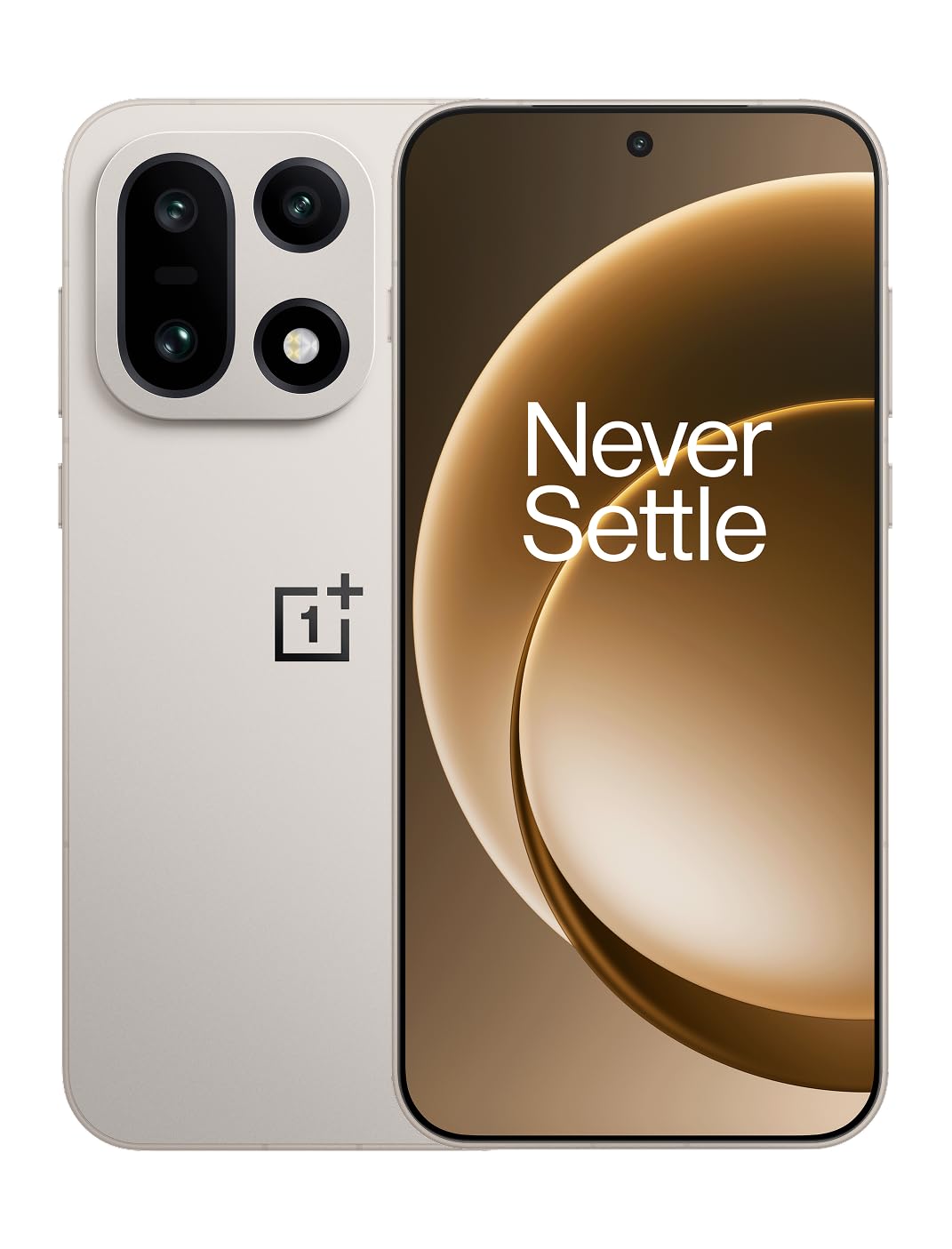
1. irudia: Aurrealdea view of the OnePlus 15 smartphone.
2. Zer dago kutxan
Egiaztatu elementu guztiak zure produktuaren ontzian daudela:
- OnePlus 15 Smartphone (x1)
- Kargagailua (x1)
- USB Data Cable (x1)
- SIM Ejector Tool (x1)
- Quick Guide (x1)
- Safety Guide (x1)

Figure 2: Included items in the OnePlus 15 package.
3. Konfigurazioa
3.1. SIM txartelaren instalazioa
The OnePlus 15 supports Dual-SIM functionality. To install your SIM card(s):
- Bilatu SIM txartelaren erretilua gailuaren alboan.
- Sartu SIM txartela ateratzeko tresna erretiluaren ondoko zulo txikian eta sakatu ondo erretilua atera arte.
- Jarri Nano-SIM txartela(k) erretiluan, urrezko kontaktuak behera begira dituela. Ziurtatu behar bezala sartuta daudela.
- Kontu handiz sartu berriro SIM txartelaren erretilua telefonoan.

3. irudia: Aldea view of the OnePlus 15, highlighting the SIM card tray.
3.2. Hasierako piztea eta konfigurazioa
Gailua lehen aldiz pizteko:
- Press and hold the Power button (located on the right side) until the OnePlus logo appears.
- Follow the on-screen prompts to complete the initial setup, including language selection, Wi-Fi connection, Google account login, and security settings.
3.3. Bateria kargatzea
The OnePlus 15 is equipped with a 7300mAh battery. To charge your device:
- Kable bidezko karga: Connect the provided USB Data Cable to the Type-C port on the bottom of the phone and the other end to the charger. Plug the charger into a power outlet.
- Haririk gabeko karga: Place the phone on a compatible wireless charging pad. Ensure the phone is centered on the pad for efficient charging.
A full charge provides approximately 68.7 hours of talk time.

Figure 4: Illustration of the 7300mAh battery capacity.
4. Zure gailua funtzionatzea
4.1. Pantaila
The OnePlus 15 features a 6.78-inch AMOLED display with a 2772x1272 resolution and a 165 Hz refresh rate. This provides smooth visuals and vibrant colors. Adjust display settings such as brightness, color mode, and refresh rate in the device settings menu.
4.2. Errendimendua
Powered by the Snapdragon 8 Elite Gen 5 processor and 16GB of RAM, the OnePlus 15 delivers fast and efficient performance for multitasking, gaming, and demanding applications. The Tri-Chip System, combining the Snapdragon 8 Elite Gen 5 with a dedicated Wi-Fi chip and CPU scheduler, optimizes for speed, connectivity, and power efficiency.
1. bideoa: Amaitu daview of the OnePlus 15's performance capabilities and user experience.
4.3. Kamera sistema
The device is equipped with a Triple 50 MP camera system, offering wide, ultra-wide, and telephoto lenses for versatile photography. The DetailMax Engine enhances photo quality in various lighting conditions, including day, night, and motion shots. Both front and rear cameras are available for capturing images and videos.

5. Irudia: Atzealdea view of the OnePlus 15, showcasing the triple camera system.
Figure 6: DetailMax Engine for stunning photos.
4.4. Konektibitatea
The OnePlus 15 supports a range of connectivity options:
- Haririk gabekoa: Wi-Fi, Bluetooth, NFC, Infrared.
- Sare: USB C motakoa.
- Nabigazioa: Dual-band GPS (L1+L5) and Galileo (E1+E5a).
- SIM: Dual SIM support for managing multiple networks.
4.5. Sistema eragilea
The device runs on Android 16 with OxygenOS 16, providing a fast and smooth user experience. Regular software updates will be provided to enhance features and security.
5. Mantentzea
5.1. Iraunkortasuna eta Babesa
The OnePlus 15 is built with IP66/IP68/IP69 and IP19K ratings, offering resistance against dust and water. While designed to be durable, avoid exposing the device to extreme conditions or prolonged submersion in water.

Figure 7: OnePlus 15 demonstrating water resistance.
5.2. Zure gailua garbitzea
Use a soft, lint-free cloth to clean the screen and body of your phone. Avoid using abrasive materials or harsh chemicals, which can damage the display or finish.
5.3. Software eguneraketak
Periodically check for software updates in the device settings. Keeping your software up-to-date ensures you have the latest features, security patches, and performance improvements.
6. Arazoak
This section addresses common issues you might encounter with your OnePlus 15.
6.1. Gailua ez da pizten
- Ziurtatu bateria kargatuta dagoela. Konektatu telefonoa kargagailura eta itxaron minutu batzuk berriro pizten saiatu aurretik.
- Berrabiarazteko, sakatu eta eutsi pizteko botoia gutxienez 10-15 segundoz.
6.2. Sare konexio eskasa
- Egiaztatu zure SIM txartela behar bezala sartuta dagoen.
- Verify that airplane mode is not enabled.
- Berrabiarazi gailua.
- If issues persist, contact your network provider.
6.3. Aplikazioak kraskatzen edo izozten dira
- Itxi eta berriro ireki aplikazioa.
- Clear the app's cache and data in device settings.
- Ziurtatu aplikazioa azken bertsiora eguneratuta dagoela.
- If the issue is widespread, consider restarting the phone.
6.4. Bateria azkar agortzen ari da
- Murriztu pantailaren distira eta pantailaren denbora-muga.
- Desgaitu erabili gabeko funtzioak, hala nola Wi-Fi, Bluetooth edo GPSa, beharrezkoak ez direnean.
- Identify and close power-intensive applications running in the background.
- Check for recent software updates, as they often include battery optimizations.
7. Zehaztapenak
Detailed technical specifications for the OnePlus 15 (Model: CPH2749).
| Ezaugarri | Xehetasuna |
|---|---|
| Ereduaren izena | OnePlus 15 |
| Elementuaren eredu-zenbakia | CPH2749 |
| Produktuaren neurriak | 6.36 x 3.02 x 0.32 hazbete |
| Elementuaren pisua | 1.28 kilo |
| Sistema eragilea | Android 16 |
| CPU eredua | Snapdragon 8 Elite Gen 5 |
| CPU Abiadura | 4.61 GHz |
| RAM memoria instalatuaren tamaina | 16 GB |
| Memoria Biltegiratzeko Ahalmena | 512 GB |
| Pantaila zutik bistaratzeko tamaina | 6.78 hazbete |
| Ebazpena | 2772*1272 |
| Freskatze tasa | 165 Hz |
| Bateria Edukiera | 7300 milioiamp Orduak (7300 mAh) |
| Telefonoz hitz egiteko denbora | 68.7 ordu |
| Konektibitate Teknologiak | Infrared, NFC, USB, Wi-Fi, Bluetooth |
| GPSa | Dual band: GPS(L1+L5) Galileo(E1+E5a) |
| Ezaugarri bereziak | Dual SIM, Wireless Charging |
| Audio Jack | Type-C headphones: supported Type-C digital headphones & Type-C analog headphones |
| Beste kameraren ezaugarri batzuk | Front, Rear (Triple 50 MP Camera System) |
| IP balorazioa | IP66/IP68/IP69 and IP19K rated |
| Kolorea | Sand Storm |
8. Bermearen informazioa
Your OnePlus 15 device is covered by a limited manufacturer's warranty. Please refer to the included Safety Guide or visit the official OnePlus website for detailed warranty terms and conditions, including coverage duration and service procedures. Keep your proof of purchase for warranty claims.
9. Laguntza
For further assistance, technical support, or to access additional resources, please visit the official OnePlus support website or contact customer service. You can find contact details and FAQs on the OnePlus webgunea.
Sareko baliabideak: www.oneplus.com/support


