1. Sarrera
Thank you for choosing the Blackstorm 27-inch QHD Mini-LED Gaming Monitor. This monitor is designed to provide an exceptional visual experience for gaming enthusiasts, offering unparalleled precision and performance. Featuring a 27-inch IPS panel with advanced Mini-LED backlighting, it delivers superior image quality, making every gaming moment vivid and immersive. This manual will guide you through the setup, operation, and maintenance of your new monitor.
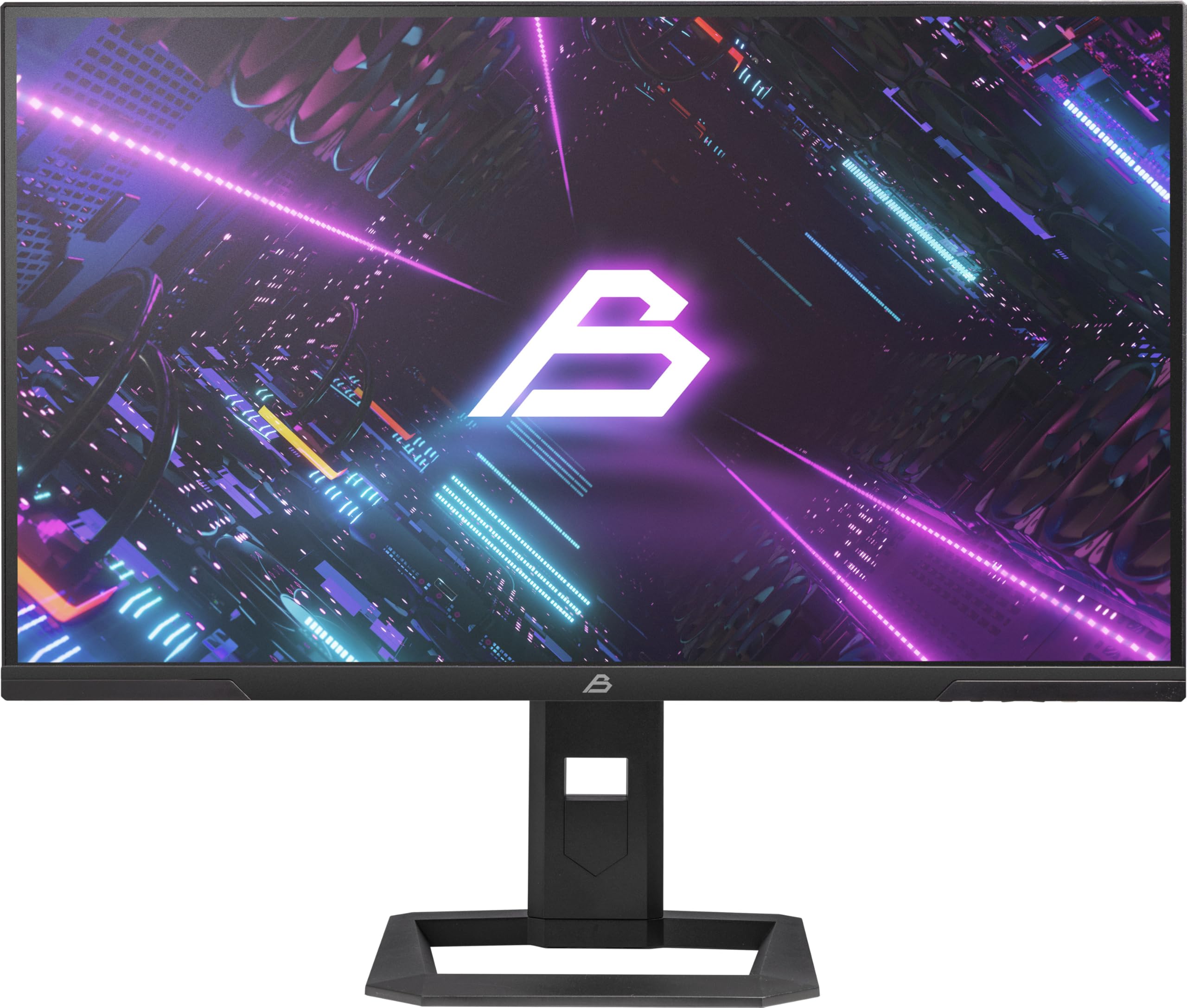
1. irudia: Aurrealdea view of the Blackstorm 27-inch QHD Mini-LED Gaming Monitor.
2. Ezaugarri nagusiak
- High-Performance Gaming Display: A 27-inch IPS panel with Mini-LED backlighting provides exceptional brightness, contrast, and color reproduction, ideal for visual precision and performance in all game types.
- Smooth Gaming Experience: WQHD resolution (2560 x 1440) and a 180 Hz refresh rate ensure smooth, detailed visuals. A rapid 2 ms response time is crucial for fast-paced games.
- Superior Color Reproduction and Brightness: Covers 99% of AdobeRGB and DCI-P3 color spaces for accurate and vibrant colors. Features 450 nits (SDR) brightness and HDR1000 compatibility for an impressive gaming experience in any environment.
- Ergonomic Design and Connectivity: The ergonomic stand allows for height, tilt, swivel, and pivot adjustments. VESA 100x100 mount compatible. Includes HDMI 2.1 and DisplayPort 1.4 connections for high-resolution, fast image transfer.
- Pantaila-teknologia aurreratua: IPS panel with Mini-LED technology, 576 dimming zones, and a 1,000,000:1 contrast ratio.
3. Paketearen edukia
Mesedez, egiaztatu arretaz paketearen edukia. Elementuren bat falta bada edo hondatuta badago, jarri harremanetan zure saltzailearekin.
- Blackstorm 27-inch QHD Mini-LED Gaming Monitor
- Monitorearen euskarria (oinarria eta lepoa)
- Elikatze-kablea
- HDMI kablea
- DisplayPort kablea
- Erabiltzailearen eskuliburua (dokumentu hau)
- Berme txartela (hala badagokio)
4. Konfiguratzeko argibideak
4.1 Standa muntatzea
- Kontu handiz atera monitorearen eta euskarriaren osagaiak paketetik.
- Lotu euskarriaren lepoa monitorearen panelari. Ziurtatu ondo sartzen dela klik eginez edo torlojuekin lotuta dagoela hasiera azkarreko gida adierazten den bezala.
- Attach the stand base to the stand neck. Tighten any screws firmly to ensure stability.
- Jarri muntatutako monitorea gainazal egonkor eta lau batean.

2. Irudia: Atzealdea view of the monitor showing the stand attachment and port area.
4.2 Ordenagailu batera konektatzea
- Ensure both your computer and the monitor are powered off.
- Connect one end of the provided HDMI or DisplayPort cable to the corresponding port on your computer's graphics card.
- Connect the other end of the cable to the HDMI 2.1 or DisplayPort 1.4 input on the back of the monitor.
- Konektatu elikatze-kablea monitorearen elikatze-sarrerara, eta gero beste muturra entxufe batera.
- Power on your computer, then power on the monitor. The monitor should automatically detect the input signal.
4.3 Doikuntza ergonomikoak
Monitorearen euskarriak hainbat doikuntza ahalbidetzen ditu zure optimizazioa lortzeko viewerosotasuna:
- Altuera doitzea: Astiro-astiro bultzatu edo tira monitoreari gora edo behera nahi duzun altuerara iritsi arte.
- Inklinazio doikuntza: Tilt the monitor screen forward or backward to find the optimal viewangelua.
- Birako doikuntza: Biratu monitorearen oinarriaren gainean ezkerrera edo eskuinera.
- Pibotaren doikuntza: Rotate the monitor 90 degrees to switch between landscape and portrait orientation.

3. irudia: Aldea view illustrating the monitor's adjustable stand.
5. Monitorea funtzionatzea
5.1 Pantailan bistaratzeko (OSD) menua
The OSD menu allows you to adjust various monitor settings. Typically, buttons are located on the back or bottom edge of the monitor. Refer to the quick start guide for exact button locations.
- Sakatu OSD botoia menua irekitzeko.
- Erabili nabigazio botoiak (gora/behera/ezkerra/eskuina) menuko aukeren artean nabigatzeko.
- Sakatu hautatzeko botoia azpimenu batera sartzeko edo ezarpen bat berresteko.
- Press the exit button to return to the previous menu or close the OSD.
5.2 Pantailaren ezarpenak doitzea
Doitu ditzakezun ezarpen nagusien artean daude:
- Distira/Kontrastea: Adjust for optimal visual comfort.
- Kolore ezarpenak: Fine-tune color temperature, gamma, and color space (e.g., AdobeRGB, DCI-P3).
- Freskatze-tasa: Ensure your computer's display settings are configured to utilize the monitor's 180 Hz refresh rate for the smoothest experience.
- HDR modua: Enable HDR1000 for compatible content to experience enhanced dynamic range.
- Atzeko argi dinamikoa: This feature enhances depth and realism. For competitive gaming requiring extreme responsiveness, you may choose to disable dynamic backlighting for a more consistent and precise image.
6. Mantentzea
Zaintza egokiak zure monitorearen iraupena eta errendimendu optimoa bermatzen ditu.
- Pantaila garbitzea:
- Monitorea beti itzali eta deskonektatu garbitu aurretik.
- Erabili lipurrik gabeko zapi leun bat dampened with water or a non-ammonia, non-alcohol based screen cleaner.
- Wipe the screen gently to remove dust and smudges. Avoid applying direct pressure.
- C garbiketaasing:
- Erabili zapi leun eta lehor bat monitorearen c garbitzeko.asing.
- Saihestu gainazala kaltetu dezaketen garbitzaile urratzaileak edo disolbatzaileak erabiltzea.
- Aireztapena: Ziurtatu monitorearen aireztapen-irekidurak ez daudela blokeatuta gehiegi berotzea saihesteko.
- Biltegiratzea: Denbora luzez erabiltzen ez baduzu, gorde monitoreak leku fresko eta lehor batean, ahal bada jatorrizko ontzian.
7. Arazoak
Monitorearekin arazoak badituzu, jo ezazu ohiko irtenbide hauetara:
| Arazoa | Irtenbide posiblea |
|---|---|
| No image on screen / "No Signal" message |
|
| Irudia lausoa edo distortsionatua dago |
|
| Monitorea ez da pizten |
|
| Koloreak oker agertzen dira |
|
If the problem persists after trying these solutions, please contact Blackstorm customer support.
8. Zehaztapen Teknikoak
| Ezaugarri | Zehaztapena |
|---|---|
| Marka | Ekaitz beltza |
| Eredua | GMF27QHD180-MLED |
| Pantailaren tamaina | 27 hazbetekoa |
| Bistaratzeko Teknologia | IPS with Mini-LED |
| Ebazpena | 2560 x 1440 Pixels (WQHD) |
| Freskatze tasa | 180 Hz |
| Erantzun Denbora | 2 milisegundo |
| Brightness (SDR) | 450 candela/square meter |
| Kontraste-erlazioa | 1,000,000:1 |
| Kolore gama | 99% AdobeRGB, DCI-P3 |
| HDR euskarria | HDR1000 |
| Iluntze-eremuak | 576 |
| Aspektu-erlazioa | 16:9 (1.77:1) |
| Hardware interfazea | DisplayPort 1.4, HDMI 2.1 |
| Ezaugarri bereziak | HDR, Height Adjustment, Tilt Adjustment, Swivel Adjustment, Pivot Adjustment, Adjustable Stand |
| VESA bateragarritasuna | 100x100 mm |
| Produktuaren neurriak | 23.5 x 54 x 96 cm; 12.66 kg |

Figure 4: Energy efficiency label. For more details, visit EPREL Datu-basea.
9. Bermea eta Laguntza
For warranty information, please refer to the separate warranty card included with your product or visit the official Blackstorm website. For technical support, troubleshooting assistance beyond this manual, or service inquiries, please contact Blackstorm customer support through their official channels.
Informazio gehiago eta harremanetarako datuak aurki ditzakezu hemen: Blackstorm Store on Amazon.