1. Sarrera
This manual provides detailed instructions for the installation, operation, and maintenance of your CAMECHO 10.1-inch Android 15 Car Radio. This unit is designed to enhance your driving experience with advanced features such as wireless CarPlay, Android Auto, GPS navigation, Bluetooth connectivity, and a comprehensive 360° panoramic view system. Please read this manual thoroughly before using the product to ensure proper function and safety.
2. Produktua amaitu daview
2.1 Ezaugarri nagusiak
- Sistema eragilea: Android 15 with 8-Core processor, 6GB RAM, and 128GB ROM.
- Pantaila: 10.1-inch IPS touchscreen for vivid visuals and responsive control.
- Smartphone integrazioa: Wireless CarPlay, Android Auto, and Mirror Link for seamless phone connectivity.
- Nabigazioa: Built-in GPS module supporting online and offline maps with real-time traffic updates.
- Konektibitatea: WiFi for internet access, Bluetooth for hands-free calls and audio streaming.
- Audioa: FM/RDS radio with programmable presets and integrated Car DSP tuning software.
- Segurtasun Ezaugarriak: Supports 360° panoramic bird's-eye view system (requires optional cameras) and AHD reversing camera.
- Kontrola: Steering Wheel Control (SWC) compatibility for convenient operation.
- Multiataza: Split screen function for running multiple applications simultaneously.
2.2 Paketearen edukia
Egiaztatu osagai guztiak paketean daudela:
- CAMECHO 10.1'' Android 15 Car Radio Unit
- GPS antena
- RCA Cable Set
- Mikrofonoa
- Elikatze-kablea
- Radio Antenna & Antenna Adapter
- Rear Camera (AHD Backup Camera)
- Erabiltzailearen eskuliburua
- USB kableak
- Canbus Decoder (if applicable for your vehicle)
- Atzeko kameraren sarrera-kablea
- Instalazio tresna

Image: Illustration of the CAMECHO car radio's packing list and dimensions, showing all included accessories and the unit's physical size.
3. Bateragarritasuna
This car radio is compatible with Mercedes Benz Sprinter and Vito models manufactured between 2006 and 2017. Before installation, it is crucial to verify that your vehicle's model, year, and center console shape match the product's design to ensure proper fitment and functionality.

Image: A CAMECHO car radio unit seamlessly integrated into the dashboard of a Mercedes Benz Sprinter or Vito vehicle, demonstrating the fitment.
4. Konfigurazioa eta instalazioa
Professional installation is recommended. Ensure the vehicle's power is disconnected before beginning installation.
4.1 Kableatu-diagrama
Refer to the following diagrams for correct wiring connections. Incorrect wiring can damage the unit or vehicle electrical system.

Image: Detailed wiring diagrams for the CAMECHO car radio, showing connections for power, speakers, and auxiliary inputs/outputs.
4.2 AHD Backup Camera Installation
The included AHD backup camera requires specific wiring for proper function. Connect the camera's video output to the unit's camera input. The camera's power cable (red wire) should be connected to the vehicle's reversing lamp power, and the black wire to ground (GND).

Image: A diagram illustrating the wiring connections for the AHD backup camera to the car radio unit and the vehicle's power system.
5. Funtzionamendu-argibideak
5.1 System Basics
The unit operates on Android 15, providing a familiar and intuitive interface. Use the 10.1-inch IPS touchscreen for all interactions. Swipe, tap, and pinch gestures are supported for navigation and control.
5.2 Wireless CarPlay, Android Auto, and Mirror Link
Connect your iPhone or Android smartphone wirelessly to access key functions directly from the car radio's screen. This includes making calls, sending messages, playing music, and using navigation apps. Mirror Link allows you to display your phone's screen content directly on the unit.
- CarPlay: For iPhone users, connect wirelessly to access iOS features.
- Android Auto: For Android users, connect wirelessly to access Android features.
- Ispilu esteka: Cast your phone's screen to the car radio display.
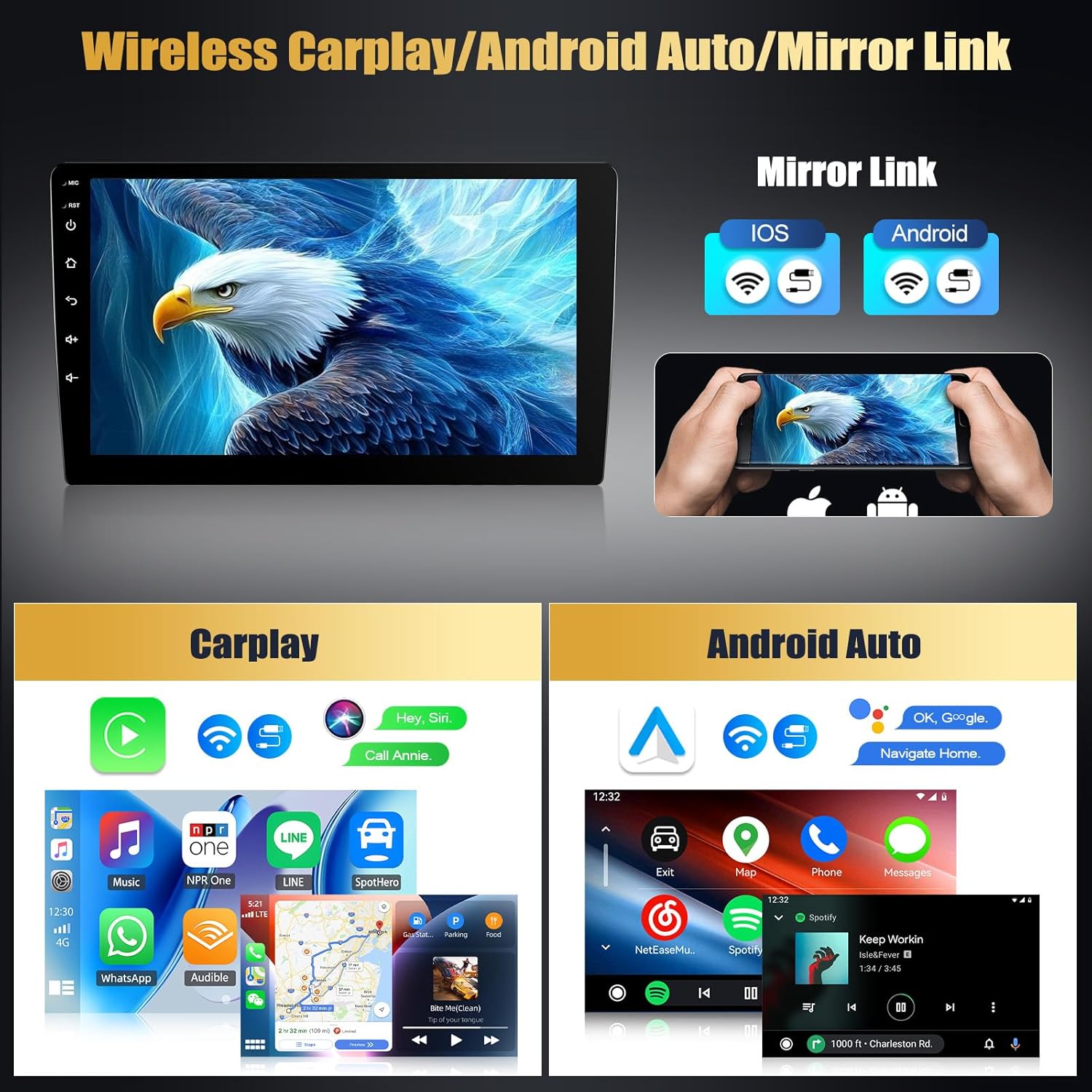
Image: Screenshots demonstrating the user interface for Wireless CarPlay, Android Auto, and Mirror Link functionalities on the car radio display.
5.3 GPS nabigazioa eta WiFi konexioa
The built-in GPS module supports various navigation applications, offering both online and offline map capabilities with real-time traffic updates. Connect the unit to the internet via a WiFi hotspot from your smartphone or a dedicated WiFi device to browse the web, stream media, and download apps.
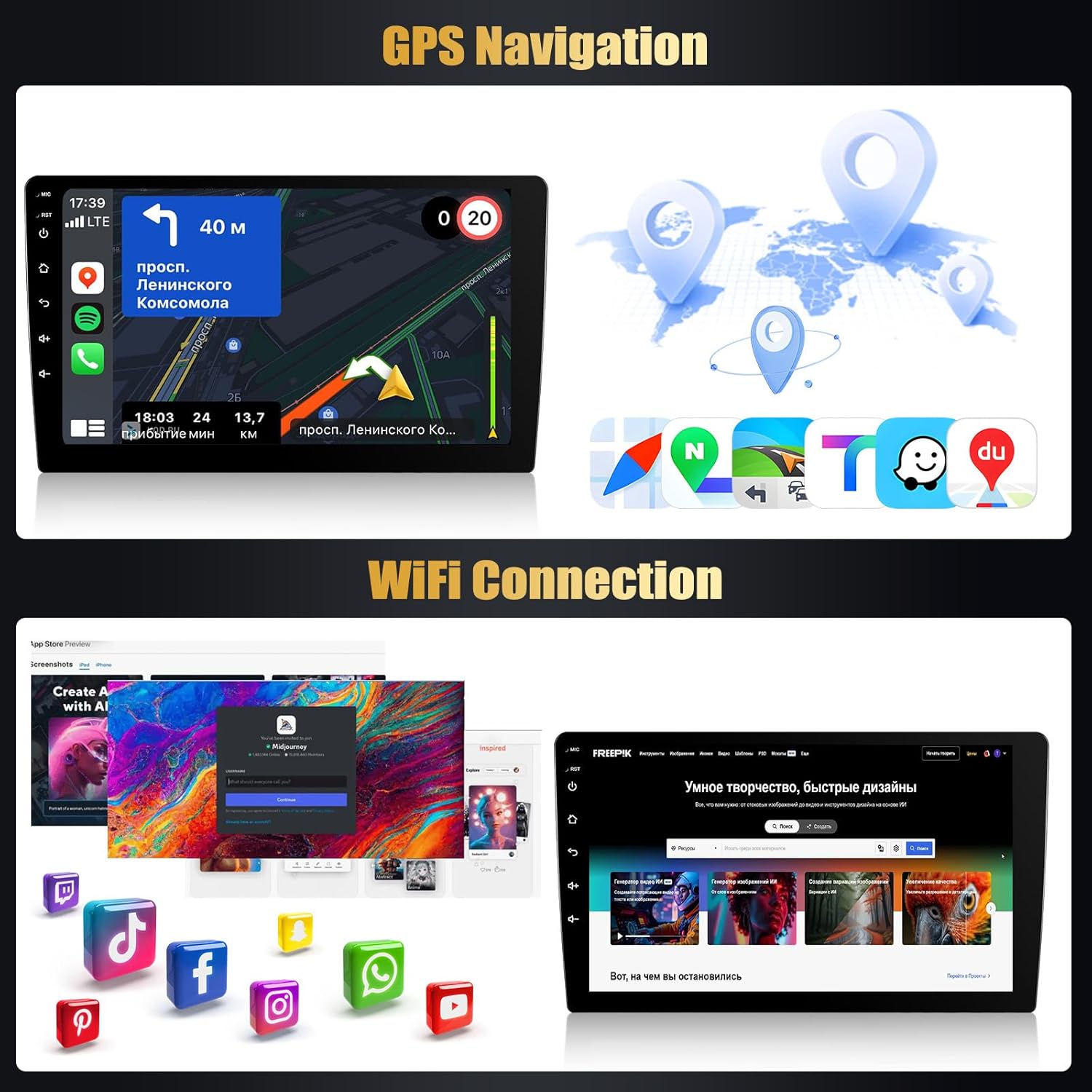
Image: Displays of the GPS navigation interface showing map routes and the WiFi connection screen with various app icons.
5.4 360° panoramikoa View & Inspection
The unit is pre-configured to support a 360° panoramic bird's-eye view system. By installing four optional external cameras (sold separately), you can activate a comprehensive real-time view around your vehicle on the screen. This system significantly reduces blind spots and provides visual alerts for safe parking and maneuvering in tight spaces.
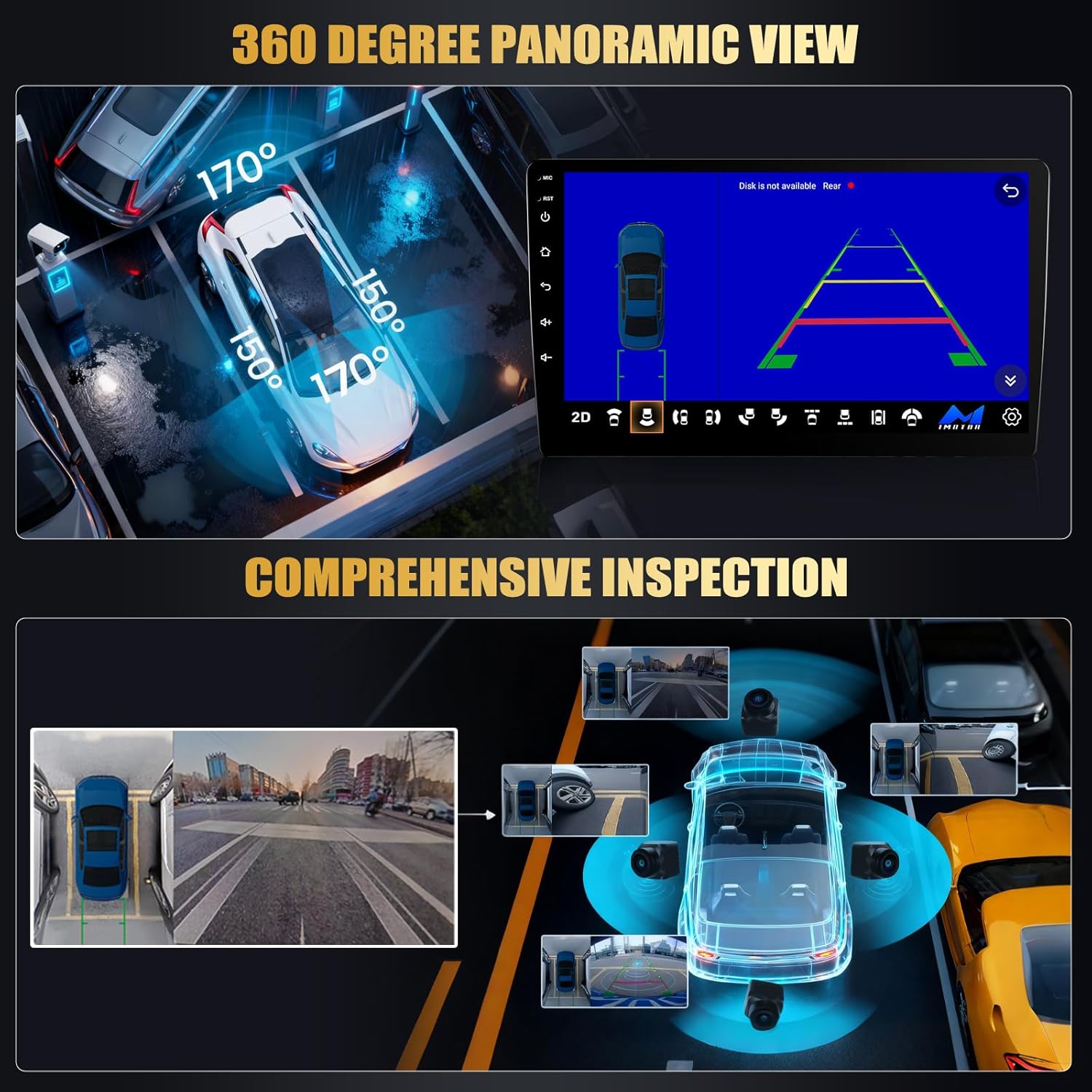
Image: Visual representation of the 360-degree panoramic view system, showing multiple camera angles around a vehicle and a bird's-eye perspective for comprehensive inspection.
5.5 FM/RDS irratia
Access FM radio stations with clear reception and minimal interference. The Radio Data System (RDS) provides additional information such as station names and song titles where available. You can program your favorite stations for quick access.
5.6 Bluetooth konexioa
Utilize Bluetooth for seamless hands-free communication. Pair your smartphone to make and receive calls directly through the car radio. The system supports automatic phonebook synchronization. You can also stream audio wirelessly from your device.

Image: Screenshots showing the Bluetooth dialer interface for hands-free calling and the FM radio interface with frequency display and presets.
5.7 Bolantearen kontrola (SWC)
The unit retains compatibility with your vehicle's existing steering wheel controls. This allows you to operate key functions such as volume adjustment, track skipping, and mode selection safely without taking your hands off the wheel. Configuration may be required in the system settings.
5.8 Pantaila zatituaren funtzioa
The split screen feature allows you to run two applications simultaneously on the 10.1-inch display. For example, you can have navigation running on one side while controlling music playback on the other.
5.9 Audio Customization (DSP/EQ)
The integrated Car DSP tuning software provides precise audio customization options. Adjust frequency bands and equalizer settings to tailor the sound output to your preferences.
5.10 AHD Reversing Camera Display
When the vehicle is shifted into reverse, the display automatically switches to the AHD reversing camera view, providing a clear image of the area behind your vehicle to assist with parking and backing up.
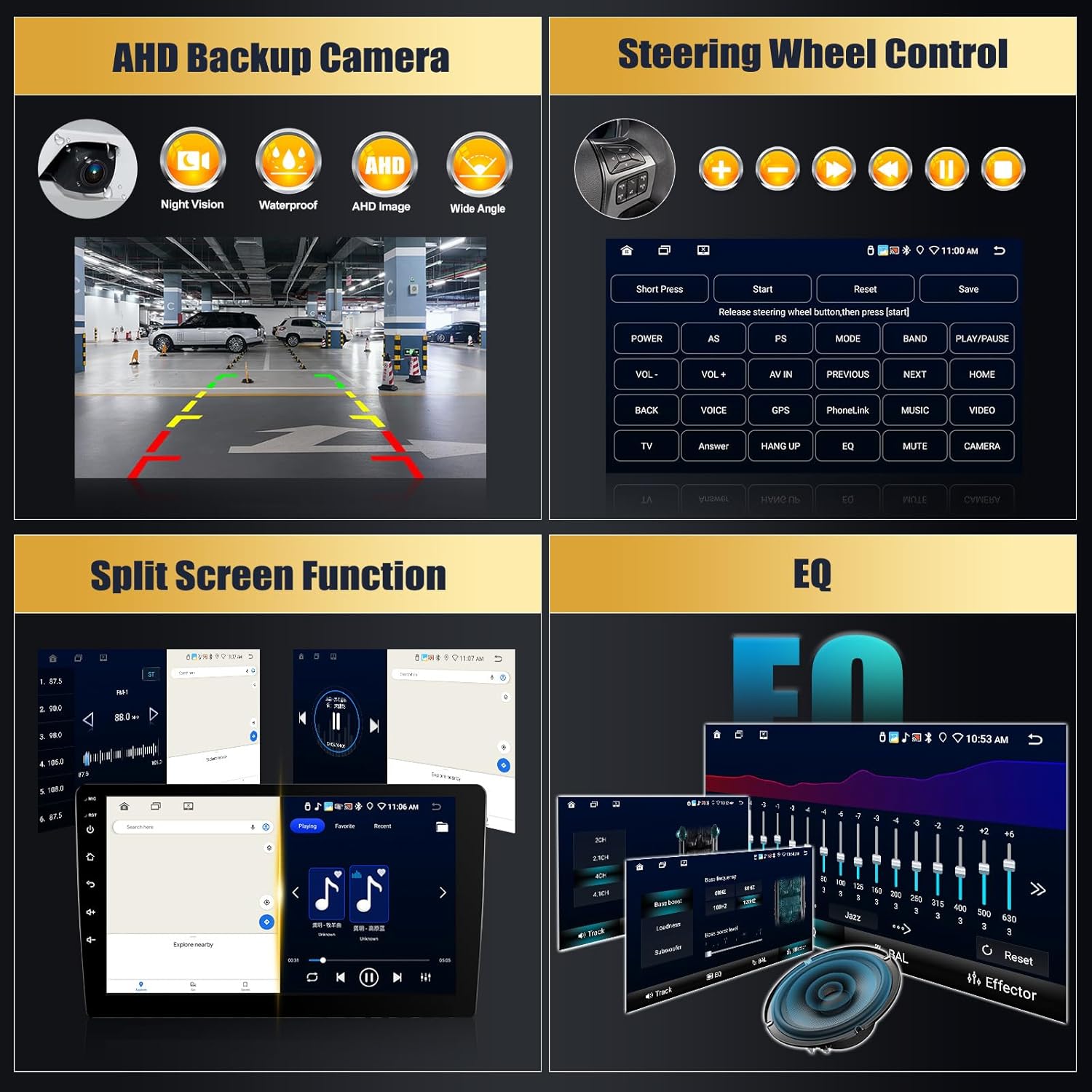
Image: A multi-panel image showing the AHD backup camera view, the steering wheel control learning interface, the split-screen function, and the audio equalizer (EQ) settings.
6. Mantentzea
To ensure the longevity and optimal performance of your car radio, follow these maintenance guidelines:
- Garbiketa: Erabili zapi leun eta lehor bat pantaila eta kanpoaldea garbitzeko. Saihestu garbitzaile edo disolbatzaile urratzaileak.
- Tenperatura: Avoid exposing the unit to extreme temperatures, both hot and cold.
- Software eguneraketak: Periodically check for and install available software updates to ensure the system runs efficiently and securely.
- Potentzia: Ensure stable power supply to prevent damage.
7. Arazoak
If you encounter issues with your CAMECHO car radio, refer to the following common troubleshooting steps:
- Potentziarik gabe: Egiaztatu konexio eta fusible guztiak. Ziurtatu ibilgailuaren piztea piztuta dagoela.
- Soinurik ez: Verify speaker connections, volume levels, and audio source selection. Check EQ settings.
- Ukipen-pantailak ez du erantzuten: Restart the unit. If the issue persists, a factory reset might be necessary (note: this will erase user data).
- GPSak ez du funtzionatzen: Ziurtatu GPS antena behar bezala konektatuta dagoela eta argia duela. view of the sky. Check GPS settings.
- Bluetooth parekatzearen arazoak: Ensure Bluetooth is enabled on both the unit and your phone. Delete previous pairings and try again.
- Atzeko kamera ez da bistaratzen: Check camera wiring, especially the trigger wire connected to the reverse light. Ensure the camera is powered.
- CarPlay/Android Auto konexio arazoak: Ensure your phone's software is up to date. Try restarting both the phone and the car radio.
For persistent issues or complex technical problems, please contact CAMECHO customer support.
8. Zehaztapenak
| Ezaugarri | Zehaztapena |
|---|---|
| Produktuaren neurriak | 3 x 6 x 10 hazbete (7.62 x 15.24 x 25.4 cm) |
| Elementuaren pisua | 8.8 libra (3.99 kg) |
| Modelo zenbakia | B0FSQBZ6LY |
| Sistema eragilea | Android 15 |
| Prozesadorea | 8 Nukleoa |
| RAM | 6 GB |
| ROM | 128 GB |
| Bistaratzeko tamaina | 10.1 hazbetekoa |
| Bistaratzeko mota | IPS ukipen-pantaila |
| Konektibitate Teknologia | Bluetooth, USB, Wi-Fi |
| Ezaugarri bereziak | Android 15, CarPlay, Android Auto, Mirror Link, FM/RDS, EQ, GPS, WiFi, SWC, AHD Backup Camera, 360° Panoramic View euskarria |
| Gailu bateragarriak | Smartphone |
| Audio irteera modua | Estereoa |
| Inguruko soinu-kanalaren konfigurazioa | 5 |

Image: A graphic illustrating the core performance specifications of the CAMECHO car radio, including Android 15, 8-Core processor, and 6GB RAM + 128GB ROM.
9. Laguntza Teknikoa
CAMECHO provides 24/7 after-sales technical support for any installation or operation issues you may encounter. For assistance, please reach out to us directly.
Harremanetarako posta elektronikoa: camechovip@126.com

Image: Information regarding CAMECHO's 24-hour premium customer service and contact email for support.


