Sarrera
The Kuulaa Qi2 MagSafe Power Bank is a 10000mAh portable charger designed for iPhone 12-17 series, offering 15W wireless and 20W USB-C fast charging. It features a smart TFT display and a foldable stand for convenient use. This manual provides instructions for safe and efficient operation of your power bank.
Ezaugarri nagusiak:
- Qi2 Certified 15W MagSafe Fast Charging for precise alignment and reliable performance.
- 10000mAh Compact Power for Travel, providing up to 1.3 full charges for an iPhone 16 Pro.
- 20W USB-C Fast Charging Option for wired output to various devices.
- Smart TFT Display showing real-time battery level, charging speed, and power status.
- Foldable Stand for hands-free viewkargatzen ari den bitartean.
- Optimized for iPhone 17, 16, 15, 14, 13, and 12 series with strong magnetic alignment.
Paketearen edukia
Mesedez, egiaztatu paketearen edukia kutxa irekitzean:
- Kuulaa Qi2 MagSafe Power Bank (KL-YD92)
- USB-C-tik USB-C-ra kargatzeko kablea
- Erabiltzailearen eskuliburua

1. irudia: paketearen edukia
Produktua amaituview
Familiarize yourself with the components of your Kuulaa Qi2 MagSafe Power Bank.

Figure 2: Smart TFT Display Details
- MagSafe Charging Surface: Haririk gabeko kargatzeko gailu bateragarrietarako.
- Smart TFT Display: Bateriaren ehunekoa erakusten dutage, sarrera/irteera uratage, and foreign object detection.
- Pizteko botoia: Activates the display and controls power.
- USB-C ataka: For charging the power bank and wired charging other devices.
- Tolestu daitekeen euskarria: Esku libreko euskarri integratua viewing.
Konfigurazioa
1. Power Banka kargatzea
Before first use, fully charge your Kuulaa Qi2 MagSafe Power Bank.
- Connect the provided USB-C to USB-C cable to the power bank's USB-C port.
- Connect the other end of the cable to a compatible USB-C wall adapter (not included). For optimal charging speed, use a 20W or higher power adapter.
- The Smart TFT Display will show the charging status and battery percentage. The power bank is fully charged when the display shows 100%.

3. irudia: Power Bank-a kargatzen
Funtzionamendu-argibideak
1. Haririk gabeko kargatzea (MagSafe-rekin bateragarria)
This power bank supports 15W Qi2 wireless charging for compatible devices, primarily iPhone 12 series and newer.
- Ensure your device is MagSafe compatible. For optimal magnetic attachment and charging, use an iPhone 12 series or newer, or a MagSafe-compatible case.
- Align your iPhone with the magnetic charging surface of the power bank. The magnets will snap into place, ensuring correct alignment.
- The Smart TFT Display will indicate wireless charging is active and show the charging speed.

Figure 4: Wireless Charging an iPhone

Figure 5: Secure Magnetic Attachment

Figure 6: Wireless Charging Speed Example
2. Hari bidezko kargatzea (USB-C)
The USB-C port supports 20W fast charging for a wide range of devices, including other smartphones, tablets, and earbuds.
- Connect your device to the power bank's USB-C port using a compatible USB-C cable.
- The Smart TFT Display will show wired charging is active and display the output wattage.

Figure 7: Wired Charging via USB-C
Oharra: The power bank can charge multiple devices simultaneously (one wirelessly, one via USB-C), but total output will be shared.
3. Tolestu daitekeen euskarria erabiltzea
Integratutako euskarri tolesgarriak eskuak libre edukitzeko aukera ematen du viewing of your device while charging.
- Gently pull out the metal stand from the back of the power bank.
- Egokitu euskarria nahi duzunera viewangelua.
- Place your magnetically attached iPhone (or other device) on the stand.
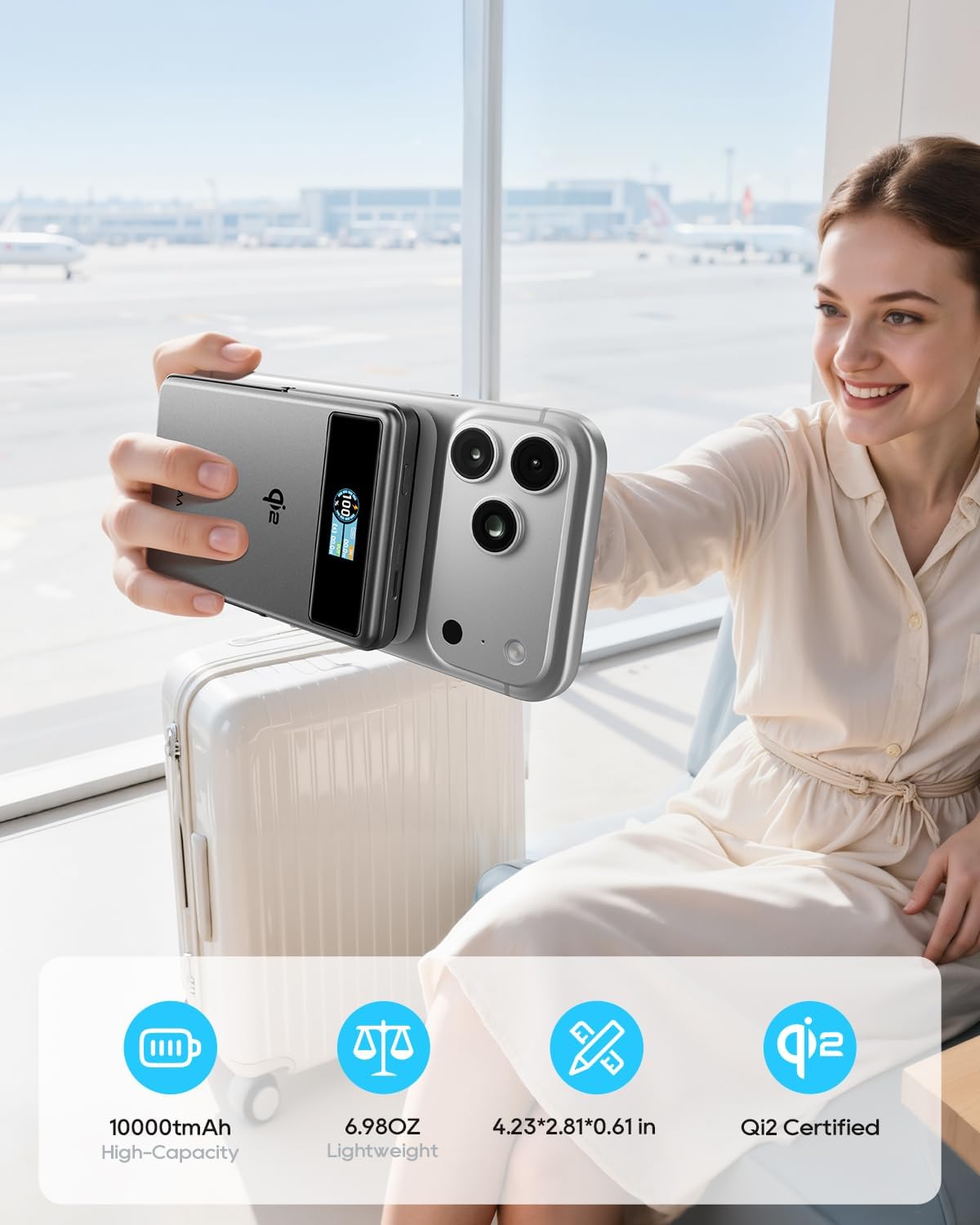
Figure 8: Using the Foldable Stand

Figure 9: Travel Convenience with Foldable Stand
4. Airplane Mode (Disable Wireless Charging)
To comply with airline regulations or if you only wish to use the stand function, you can disable wireless charging.
- Egin klik bikoitza pizteko botoian.
- Wait for approximately 2 seconds. The wireless charging function will be disabled. The power bank can then be used solely as a magnetic phone stand.

Figure 10: Airplane Friendly Mode
Mantentzea
- Keep the power bank away from water, fire, and high temperatures.
- Saihestu gailua kolpe gogorrak erortzea edo jasaten.
- Clean the device with a dry, soft cloth. Do not use corrosive cleaners.
- Gorde power banka leku fresko eta lehor batean erabiltzen ez duzunean.
- For optimal battery life, fully charge the power bank at least once every three months.
Arazoak konpontzea
| Arazoa | Kausa posiblea | Irtenbidea |
|---|---|---|
| Energia-bankua ez da kargatzen. | Kable edo egokigailu arazoa; bateria eramangarria guztiz deskargatuta. | Ensure the USB-C cable and wall adapter are functioning correctly. Try a different cable or adapter. Allow sufficient time for a fully discharged power bank to initiate charging. |
| Gailua ez da haririk gabe kargatzen. | Misalignment; non-MagSafe device/case; foreign object; wireless charging disabled. | Realign the device on the charging surface. Ensure your device or case is MagSafe compatible. Remove any metal objects between the power bank and device. Double-check if wireless charging is accidentally disabled (refer to "Airplane Mode" section). |
| Karga motela. | Low power adapter; multiple devices charging; high device usage. | Use a 20W or higher USB-C wall adapter for charging the power bank. Avoid charging multiple devices simultaneously for faster individual charging. Reduce device usage during charging. |
| Smart TFT Display not showing information. | Display timeout; power bank off. | Press the power button once to reactivate the display. The display has a timeout feature to conserve power. |
| Power bank-a berotu egiten da kargatzen ari den bitartean. | Funtzionamendu normala. | It is normal for the power bank to become slightly warm during charging or discharging. If it becomes excessively hot, discontinue use and contact support. |
Zehaztapenak
| Ezaugarri | Xehetasuna |
|---|---|
| Modelo zenbakia | KL-YD92 |
| Bateria Edukiera | 10000mAh (38.5Wh) |
| Haririk gabeko kargaren irteera | 15W (Qi2 ziurtagiria) |
| USB-C irteera | 20W Max (5V/3A, 9V/2.22A, 12V/1.67A) |
| USB-C sarrera | 18W Max (5V/3A, 9V/2A, 12V/1.5A) |
| Produktuaren neurriak | 4.2 x 2.8 x 0.6 hazbete |
| Elementuaren pisua | 7 ontza |
| Ezaugarri bereziak | Digital Display, Fast Charging, Lightweight, Pocket Size, Wireless Charging, Foldable Stand |
| Fabrikatzailea | Shenzhen Kula Technology Co.,Ltd |
Bermea eta Laguntza
Kuulaa products come with a standard manufacturer's warranty. For detailed warranty information, product support, or technical assistance, please refer to the official Kuulaa webgunera edo jarri harremanetan zuzenean bezeroarentzako arreta-zerbitzuarekin.
Mesedez, gorde zure erosketa-froga berme-erreklamazioetarako.
Produktu Ofizialaren Bideoak
Video 1: Kuulaa Qi2 MagSafe Power Bank 15W 10000mAh & Foldable Stand. This video provides a quick overview of the power bank's features, including its magnetic attachment and foldable stand.


