1. Sarrera
Thank you for choosing the Jocoevol Display Cabinet with Glass Doors. This manual provides essential information for the safe assembly, operation, and maintenance of your new cabinet. Please read these instructions thoroughly before use and retain them for future reference.
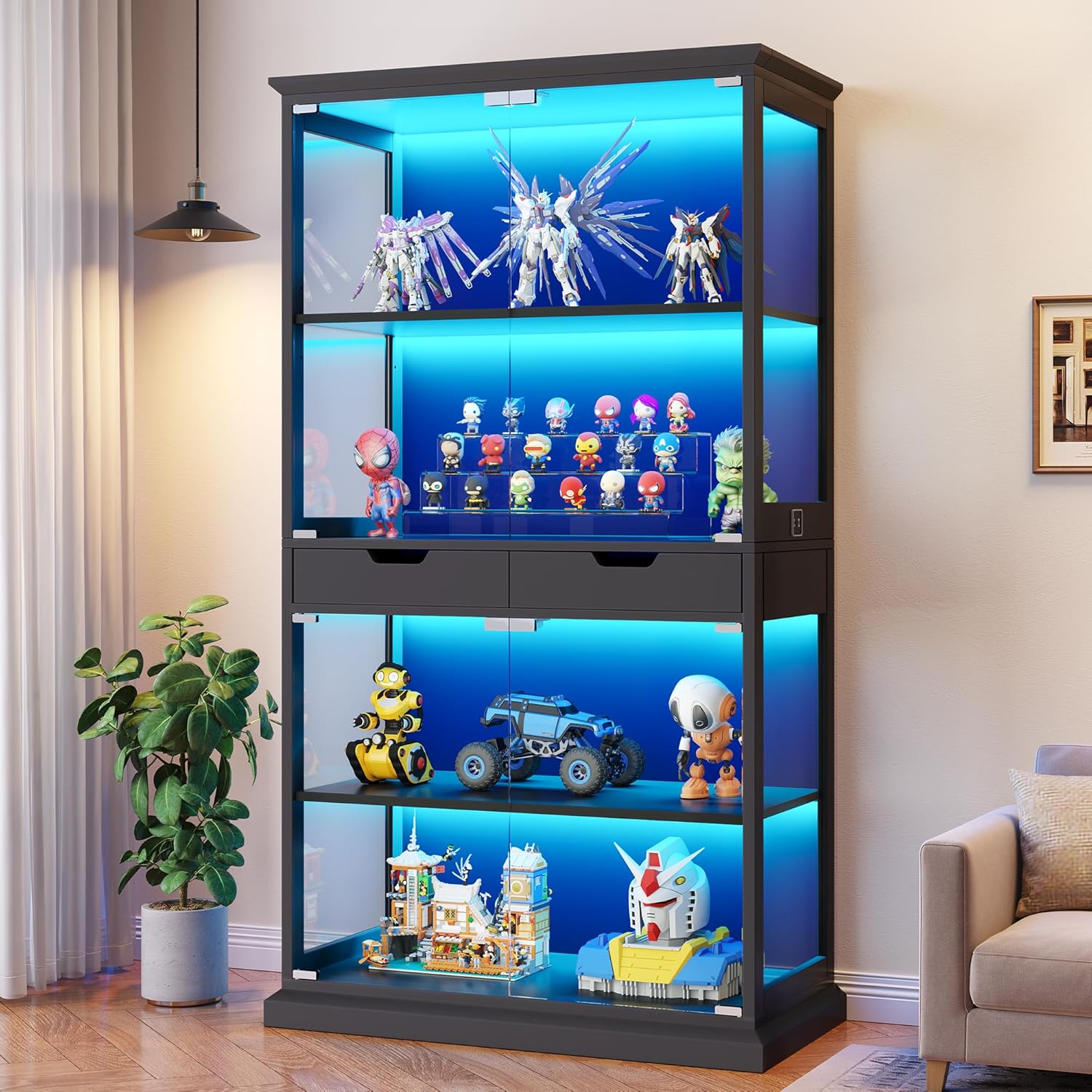
This image displays the Jocoevol Display Cabinet fully assembled and illuminated with blue LED lights, featuring multiple shelves filled with various collectible items. It highlights the cabinet's capacity and aesthetic appeal.
2. Segurtasun-argibideak
- Muntatu beti armairua gainazal leun eta garbi batean, marradurak saihesteko.
- Erabili aurretik, ziurtatu pieza guztiak ondo lotuta daudela. Ez estutu gehiegi torlojuak.
- Armairu hau barruko erabilerarako soilik diseinatuta dago.
- Do not overload shelves. Refer to specifications for weight limits.
- Install the anti-tipping device as instructed to prevent accidental tipping, especially in households with children or pets.
- Keep electrical components (lights, sensor) away from water or excessive moisture.
- Kontu handiz maneiatu beirazko osagaiak hausturak eta lesioak saihesteko.
3. Paketearen edukia
Muntatu aurretik, egiaztatu ontziratze-zerrendan zerrendatutako osagai guztiak daudela eta kalterik gabe daudela. Piezarik falta edo kaltetuta badago, jarri harremanetan bezeroarentzako arreta-zerbitzuarekin.
- Cabinet panels (wood, acrylic)
- Tempered glass doors and shelves
- RGB LED light strips and controller
- Human body sensor module
- Assembly hardware (screws, dowels, magnetic latches)
- Iraultzearen aurkako gailua
- Argibide eskuliburua
4. Zehaztapenak
| Marka | Jokoebol |
| Ereduaren izena | Display Cabinet with Glass Doors |
| Modelo zenbakia | C-1665 |
| Kolorea | Beltza |
| Produktuaren neurriak | 31.5"Z x 15.7"S x 68.3"A |
| Elementuaren pisua | 111 kilo |
| Apalategi kopurua | 5 (4 glass, 1 wood) |
| Ezaugarri bereziak | APP Control, RGB LED Light, Smart Human Sensor |
| Muntatze Mota | Solairuaren mendia |
| Muntaia Beharrezkoa | Bai |

A detailed diagram illustrating the overall dimensions of the display cabinet (31.5"L x 15.7"D x 68.3"H) and key internal measurements, including shelf heights and drawer sizes. It also labels components like glass, acrylic, wood, and the controller.
5. Muntaketa Gida
Assembly typically takes about 40 minutes with two people. Follow the numbered parts and pre-drilled holes for accurate setup.
5.1 Batzar Nagusiaren Urratsak
- Piezak desontziratu eta identifikatu: Lay out all components on a soft, clean surface. Refer to the parts list in your package to identify each piece.
- Oinarria muntatu: Attach the side panels to the base using the provided hardware.
- Instalatu apalategiak: Insert the fixed wooden shelf and adjustable glass shelves into their designated positions. Ensure glass shelves are securely seated.
- Atzeko panelak erantsi: Secure the back panels to the frame.
- Tiraderak instalatu: Assemble the two central drawers and slide them into their compartments.
- Kristalezko ateak muntatzea: Attach the tempered glass doors using the push-to-open magnetic latches.
- Connect Lighting and Sensor: Install the RGB LED light strips and human body sensor according to the wiring diagram in your package.
- Azken egiaztapenak: Ziurtatu torloju guztiak estutu direla eta armairua egonkorra dela.
5.2 Iraulketaren aurkako gailuaren instalazioa
For safety, it is crucial to install the anti-tipping device. Secure the bracket to the top rear of the cabinet and then to a wall stud using appropriate hardware. This prevents the cabinet from accidentally tipping over.

This composite image details several key features: the magnetic catch closures for the doors, the control panel for lighting, the anti-tipping device for safety, and the two integrated storage drawers.
6. Funtzionamendu-argibideak
6.1 Glass Doors Operation
The cabinet features handle-free push-to-open glass doors. To open, gently press the center of the glass door. The magnetic latch will release, allowing the door to swing open. To close, push the door firmly until the magnetic latch engages.

This image highlights the handle-free push-to-open design of the glass doors, showing the magnetic latch system that allows for smooth opening and a neat, clean appearance.
6.2 RGB Lighting and App Control
Each layer of the cabinet is equipped with RGB LED strips. The lighting can be controlled via a mobile application through Bluetooth.
- Deskargatu aplikazioa: Eskaneatu QR kodea edo bisitatu http://www.easytrack.net.cn/download_pro/169DONGGUANYIHONG to download the "Lotus Lamp X" application from your device's app store.
- Bluetooth bidez konektatu: Enable Bluetooth on your mobile device. Open the "Lotus Lamp X" app and follow the on-screen instructions to connect to your cabinet's lighting system.
- Kontrol Ezaugarriak: Aplikazioaren barruan, hau egin dezakezu:
- Switch between 16 million colors.
- Adjust brightness levels (0% to 100%).
- Customize various lighting modes.
- Sync lights with ambient music using the built-in microphone.

This image showcases the customizable RGB lighting feature, presenting the cabinet with blue, warm yellow, and white light settings. It also indicates the brightness adjustment functionality.

Screenshots of the 'Lotus Lamp X' mobile application, demonstrating its features for adding devices, connecting, color selection (RGB), DIY modes, and music synchronization. A QR code is provided for easy app download.
6.3 Smart Human Sensor
The cabinet includes an intelligent human body sensing system. To activate this feature, locate the function switch on the right control panel and turn it on. The lights will automatically illuminate when a person is detected within 2–3 meters (approximately 10-13 feet) and will turn off automatically one minute after the person moves away.

An illustration of the smart human sensor feature, where the cabinet lights automatically turn on as a person approaches within 10-13 feet, enhancing visibility of displayed items.
6.4 Apalategi erregulagarriak
The upper glass shelves are removable and can be adjusted to accommodate items of varying heights. Carefully lift and reposition the shelves to the desired height. Ensure they are securely placed on the shelf pins before placing items on them.
6.5 Biltegiratzeko tiradera
The two central drawers provide additional enclosed storage space. Pull the drawers gently to open and push to close.
7. Zainketa eta Mantentzea
- Cleaning Glass Surfaces: Use a soft, lint-free cloth and a glass cleaner to wipe glass doors and shelves. Avoid abrasive cleaners that may scratch the surface.
- Egurrezko gainazalak garbitzea: Wipe wooden parts with a soft, damp cloth. Avoid harsh chemicals. Dry immediately to prevent water damage.
- Hautsa botatzea: Aldian-aldian, garbitu gainazal guztiak zapi lehor eta leun batekin, zikinkeria pilatzea saihesteko.
- Osagai elektrikoak: Ensure the cabinet is unplugged before cleaning near any electrical components. Do not spray liquids directly onto lights or sensors.
- Eguzkiaren argia saihestu: Prolonged exposure to direct sunlight may cause fading or damage to the cabinet materials.
8. Arazoak
| Arazoa | Kausa posiblea | Irtenbidea |
|---|---|---|
| Argiak ez dira pizten. | Power cord not plugged in; App not connected; Sensor switch off; Faulty wiring. | Check power connection; Ensure Bluetooth connection in app; Turn on sensor switch; Inspect wiring for loose connections. |
| Human sensor not activating lights. | Sensor switch off; Obstruction in sensor path; Sensor range issue. | Ensure sensor switch is on; Clear any objects blocking the sensor; Verify approach within 2-3 meter range. |
| Glass doors not opening/closing smoothly. | Magnetic latch misalignment; Obstruction. | Check for any objects obstructing the door path; Inspect magnetic latches for proper alignment and adjust if necessary. |
| App not connecting to lights. | Bluetooth off; App not updated; Device too far. | Ensure Bluetooth is enabled on your device; Update the "Lotus Lamp X" app; Move closer to the cabinet. |
9. Bermearen informazioa
Please refer to your purchase documentation or contact the retailer for specific warranty details regarding your Jocoevol Display Cabinet. Warranty terms typically cover manufacturing defects for a specified period from the date of purchase.
10. Bezeroarentzako arreta
If you have any questions, require assistance with assembly, or encounter any issues not covered in this manual, please do not hesitate to contact Jocoevol customer support. Refer to your purchase receipt or the product packaging for contact information.


