Sarrera
The iLive Cinema Pop-up Movie Kit is a comprehensive portable entertainment solution designed to transform any space into a personal cinema. This kit includes a 720p projector, a 120-inch ultra-bright projector screen, an adjustable tripod, and a powerful Bluetooth 5.0 speaker system. Enjoy crisp images and rich audio for both indoor and outdoor movie nights.
Zer sartzen da
- 720p-ko proiektorea
- 120-inch Anti-Wrinkle Polyester Projector Screen (16:9 aspect ratio, 1.3 gain)
- Professional-Grade Tripod with integrated bubble level (360-degree pan, ±180-degree tilt, 41.73-inch max height, 4 kg capacity)
- Bluetooth 5.0 Speaker System (dual 4-inch full-range speakers, 16W peak output, LED light effects, rechargeable battery)
- Urruneko Kontrola
- Elikatze-kablea
- HDMI kablea
- 3.5 mm-ko audio kablea
- USB kablea
- Eramateko zorroa
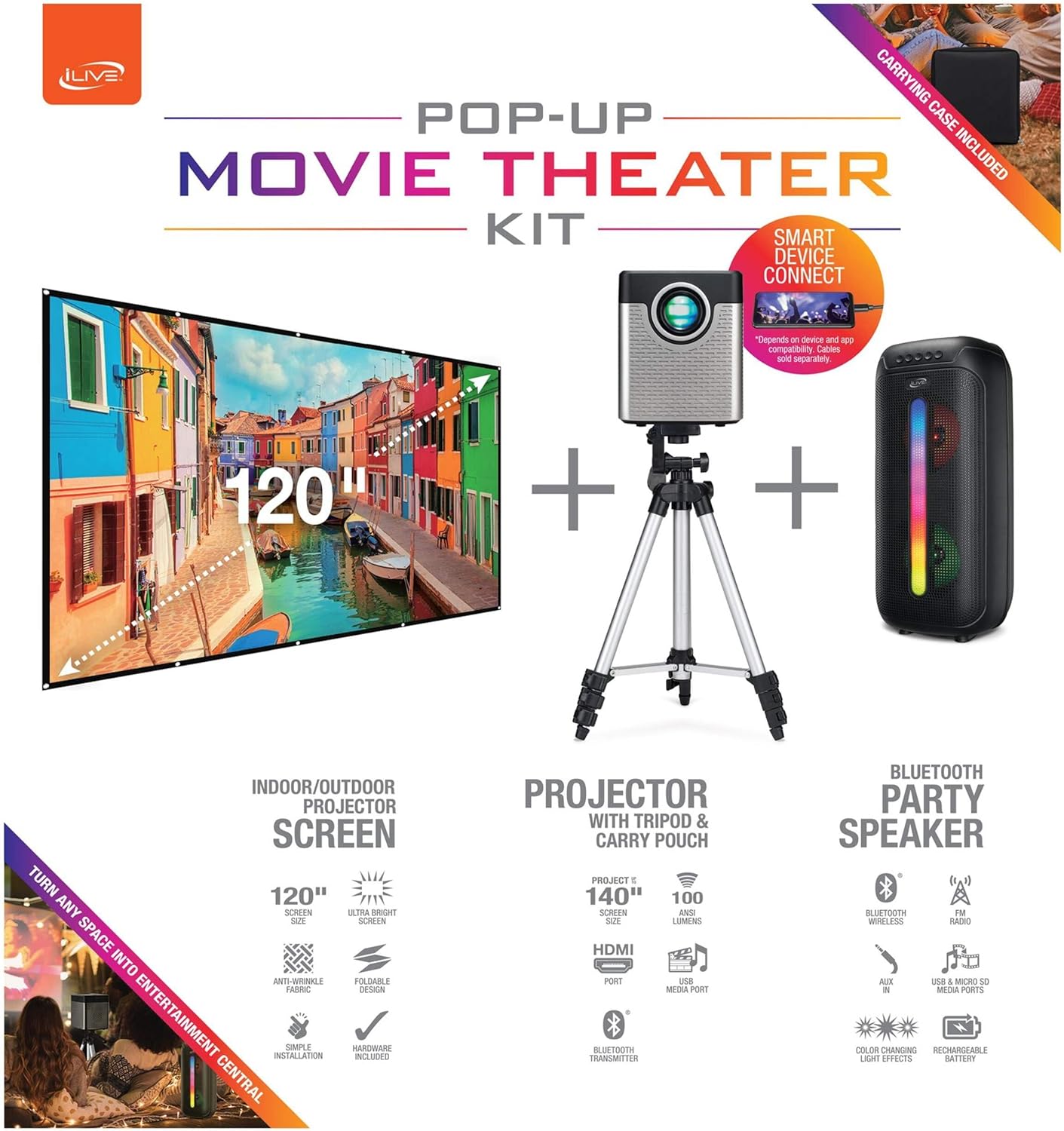
Figure 1: Diagram of the iLive Cinema Pop-up Movie Kit components.

Figure 2: The complete kit packed in its carrying case.
Konfigurazioa
- Deskonprimitu osagaiak: Carefully remove all items from the carrying case.
- Tripodea muntatu: Extend the legs of the tripod and secure them. Adjust the height to your desired viewing level. The integrated bubble level assists in ensuring a stable and level base.
- Mount Projector: Securely attach the projector to the tripod mount. Ensure it is stable and facing the desired projection area.
- Set Up Screen: Unfold the 120-inch anti-wrinkle screen. If using the tripod, attach the screen to the tripod frame using the provided fasteners. Ensure the screen is taut and wrinkle-free for optimal viewing. For alternative mounting, use the grommets along the screen's edges with appropriate wall hooks (not included).
- Hizlariaren kargua: Place the Bluetooth speaker in a location that provides optimal sound distribution for your vieweremua.
- Konektatu energia: Konektatu elikatze-kablea proiektoreari eta entxufe egoki bati.
- Konektatu gailuak (aukerakoa): Connect your media source (e.g., laptop, gaming console, Blu-ray player) to the projector using an HDMI or USB cable. For external audio, use the 3.5mm audio input or connect wirelessly via Bluetooth to the speaker.

Figure 3: Projector mounted on the tripod.

4. irudia: Adibample outdoor setup with the projector and screen.
Funtzionamendu-argibideak
Proiektorearen funtzionamendua
- Piztu/Itzali: Press the power button on the projector or remote control to turn the unit on or off.
- Sarrera iturria: Use the remote control to select the desired input source (HDMI, USB, etc.).
- Fokuaren doikuntza: Doitu proiektorearen lentearen fokatze-eraztuna irudia garbi egon arte.
- Keystone zuzenketa: If the projected image appears trapezoidal, use the keystone correction feature (manual or automatic, if available) to adjust the image to a rectangular shape. The projector supports vertical keystone correction.
- Aspektu-erlazioa: Select between 16:9 and 4:3 aspect ratios based on your content and preference.
- Proiekzio distantzia: The projector has a flexible projection range of 2.6 to 12.5 feet. Adjust the distance to achieve the desired screen size.
Bluetooth bozgorailuaren funtzionamendua
- Piztu/Itzali: Press and hold the power button on the speaker to turn it on or off.
- Bluetooth bidezko lotura Aktibatu Bluetooth-a zure gailuan (adibidez, telefonoan, tabletan). Bilatu the iLive speaker in the list of available devices and pair.
- Bolumen kontrola: Doitu bolumena bozgorailuko edo konektatutako gailuko kontrolak erabiliz.
- LED argi-efektuak: The speaker features LED light effects. Refer to the speaker's specific controls for adjusting or disabling these effects.
- Wireless Wireless Stereo (TWS): If you have two iLive Bluetooth speakers, you can pair them together for a True Wireless Stereo experience. Follow the instructions provided with the speaker for TWS pairing.
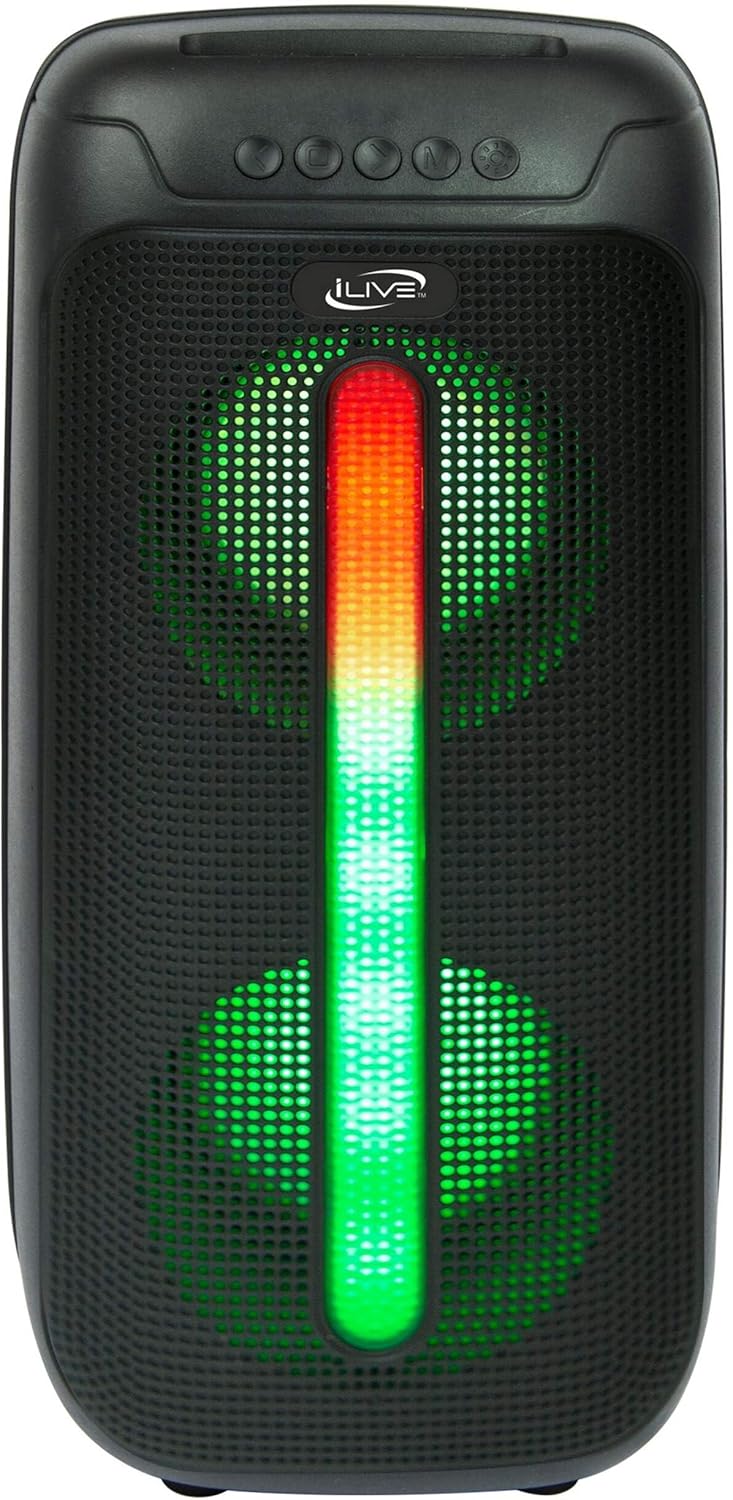
Figure 5: iLive Bluetooth 5.0 Speaker.
Mantentzea
- Proiektorearen lentea: Use a soft, lint-free cloth to gently clean the projector lens. Avoid abrasive materials or harsh chemicals.
- Projector Vents: Ensure the projector's ventilation openings are clear of dust and debris to prevent overheating.
- Pantaila garbitzea: The anti-wrinkle polyester screen can be gently wiped with a damp cloth if necessary. Allow it to air dry completely before folding or storing.
- Hizlarien arreta: Keep the speaker dry and clean. Avoid exposing it to extreme temperatures or direct sunlight.
- Biltegiratzea: When not in use, store all components in the provided carrying case in a cool, dry place to protect them from dust and damage.
Arazoak konpontzea
- Ez dago irudirik pantailan:
- Ziurtatu proiektorea piztuta dagoela eta lentearen estalkia kenduta dagoela.
- Egiaztatu sarrera-iturri zuzena hautatuta dagoela proiektorrean.
- Egiaztatu kable guztien konexioak (HDMI, USB) ondo lotuta daudela.
- Irudi lausoa:
- Doitu fokatze-eraztuna proiektorearen lentean.
- Ensure the projection distance is within the recommended range (2.6-12.5 ft).
- Distorted Image (Trapezoidal):
- Use the keystone correction feature to adjust the image geometry.
- Ensure the projector is placed on a level surface or the tripod is properly adjusted.
- Ez dago soinurik bozgorailutik:
- Ensure the speaker is powered on and charged.
- Verify Bluetooth pairing or 3.5mm audio cable connection.
- Check volume levels on both the speaker and the connected device.
- Bluetooth parekatzearen arazoak:
- Ziurtatu bozgorailua parekatzeko moduan dagoela.
- Hurbildu bozgorailua zure gailura.
- Disconnect and re-pair the device.
Zehaztapenak
| Ezaugarri | Zehaztapena |
|---|---|
| Modelo zenbakia | THE2024BDL |
| Bistaratzeko ebazpena | 1280 x 720 (720p) |
| Bistaratzeko mota | LED |
| Distira | 3000 lumen |
| Kontraste-erlazioa | 1000:1 |
| Aspektu-erlazioak | 16:9, 4:3 |
| Argi-iturri Bizitza | 20,000 ordu |
| Proiekzio-eremua | 2.6 - 12.5 oin |
| Irudiaren Gehieneko Tamaina | 120 hazbete |
| Konektibitatea | HDMI, USB, 3.5mm Audio, Bluetooth 5.0 |
| Bozgorailuaren irteera | 16W Peak (Dual 4-inch drivers) |
| Speaker Battery Life | Gehienez 4 ordu (% 50 bolumenarekin) |
| Tripodearen Ezaugarriak | Integrated bubble level, 360-degree pan, ±180-degree tilt, 41.73-inch max height, 4 kg capacity |
| Bideo Kodeketa Laguntza | H.264, H.265 |
| Kontrol-metodoa | Urruneko Kontrola |
Produktu Ofizialaren Bideoak
Ez dago produktu honen saltzaileen bideo ofizialik eskuragarri une honetan.
Bermea eta Laguntza
For warranty information or technical support, please contact iLive customer service at 1-888-999-4215. Please have your model number (THE2024BDL) and proof of purchase ready when contacting support.


