1. Sarrera
The House of Marley Get Together Go is a portable Bluetooth speaker designed for high-quality audio and outdoor durability. It features sustainable materials, multiple sound modes, and a robust, adventure-ready design.

Figure 1: Get Together Go Speaker in an outdoor environment.
Key features include IP67 waterproof and dustproof rating, up to 20 hours of playtime, customizable EQ modes, and Auracast multi-speaker pairing. The speaker is crafted from renewable bamboo and REGRIND silicone, reflecting a commitment to sustainable design.

2 Irudia: Gainetikview of main features including EQ settings, playtime, IP67 protection, and ambient lighting.
2. Paketearen edukia
Ziurtatu elementu guztiak paketean daudela:
- House of Marley Get Together Go Portable Bluetooth Speaker
- USB-C kargatzeko kablea
- Hasiera Azkarreko Gida (ez dago eskuliburu honetan sartuta)
3. Konfigurazioa
3.1 Bozgorailua kargatzea
- Konektatu emandako USB-C kargatzeko kablea bozgorailuaren kargatzeko atakara.
- Konektatu kablearen beste muturra USB egokitzaile bateragarri batera (ez dago barne).
- Kargatzeko adierazlearen argia piztuko da kargatzen ari den bitartean eta itzali egingo da guztiz kargatzen denean.
3.2 Piztu/Itzaltzea
- To power on, press and hold the Power button until the indicator lights activate.
- Itzaltzeko, sakatu eta eutsi berriro pizteko botoia adierazle-argiak itzali arte.

3. irudia: Aurrealdea view of the speaker, illustrating general layout and control area.
3.3 Bluetooth parekatzea
- Ziurtatu bozgorailua piztuta dagoela.
- Press and hold the Bluetooth button on the speaker until the Bluetooth indicator light begins to flash, indicating pairing mode.
- Zure gailuan (smartphone-an, tabletan, etab.), gaitu Bluetooth-a eta bilatu eskuragarri dauden gailuak.
- Select "Get Together Go" from the list of devices.
- Behin konektatuta, Bluetooth adierazlearen argia finko piztuta egongo da.
3.4 Auracast Multi-Speaker Pairing
The Get Together Go supports Auracast for connecting multiple compatible speakers for a larger sound experience. Refer to the official House of Marley website for detailed instructions on Auracast setup.
4. Funtzionamendu-argibideak
4.1 Audio erreprodukzioa
- Once paired via Bluetooth, play audio from your connected device.
- Use the Volume Up (+) and Volume Down (-) buttons on the speaker to adjust the volume.
- Sakatu Erreproduzitu/Pausa botoia erreprodukzioa kontrolatzeko.

Figure 4: Speaker control panel for power, Bluetooth, volume, and playback.
4.2 Custom EQ Modes
The speaker features three customizable EQ modes to optimize sound for different environments:
- Marleyren Sinadura Soinua: Audio profesional orekatuafile.
- Baxu Boost: Enhanced low-frequency response.
- Kanpoko modua: Optimized for open-air listening.
To switch between EQ modes, briefly press the Power button while the speaker is on. The ambient lighting may change to indicate the active mode.

Figure 5: Speaker in an outdoor setting, demonstrating its durability and suitability for various environments, where EQ modes can be adjusted.
4.3 Giro-argiztapena
The speaker includes ambient lighting at its base. This lighting can be toggled or adjusted by pressing a dedicated button (refer to the speaker's physical controls for exact button location, often integrated with power or EQ controls).
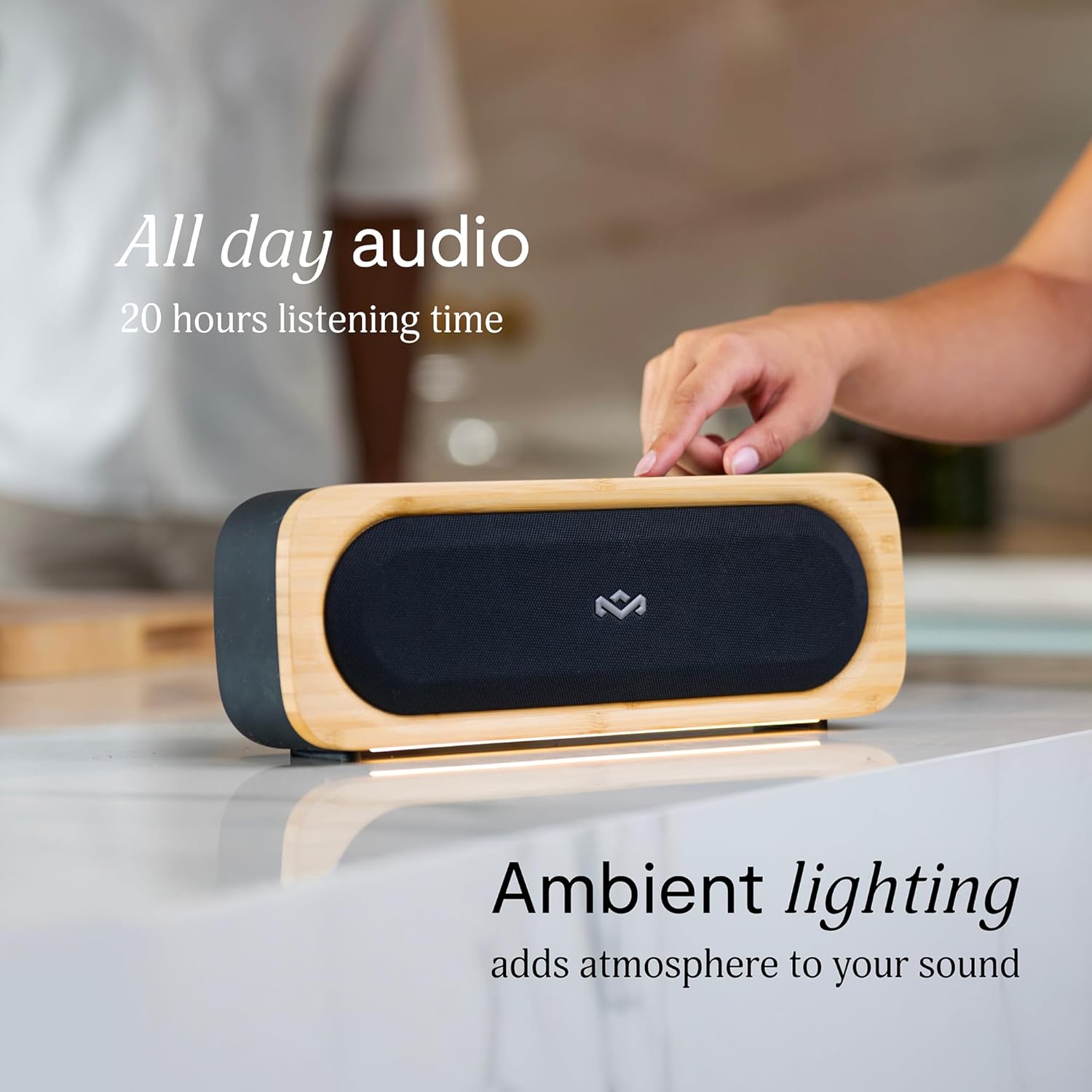
Figure 6: Speaker with ambient lighting active.
4.4 Built-in Bottle Opener
A bottle opener is integrated into the speaker's design for convenience. Locate the bottle opener on the rear or side of the speaker and use it as you would a standard bottle opener.

Figure 7: Demonstrating the use of the built-in bottle opener.
5. Mantentzea
5.1 Garbiketa
- The speaker features a removable grill for easy cleaning. Gently detach the grill to clean any dust or debris from the speaker drivers.
- Wipe the speaker's exterior with a soft, damp oihal. Saihestu produktu kimiko gogorrak edo garbitzaile urratzaileak erabiltzea.
- Ensure the speaker is completely dry before reattaching the grill or using it near water.

Figure 8: Speaker with removable grill detached for cleaning.
5.2 Water and Dust Protection (IP67)
- The IP67 rating means the speaker is protected from dust ingress and can withstand immersion in water up to 1 meter for 30 minutes.
- Always ensure the charging port cover is securely closed before exposing the speaker to water or dust.
- Uretan egon ondoren, lehortu ondo bozgorailua kargatu aurretik.
5.3 Bateria zaintzea
- Bateriaren iraupen optimoa lortzeko, saihestu bozgorailua maiz erabat deskargatzea.
- Gorde bozgorailua leku fresko eta lehor batean denbora luzez erabiltzen ez duzunean.
6. Arazoak
6.1 bozgorailua ez da pizten
- Ziurtatu bateria kargatuta dagoela. Konektatu bozgorailua energia-iturri batera eta utzi gutxienez 30 minutuz kargatzen berriro pizten saiatu aurretik.
- Press and hold the Power button for a few seconds to ensure it's not a brief press.
6.2 Bluetooth parekatze arazoak
- Ziurtatu bozgorailua parekatze moduan dagoela (Bluetooth adierazlea keinuka).
- Ensure your device's Bluetooth is enabled and within range (typically 10 meters or 33 feet).
- Saiatu bozgorailua gailuaren Bluetooth ezarpenetatik kentzen eta berriro parekatzen.
- Berrabiarazi bozgorailua eta Bluetooth gailua.
6.3 Soinurik ez edo bolumen baxua
- Egiaztatu bozgorailuaren eta konektatutako gailuaren bolumen-mailak.
- Ensure the speaker is properly paired and connected to your device.
- Saiatu zure gailuko beste aplikazio edo iturri batetik audioa erreproduzitzen.
7. Zehaztapenak
| Ezaugarri | Xehetasuna |
|---|---|
| Ereduaren izena | ELKARREKIN JOAN |
| Elementuaren eredu-zenbakia | EM-JA036-SB |
| Konektibitate Teknologia | Bluetootha |
| Bozgorailuaren irteera-potentzia maximoa | 20 Watt |
| IP balorazioa | IP67 (Iragazgaitza eta hautsaren aurkakoa) |
| Jolas-ordua | Gehienez 20 ordu |
| Produktuaren neurriak | 5.75" L x 16.13" W x 4.75" H |
| Elementuaren pisua | 4.05 kilo |
| Materialak | Renewable Bamboo, REGRIND Silicone, REWIND Fabric |
| UPC | 846885011706 |
8. Bermea eta Laguntza
For warranty information and technical support, please refer to the official House of Marley webwebgunera edo jarri harremanetan zuzenean bezeroarentzako arreta-zerbitzura. Gorde erosketaren frogagiria berme-erreklamazioetarako.
9. Sustainability Commitment
The House of Marley Get Together Go speaker is designed with sustainability in mind, utilizing:
- Renewable Bamboo: Crafted from one of the world's fastest-growing plants.
- REWIND Fabric: Made from recycled plastic bottles for a durable finish.
- REGRIND Silicone: Produced using reclaimed and upcycled post-process and post-consumer waste.

Figure 9: Details on the sustainable materials used in the speaker's construction.


