Sarrera
Thank you for choosing the NOUUI NU-HS012 Open Ear Headphones. These headphones are designed to provide high-definition stereo sound while allowing you to remain aware of your surroundings. Featuring an AI noise-cancelling microphone, Bluetooth 5.3, and dual device connectivity, they are suitable for various activities including work, workouts, and calls. This manual provides essential instructions for setup, operation, and maintenance to ensure optimal performance and longevity of your device.
Paketearen edukia
- NOUUI NU-HS012 Open Ear Headphones
- Magnetic Induction Charger
- Erabiltzailearen eskuliburua
Produktua amaituview
Familiarize yourself with the components of your NOUUI NU-HS012 headphones.

1. irudia: NOUUI NU-HS012 Open Ear Headphones. This image displays the overall design of the headphones, highlighting the open-ear hooks and the adjustable microphone boom.
- Open-Ear Hooks: Designed to rest gently on the outer ear, providing comfort and situational awareness.
- Mikrofono erregulagarria: A 270° rotatable boom microphone with AI noise cancellation for clear voice pickup.
- Multifunction Button (MFB): Controls power, calls, and music playback.
- Bolumen kontrolak: Buttons located on the side for adjusting audio levels.
- Kargatzeko ataka: For connecting the magnetic induction charger.
Konfigurazioa
1. Entzungailuak kargatzea
Before first use, fully charge your NOUUI NU-HS012 headphones.
- Connect the magnetic induction charger to a USB power source.
- Place the headphones onto the charging base, ensuring the magnetic contacts align.
- The indicator light on the headphones will show charging status (refer to LED indicator section for details).
- A full charge takes approximately 2 hours and provides up to 14 hours of playback time.
2. Bluetooth parekatzea
Pair your headphones with your device (smartphone, tablet, laptop, etc.) via Bluetooth.
- Ziurtatu entzungailuak itzalita daudela.
- Press and hold the Multifunction Button (MFB) until the LED indicator flashes blue and red, indicating pairing mode.
- Gailuan, gaitu Bluetootha eta bilatu eskuragarri dauden gailuak.
- Select "NOUUI NU-HS012" from the list.
- Konektatu ondoren, LED adierazlea urdin argituko da poliki-poliki.
Oharra: Bluetooth-aren eraginkortasun-eremua 15 metrokoa da (49 oin).
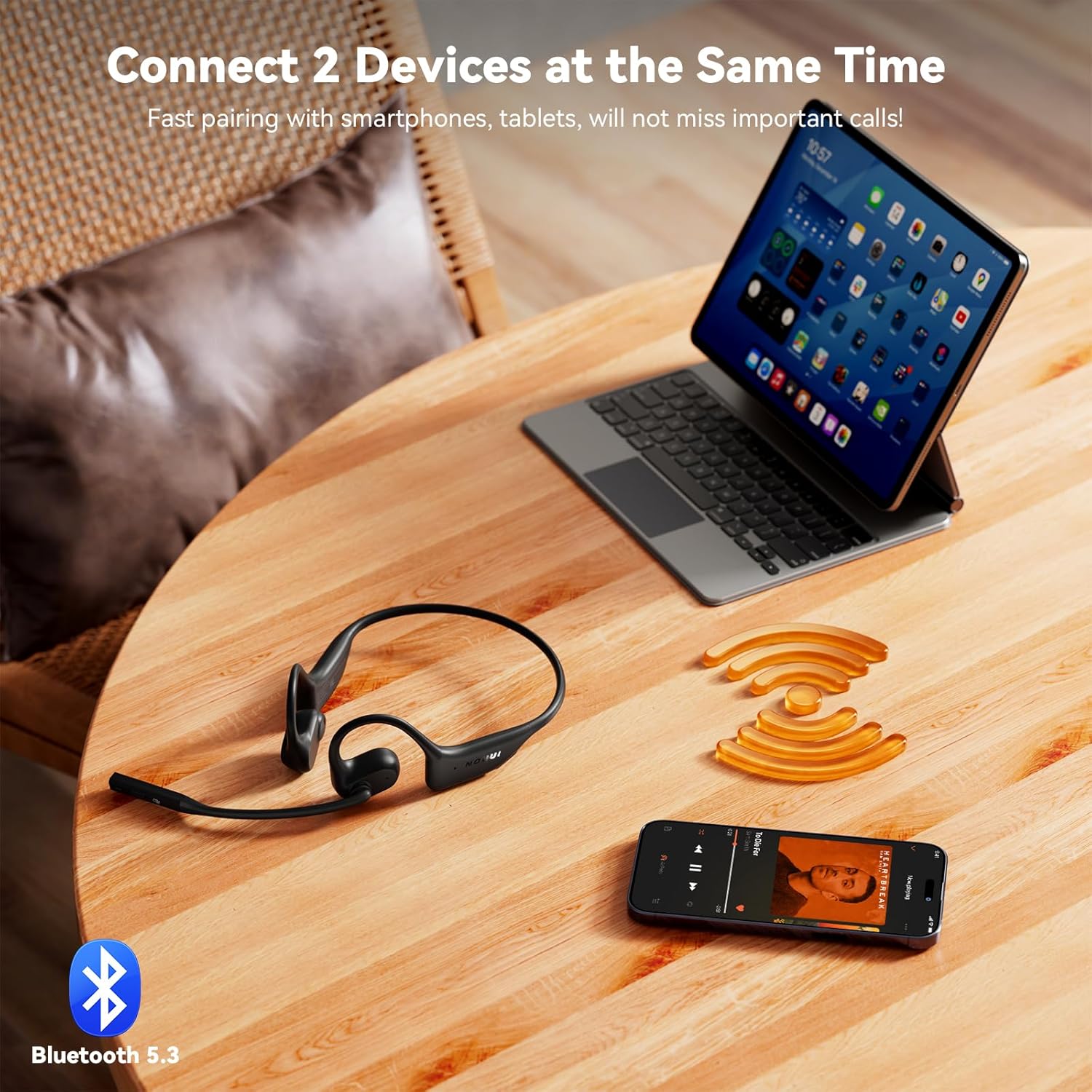
2. irudia: NOUUI NU-HS012 Headphones demonstrating dual connection. The headphones are shown wirelessly connected to both a smartphone and a tablet, illustrating the ability to pair with two devices simultaneously.
Funtzionamendu-argibideak
Piztu/Itzali
- Piztu: Press and hold the MFB for 3 seconds. The LED indicator will flash blue.
- Itzali: Press and hold the MFB for 5 seconds. The LED indicator will flash red and then turn off.
Deien Kudeaketa
- Deia erantzun/amaitu: Sakatu MFB behin.
- Deia baztertu: Eduki sakatuta MFB 2 segundoz.
- Mikrofonoa mututu: During a call, press the dedicated mute button on the microphone boom. Press again to unmute.
- Mikrofonoa doitzea: The microphone boom can be rotated 270° to position it optimally for clear voice pickup.

3. irudia: Illustration of AI Noise Cancelling for clear calls. This image shows a person using the headphones while running, with a graphic demonstrating how background noise is reduced for clearer communication.
Musika erreproduzitzea
- Erreproduzitu/Pausatu: Sakatu MFB behin.
- Hurrengo ibilbidea: Sakatu bi aldiz MFB.
- Aurreko pista: Triple-press the MFB.
Bolumen kontrola
- Handitu bolumena: Sakatu bolumena igotzeko botoia.
- Murriztu bolumena: Sakatu Bolumena Jaisteko botoia.
Gailu bikoitzeko konexioa
The NOUUI NU-HS012 headphones can be connected to two Bluetooth devices simultaneously.
- Parekatu entzungailuak lehenengo gailuarekin "Bluetooth parekatzea" atalean azaltzen den bezala.
- Desgaitu Bluetooth-a lehenengo gailuan. Entzungailuak berriro sartuko dira parekatze moduan.
- Parekatu entzungailuak bigarren gailuarekin.
- Berriro gaitu Bluetooth-a lehenengo gailuan. Entzungailuak automatikoki konektatu beharko lirateke bi gailuetara.
- Audioa gailuen artean aldatuko da, zein den multimedia erreproduzitzen ari den edo dei bat jasotzen ari den arabera.
Mantentzea
Garbiketa
- Garbitu entzungailuak zapi leun, lehor eta lihorik gabeko batekin.
- Ez erabili garbitzaile urratzailerik, disolbatzailerik edo aerosol-sprayrik.
Biltegiratzea
- Gorde entzungailuak leku fresko eta lehor batean, eguzki-argitik eta muturreko tenperaturetatik babestuta.
- Saihestu objektu astunak entzungailuen gainean jartzea.
Uraren Erresistentzia
Garrantzitsua: The NOUUI NU-HS012 headphones are ez da urarekiko erresistenteaSaihestu ura, euriak, izerdiak edo beste likido batzuekiko kontaktua kalteak ekiditeko.
Arazoak konpontzea
| Arazoa | Irtenbidea |
|---|---|
| Entzungailuak ez dira pizten. | Ensure the headphones are fully charged. Connect to the magnetic charger for at least 30 minutes. |
| Ezin da gailuarekin parekatu. |
|
| Soinurik ez edo bolumen baxua. |
|
| Mikrofonoa ez dabil. |
|
Zehaztapenak
| Ezaugarri | Xehetasuna |
|---|---|
| Ereduaren izena | NU-HS012 |
| Marka | NOUUI |
| Konektibitate Teknologia | Haririk gabekoa (Bluetooth 5.3) |
| Bluetooth barrutia | Gehienez 15 metro (49 oin) |
| Belarrien Kokatzea | Belarri irekia |
| Mikrofonoa | AI Noise Cancelling, 270° Rotating |
| Bateriaren iraupena | Gehienez 14 ordu |
| Kargatzeko Denbora | 2 ordu gutxi gorabehera |
| Pisua | 29 gramo (0.99 ontza) |
| Uraren Erresistentzia | Ez Urarekiko Erresistentea |
| Dakarten osagaiak | Headphones, Magnetic Induction Charger, User Manual |
Bermea eta Laguntza
NOUUI products are designed and manufactured to the highest quality standards. For information regarding warranty coverage, technical support, or customer service, please refer to the warranty card included with your product or visit the official NOUUI webgunea.
Optional protection plans may be available for purchase separately. Please check with your retailer for details.
Segurtasun Informazioa
- Ez desmuntatu, konpondu edo aldatu produktua.
- Mantendu produktua muturreko tenperaturetatik, hezetasunetik eta ingurune korrosiboetatik urrun.
- Saihestu produktua erortzea edo kolpe gogorrak jasan behar izatea.
- Ez jarri produktua uretara edo beste likidoetara.
- Tokiko araudien arabera bota produktua eta bateria arduraz.
- Using headphones at high volume for extended periods can cause permanent hearing damage.
- Maintain awareness of your surroundings when using open-ear headphones, especially in traffic or other potentially hazardous situations.

4. irudia: A man driving a car while wearing NOUUI NU-HS012 headphones. This image emphasizes the importance of maintaining situational awareness, especially when driving, even with open-ear headphones.


