1. Sarrera
Welcome to the user manual for your new Samsung WD13FG Smart AI Control Washer Dryer. This appliance is designed to provide efficient and convenient laundry care, combining washing, drying, and sterilization functions. Please read this manual thoroughly before using the appliance to ensure safe and optimal operation. Keep this manual for future reference.
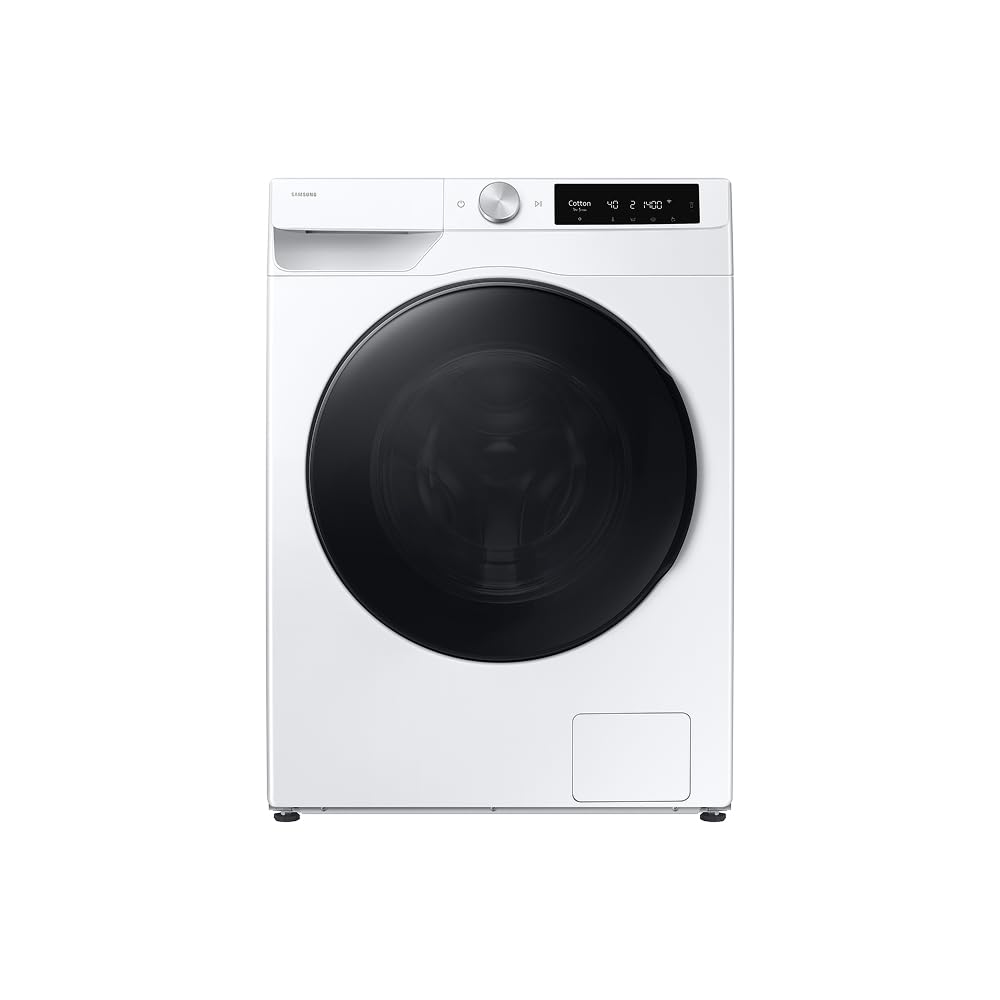
1.1. irudia: Aurrealdea view of the Samsung WD13FG Smart AI Control Washer Dryer.
2. Segurtasun informazioa
Zure tresna erabiltzean sute, deskarga elektriko edo lesio arriskua murrizteko, jarraitu oinarrizko neurri hauek:
- Ziurtatu gailua behar bezala lurrarekin lotuta dagoela.
- Ez garbitu edo lehortu aldez aurretik garbitu, garbitu, bustitako edo gasolinaz, lehorreko disolbatzaileez edo beste substantzia sukoi edo lehergarri batzuekin zikinduta dauden artikuluak.
- Mantendu haurrak eta maskotak gailutik urrun funtzionatzen ari diren bitartean.
- Ez sartu eskua aparatura, bainuontzia edo nahasgailua mugitzen ari bada.
- Deskonektatu beti tresna garbiketa edo mantentze-lanak egin aurretik.
- Ez instalatu edo gorde tresna eguraldiaren edo izozte-tenperaturen eraginpean egongo den leku batean.
3. Produktuaren ezaugarriak
The Samsung WD13FG Washer Dryer incorporates several advanced features for superior laundry care:
- SpaceMax Technology: This design allows for a large 13kg washing capacity and 8kg drying capacity within compact external dimensions, optimizing space in your laundry area.
- 3-in-1 Functionality (Wash, Dry, Sterilize): Beyond washing and drying, the Air Wash cycle eliminates odors and up to 99.9% of bacteria and allergens without water or detergent, ideal for sanitizing delicate items.
- Super Abiadura: Clean a full load of laundry in just 39 minutes. A powerful water jet ensures quick detergent penetration and optimized rinsing.
- Less Microfiber Cycle: This eco-conscious cycle optimizes motor rotation speed and wash intensity to reduce microplastic release from synthetic fabrics by up to 54%.
- Higiene-lurruna: A powerful steam cycle releases hot air to remove deep-seated dirt and up to 99.9% of bacteria and inactive allergens.
- Danborra garbitzea+: Maintain a clean machine ecologically. This cycle removes up to 99.9% of odor-causing bacteria from the drum and door gasket without chemicals.
- Motor digital inbertsoreduna: Enjoy enhanced durability, energy efficiency, and quiet operation. The motor comes with a 20-year warranty.
- Dispenser Always Clean: Designed with a water passage system to facilitate detergent outflow, keeping the dispenser clean and preventing waste.
4. Konfigurazioa
Proper installation is crucial for the performance and longevity of your appliance. Follow these steps carefully:
4.1 Unpacking and Removing Shipping Bolts
Before use, remove all packaging materials and the shipping bolts located at the rear of the machine. These bolts secure the drum during transit and must be removed to prevent damage during operation.
4.1. Irudia: Atzealdea view of the appliance, indicating areas for shipping bolt removal and hose connections.
4.2 Kokapen-baldintzak
Place the washer dryer on a firm, level surface. Ensure there is adequate space around the appliance for ventilation and maintenance. Avoid direct sunlight or areas prone to freezing.
4.3 Ur-horniduraren konexioa
Connect the hot and cold water inlet hoses to the corresponding valves on the wall and the back of the machine. Ensure all connections are tight to prevent leaks.
4.4 Hustubideko mahuka instalazioa
Lotu hustubide-mahuka ondo zutikako hodi batera edo arropa-ontzira, behar bezala kokatuta dagoela ziurtatuz sifoia edo atzeranzko fluxua saihesteko.
4.5 Energia-konexioa
Plug the power cord into a dedicated 127V electrical outlet. Do not use extension cords or adapters.
5. Funtzionamendu-argibideak
Follow these steps for daily use of your Samsung WD13FG Washer Dryer:
5.1 Arropa garbitzea
Open the door and load items loosely into the drum. Do not overload the machine; ensure there is enough space for clothes to tumble freely. For optimal results, sort laundry by fabric type, color, and soil level.

Figure 5.1: The appliance with the door open, revealing the spacious drum for loading laundry.
5.2 Detergentea eta leungarria gehitzea
Pull out the detergent dispenser drawer. Add the appropriate amount of liquid or powder detergent to the main wash compartment and fabric softener to its designated compartment. Refer to detergent packaging for dosage recommendations.
5.3 Garbiketa-ziklo bat hautatzea
Turn the cycle selector dial to choose the desired wash program. Available cycles include Cotton, Synthetics, Quick Wash, Delicates, and more. The AI Control feature can also recommend optimal cycles based on load sensing.
5.4 Aukerak doitzea
After selecting a cycle, you can customize settings such as water temperature, spin speed, and additional options like Hygiene Steam or Super Speed using the control panel buttons.
5.5 Zikloa abiaraztea
Press the Start/Pause button to begin the selected cycle. The machine will automatically proceed through the wash, rinse, and spin phases, and if a drying cycle is selected, it will continue to dry.
6. Mantentzea
Regular maintenance helps ensure the efficiency and longevity of your Samsung WD13FG Washer Dryer.
6.1 Detergente-banagailua garbitzea
Periodically remove and clean the detergent dispenser drawer to prevent residue buildup. Rinse it under running water and use a brush if necessary to remove any hardened detergent or softener.
6.2 Running the Drum Clean+ Cycle
Run the Drum Clean+ cycle regularly (e.g., once a month) to clean the inside of the drum and remove bacteria. Follow the instructions on the control panel to activate this cycle. Do not add laundry or detergent during this cycle.
6.3 Hustuketa-iragazkia garbitzea
The drain filter should be cleaned periodically to prevent blockages and ensure proper drainage. Locate the filter access panel at the bottom front of the machine. Open the panel, carefully unscrew the filter, and remove any lint or debris. Reinsert and secure the filter and close the panel.
6.4 Ateko zigiluaren mantentze-lanak
After each wash, wipe the door seal with a clean cloth to remove any moisture, lint, or foreign objects. This helps prevent mold and odors.
7. Arazoak
If you encounter issues with your appliance, refer to the following common troubleshooting tips:
- Makina ez da martxan jartzen: Check if the power cord is securely plugged in, the door is fully closed, and the Start/Pause button has been pressed.
- Urik ez betetzeko: Ensure water taps are fully open and water inlet hoses are not kinked or blocked.
- Ura ez da husten: Check the drain hose for kinks or blockages. Clean the drain filter as described in Section 6.3.
- Gehiegizko bibrazioa: Ensure the machine is level and all four leveling feet are in firm contact with the floor. Verify that shipping bolts have been removed.
- Akats kodeak: If an error code appears on the display, consult the full user manual (available online or with purchase) for specific code meanings and solutions.
Irtenbide hauek saiatu ondoren arazoa konpontzen ez bada, jarri harremanetan Samsung bezeroarentzako arreta-zerbitzuarekin.
8. Zehaztapenak
Detailed technical specifications for the Samsung WD13FG Smart AI Control Washer Dryer:
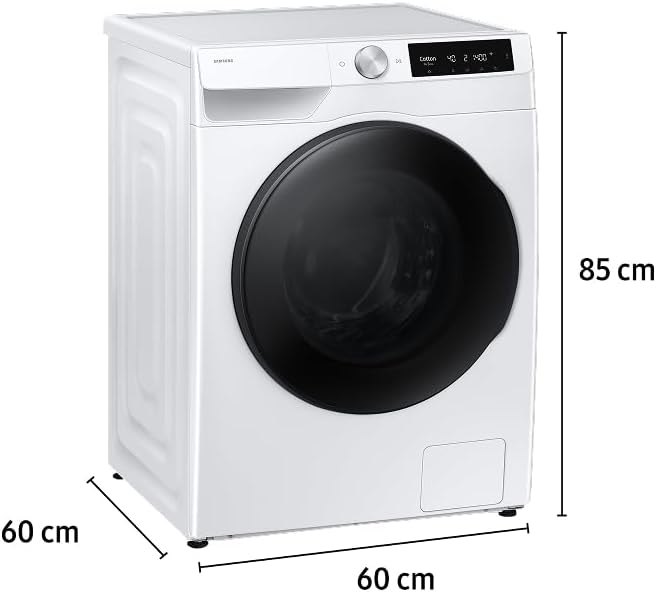
Figure 8.1: Dimensions of the Samsung WD13FG Washer Dryer (60cm x 60cm x 85cm).
| Zehaztapena | Balioa |
|---|---|
| Eredua | WD13FG |
| liburukiatage | 127 Volt |
| Garbiketa Ahalmena | 13 kilogramo |
| Lehortzeko Ahalmena | 8 kilogramo |
| Neurriak (L x W x H) | 60 x 60 x 85 cm |
| Sarbide mota | Aurrealdeko karga |
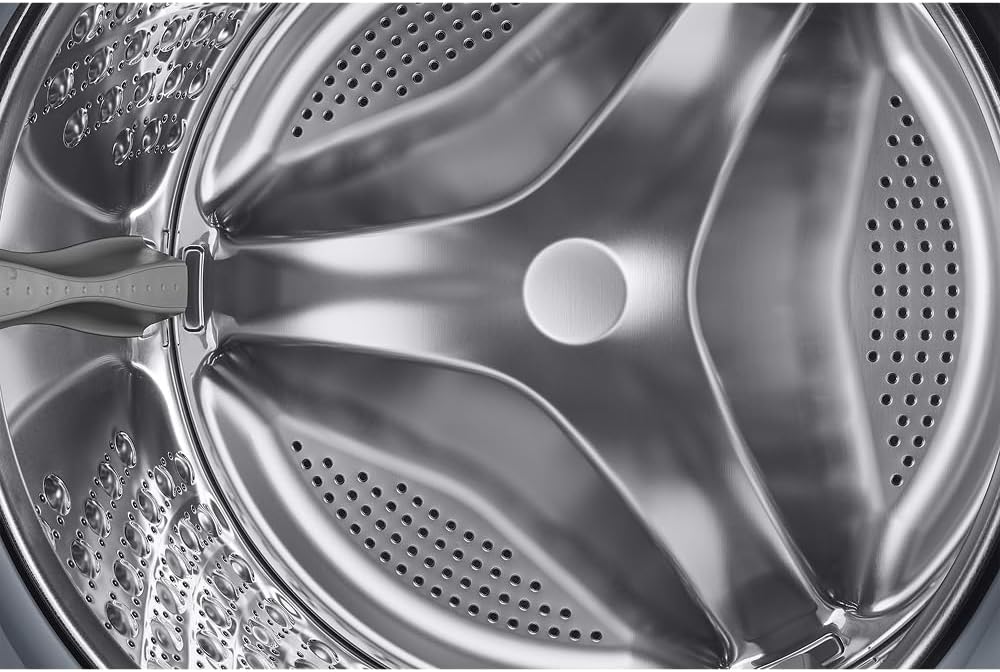
| Danborraren materiala | Altzairu herdoilgaitza |
| Garbiketa Zikloen kopurua | 7 |
| Lehortze-zikloen kopurua | 2 |
| Energia Eraginkortasun Etiketa (ENCE) | A |
| GTIN / EAN | 8806097678748 |

Figure 8.2: National Energy Efficiency Label (ENCE) for the appliance.
9. Bermea eta Laguntza
Your Samsung WD13FG Smart AI Control Washer Dryer comes with a comprehensive warranty. The Digital Inverter Motor is covered by a 20-year warranty, reflecting its durability and quality.
For warranty claims, technical assistance, or further inquiries, please contact Samsung customer support through their official webgunea edo erosketa-dokumentazioarekin batera emandako harremanetarako informazioa.


