1. Sarrera eta Overview
This manual provides essential information for the safe and efficient operation of your Gyroor KS2 Kids Electric Scooter. Please read it thoroughly before first use and retain it for future reference. The Gyroor KS2 is designed for children aged 6-12, featuring a safe maximum speed, adjustable handlebar, and vibrant LED lights for an engaging riding experience.

Image 1: The Gyroor KS2 Kids Electric Scooter, showcasing its sleek design and LED lighting capabilities.
2. Segurtasun informazioa
Your safety and the safety of others are paramount. Always wear appropriate safety gear, including a helmet, knee pads, and elbow pads, when operating the scooter. Adult supervision is recommended, especially for younger riders.
- UL2272 Ziurtagiria: The scooter is UL2272 certified, ensuring compliance with electrical safety standards.
- Abiadura segurua: The maximum speed is limited to 5 MPH, suitable for young riders.
- Smart Start: The motor engages only after the scooter reaches 2 MPH, preventing accidental acceleration.
- Rear Fender Brake: Provides intuitive and reliable stopping power.
- Wide Tires & Low Deck: Designed for enhanced stability and balance.

Image 2: Children enjoying their Gyroor KS2 scooters, highlighting the importance of safety gear.
3. Paketearen edukia
Kutxa irekitzean, egiaztatu osagai guztiak daudela:
- Gyroor KS2 Electric Scooter (x1)
- Argibide eskuliburua (x1)
- Kargagailua (x1)
- Assembly Tools (Allen wrenches)
4. Muntaketa
The Gyroor KS2 scooter requires minimal assembly. Follow these steps to prepare your scooter for use:
- Zabaldu Scooterra: Gently push down on the folding lever located near the base of the handlebar stem to release the folded position. Raise the handlebar stem until it locks into place.
- Lotu eskulekua: Insert the handlebar into the top of the stem. Align the holes and secure it using the provided screw and Allen wrench. Ensure it is tightened firmly.
- Eskulekuaren altuera doitzea: Askatu askatu azkarreko clamp on the handlebar stem. Press the small button on the stem and slide the handlebar to one of the two available height settings (29.5" or 33.5"). Release the button to lock it in place and re-tighten the quick-release clamp.
- Deploy Kickstand: Locate the kickstand on the side of the deck and push it down to support the scooter.
Video 1: A demonstration of the Gyroor KS2 scooter's assembly process and key features.
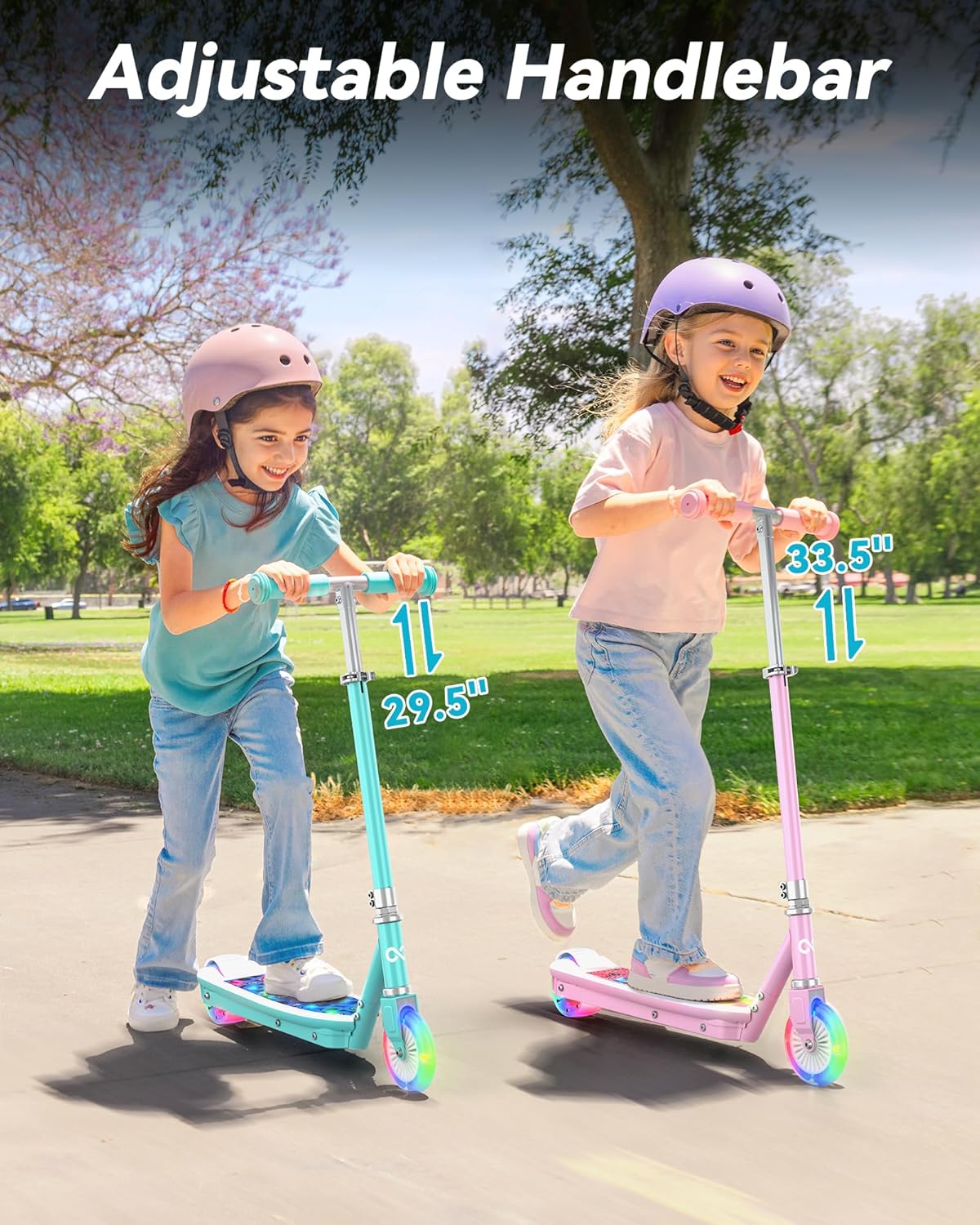
Image 3: The adjustable handlebar feature, allowing the scooter to grow with your child.
5. Funtzionamendu-argibideak
Familiarize yourself with the scooter's controls before riding.
5.1 Piztu/Itzaltzea
- Pizteko: Press and hold the power button on the handlebar display for approximately 3 seconds until the display illuminates.
- Itzaltzeko: Press and hold the power button for approximately 3 seconds until the display turns off.
5.2 Abiadura moduak
The scooter features different speed modes, indicated on the LED display:
- Gear E (Economy): Maximum speed of 5 MPH.
- Gear N (Normal): Maximum speed of 8 MPH.
- Gear S (Sport): Maximum speed of 10 MPH.
To switch between speed modes, briefly press the power button while the scooter is on.
5.3 Foot Sensor Start
The Gyroor KS2 uses a smart foot sensor start. To engage the motor, place one foot on the deck and push off with the other foot to reach a speed of at least 2 MPH. The motor will then activate, maintaining a constant speed based on the selected gear.
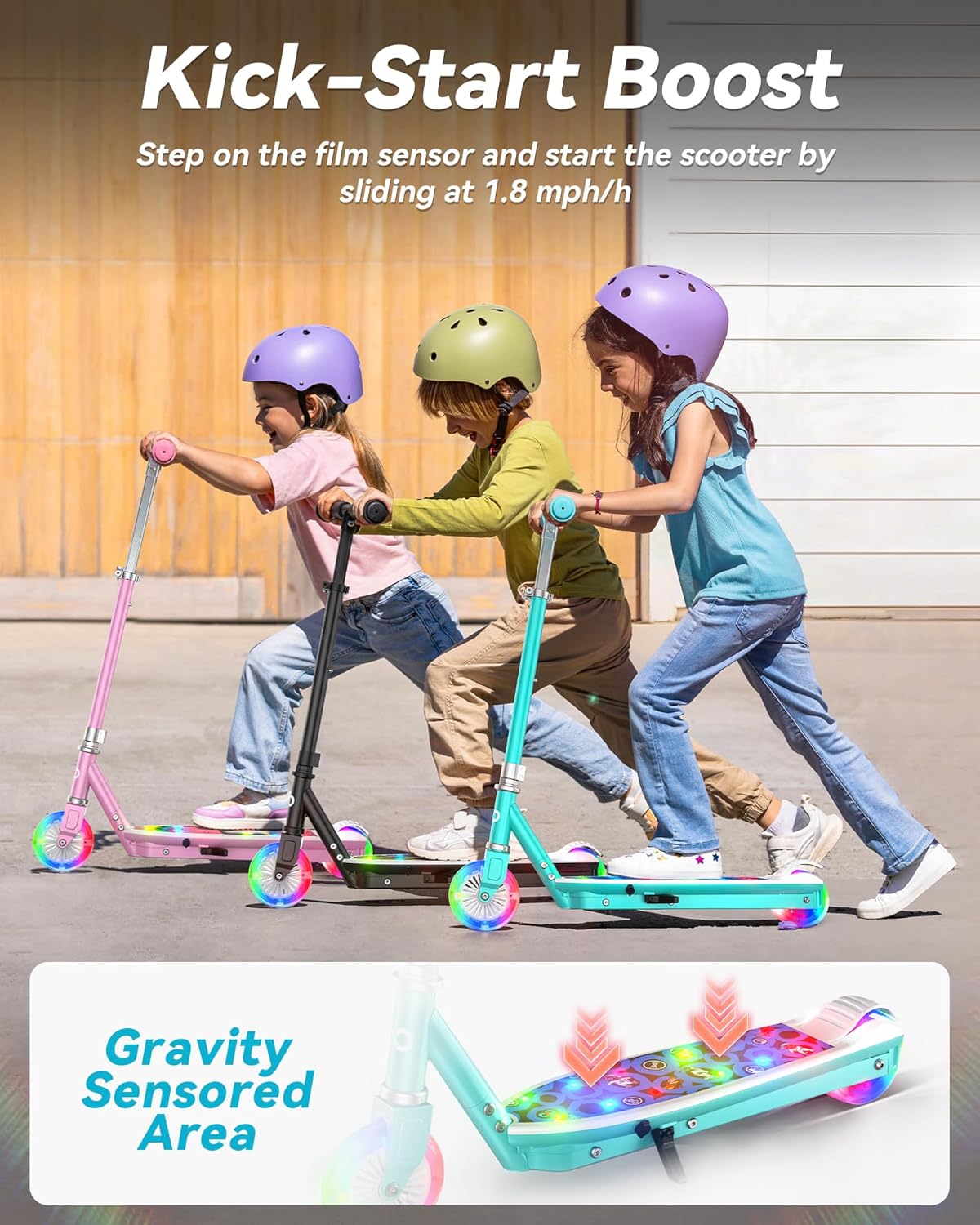
Image 4: Illustration of the foot sensor start mechanism on the scooter's deck.
5.4 Balaztaketa
To stop the scooter, simply step down on the rear fender brake with your foot. The LED lights on the side of the deck will illuminate red to indicate braking, enhancing visibility.
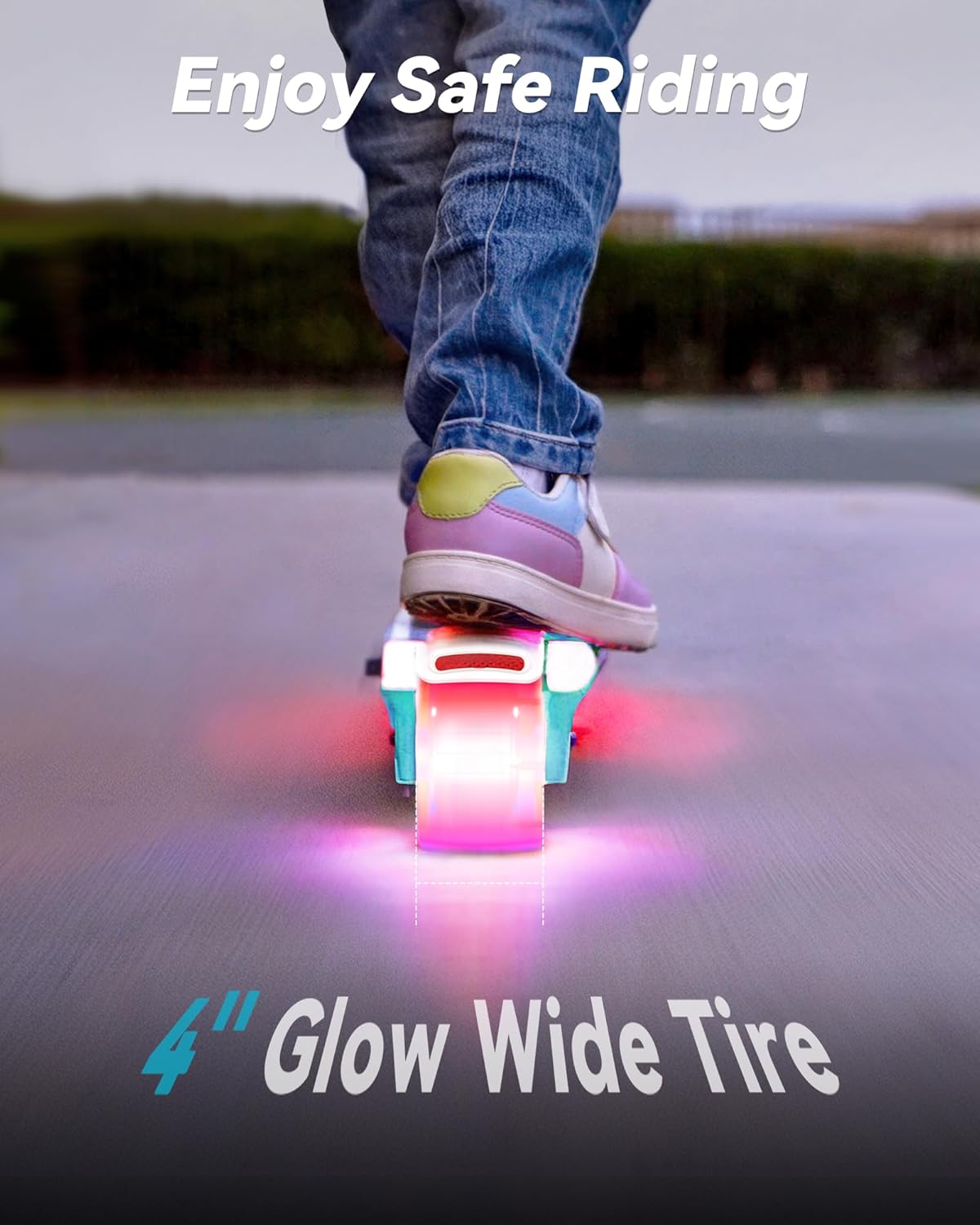
Image 5: Close-up of the rear fender brake and the illuminated LED lights during braking.
5.5 LED argiak
The scooter features integrated LED lights on the deck and wheels. To turn the lights on or off, press and hold the light button located on the handlebar display.
6. Kargatzea
Ensure the scooter is fully charged before each use for optimal performance.
- Kargatzeko ataka: The charging port is located on the right side of the scooter's deck, covered by a protective cap.
- Kargatzeko prozesua: Open the protective cap and insert the charger cable. Plug the charger into a standard wall outlet. The indicator light on the charger will typically show red during charging and turn green when fully charged.
- Kargatzeko denbora: A full charge from empty takes approximately 2 hours.
- Bateria adierazlea: The handlebar LED display shows the current battery level with four bars.

Image 6: Location of the charging port and how to connect the charger.
7. Mantentzea
Regular maintenance helps prolong the life of your scooter.
- Garbiketa: Garbitu scooterra iragarkiarekinamp oihal. Saihestu produktu kimiko gogorrak edo gehiegizko ura erabiltzea.
- Pneumatikoen ikuskapena: Aldian-aldian egiaztatu pneumatikoak higaduraren eta hausturaren arabera. Ziurtatu ez dutela zulatu edo kalterik.
- Loturaren egiaztapena: Regularly inspect all screws and fasteners to ensure they are tight.
- Biltegiratzea: Gorde scooterra leku fresko eta lehor batean, eguzki-argitik eta muturreko tenperaturetatik babestuta.
8. Arazoak
Arazoren bat izanez gero, jo ezazu arazoak konpontzeko aholku ohiko hauetara:
- Scooterrak ez du pizten: Ziurtatu bateria kargatuta dagoela. Sakatu eta eutsi pizteko botoia 3 segundoz.
- Motorra ez dabil martxan: Confirm the scooter is powered on and you have pushed off to at least 2 MPH to activate the foot sensor start.
- Argiak ez dute funtzionatzen: Check if the lights are turned on by pressing and holding the light button. Ensure the battery has sufficient charge.
- Errendimendu murriztua: This may indicate a low battery. Charge the scooter fully.
For persistent issues, please contact Gyroor customer support.
9. Zehaztapenak
| Ezaugarri | Zehaztapena |
|---|---|
| Marka | Gyroor |
| Ereduaren izena | KS2 |
| Adin tartea | Youth (6-12 years) |
| Pisu Muga | 121 kilo |
| Elementuaren pisua | 9.3 kilo |
| Gehienezko Abiadura | 5 MPH (Economy), 8 MPH (Normal), 10 MPH (Sport) |
| Eskulekuaren altuera | Adjustable (29.5"-33.5") |
| Kargatzeko Denbora | 2 ordu |
| Markoaren materiala | Aluminioa |
| Gurpilen materiala | Kautxua |
| Gurpilen Tamaina | 3.99 hazbete |
| Balazta Estiloa | Atzeko balazta |
10. Bermea eta Laguntza
The Gyroor KS2 Electric Scooter comes with a 1 urteko piezen bermea eta a 6 hilabeteko bateriaren bermea. For warranty claims, technical support, or any questions not covered in this manual, please contact Gyroor customer service through their official website or the retailer where the product was purchased. Please have your proof of purchase and model number (KS2) ready when contacting support.


