1. Sarrera
Thank you for choosing the KTC H25T7-3 24.5 Inch 240Hz FHD Gaming Monitor. This manual provides essential information for setting up, operating, and maintaining your monitor. Please read it thoroughly before use to ensure optimal performance and safety.
Segurtasun Informazioa
- Ez jarri monitoreari euri edo hezetasun eraginpean suteak edo deskarga elektrikoak saihesteko.
- Ez ireki monitorearen casing. Ez dago erabiltzaileak konpondu beharreko piezarik barruan. Konponketa guztiak langile kualifikatuen esku utzi.
- Jarri monitoreak gainazal egonkor eta lau batean, eror ez dadin.
- Ziurtatu aireztapen egokia monitorearen inguruan, gehiegi berotu ez dadin.
- Use only the power adapter and cables provided by KTC.
2. Zer dago kutxan
Egiaztatu elementu hauek guztiak zure paketean daudela:
- KTC H25T7-3 24.5" FHD 240Hz Monitor (x1)
- Monitor Stand (x1)
- Hasiera Azkarreko Gida (AAZ) (x1)
- DisplayPort (DP) Cable (x1)
- Energia egokitzailea (x1)
- Elikatze kablea (x1)
3. Produktua amaitu daview
The KTC H25T7-3 is a 24.5-inch Full HD (1920x1080) gaming monitor featuring a Fast IPS panel, 240Hz refresh rate, and 1ms MPRT response time for smooth visuals. It supports HDR400 and Adaptive-Sync technology to enhance your viewing eta joko esperientzia.
Ezaugarri nagusiak
- 24.5" FHD Fast IPS Panel: Delivers crisp 1080p resolution with wide 178° viewangeluak.
- 240Hz-ko freskatze-tasa eta 1ms-ko MPRT: Ensures ultra-smooth motion and minimal ghosting.
- Adaptive-Sync teknologia: Synchronizes the monitor's refresh rate with your GPU for tear-free gameplay.
- HDR400 euskarria: Provides enhanced contrast and color depth for a more immersive visual experience.
- Stand ergonomikoa: Offers tilt, pivot, and height adjustments for personalized viewerosotasuna.
- Begien Zaintzaren Ezaugarriak: Low blue light and flicker-free technology reduce eye strain during extended use.
- Konektibitate-aukera anitz: Includes 2x HDMI 2.0, 1x DisplayPort 1.4, and 1x USB 2.0.

3.1 Irudia: Gainetikview of KTC H25T7-3 monitor features including Fast IPS, 240Hz, HDR400, and adjustable stand.
4. Konfigurazioa
4.1 Standa muntatzea
- Kontu handiz atera monitorearen eta euskarriaren osagaiak paketetik.
- Lotu euskarriaren oinarria euskarriaren lepoari emandako torlojuak erabiliz.
- Lerrokatu muntatutako euskarria monitorearen atzealdeko muntaketa-zirrikituarekin eta finkatu ondo.

4.1. irudia: Aurrealdea view of the KTC H25T7-3 monitor with its stand assembled.
4.2 VESA Wall Mounting (Optional)
The monitor supports a 100x100mm VESA mount. To wall mount the monitor:
- Kendu euskarria monitoreari, dagoeneko lotuta badago.
- Attach your VESA-compatible wall mount bracket to the four screw holes on the back of the monitor. Ensure the screws are appropriate for the VESA standard and do not overtighten.
- Follow the instructions provided with your VESA mount for secure installation.

4.2. Irudia: Atzealdea view of the KTC H25T7-3 monitor, highlighting the input ports and VESA mounting area.
4.3 Konektatzeko kableak
Connect the necessary cables to the corresponding ports on the monitor and your computer/device:
- Potentzia: Connect the power adapter to the monitor's DC input and then plug the power cord into a power outlet.
- DisplayPort (DP): For optimal performance (240Hz, Adaptive-Sync), connect the provided DisplayPort cable from your graphics card to the monitor's DP 1.4 port.
- HDMI: Alternatively, connect an HDMI cable from your device to one of the monitor's HDMI 2.0 ports.
- USBa: The USB 2.0 port can be used for firmware upgrades or connecting peripherals.
5. Funtzionamendu-argibideak
5.1 Piztu/Itzali
Press the power button (usually located on the back or bottom of the monitor) to turn the monitor on or off. The power indicator light will illuminate when the monitor is on.
5.2 OSD menuko nabigazioa
The On-Screen Display (OSD) menu is controlled by a joystick button, typically located on the back of the monitor. Use the joystick to navigate through the menu options and adjust settings.
- Sartu barrura: Enter/Confirm selection.
- Gora behera: Nabigatu menuko aukeretan.
- Ezker/Eskuin: Adjust values or move between sub-menus.
5.3 Pantailaren ezarpenak doitzea
Access the OSD menu to configure various display settings:
- Distira/Kontrastea: Doitu luminantzia eta kontraste maila orokorrak.
- Kolore ezarpenak: Fine-tune color temperature, gamma, and individual RGB values.
- Irudi modua: Select from preset modes (e.g., Standard, Game, Movie, sRGB) or customize your own.
- Freskatze-tasa: Ensure your graphics card output is set to 240Hz for optimal performance.
- Sinkronizazio egokigarria: Enable this feature in the OSD menu and your graphics card control panel to eliminate screen tearing.
- HDR: Activate HDR400 for compatible content to experience enhanced dynamic range.
- Argi urdin baxua: Adjust the blue light filter to reduce eye strain.

Figure 5.1: Visual representation of the 240Hz refresh rate for smooth motion.
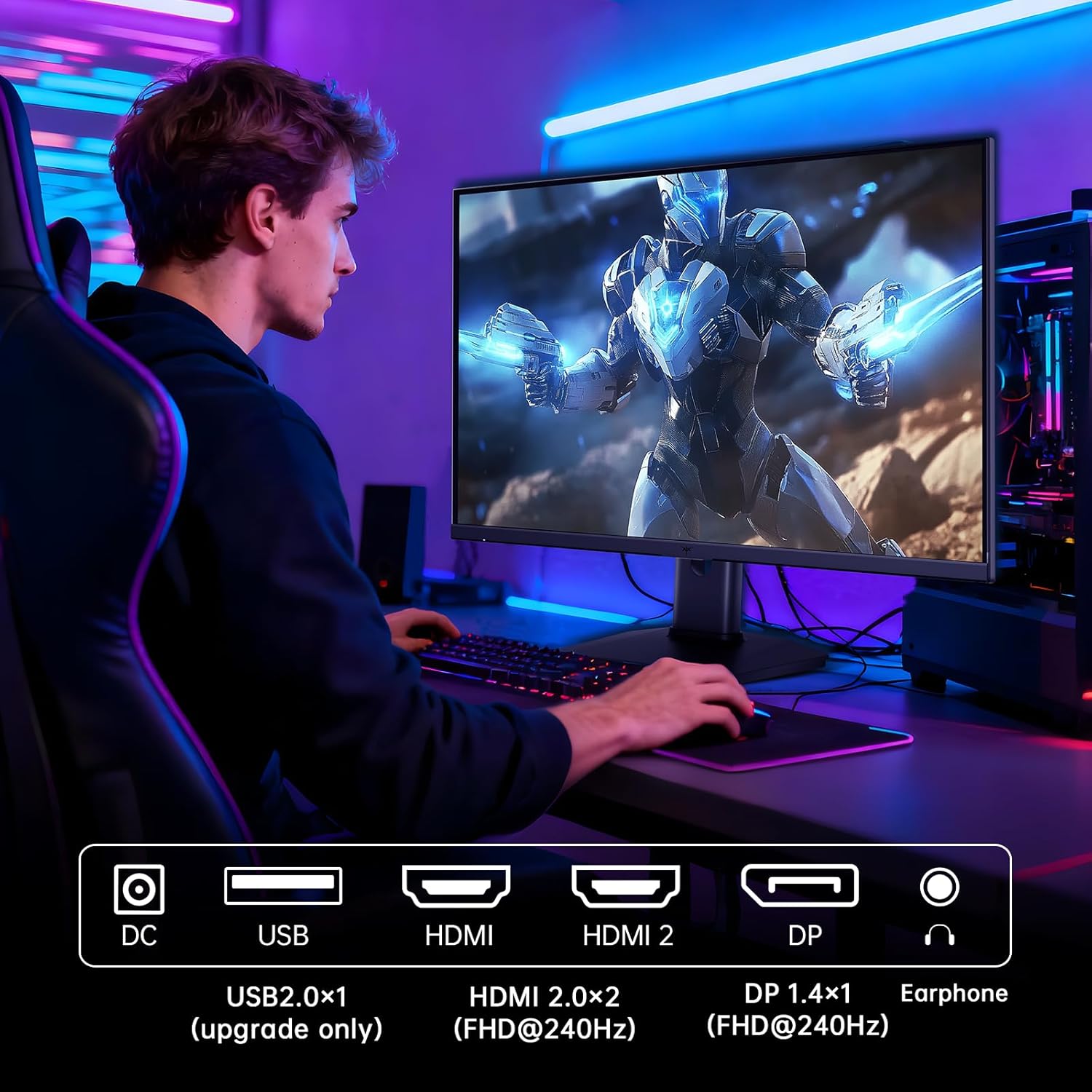
Figure 5.2: Comparison showing the effect of Adaptive-Sync on reducing stuttering and screen tearing.

Figure 5.3: Illustration of HDR400 technology delivering clear details in dark areas compared to HDR10.

Figure 5.4: Diagram illustrating hardware blue light reduction technology to filter harmful blue light bands.
5.4 Doikuntza ergonomikoak
Monitorearen euskarriak hainbat doikuntza ahalbidetzen ditu zure optimizazioa lortzeko viewposizioa:
- okertu: Doitu pantailaren angelua aurrera edo atzera (-5° eta 20° artean).
- Pibota: Rotate the screen 90° for portrait mode.
- Altuera doitzea: Pantaila 110 mm arte igo edo jaitsi.
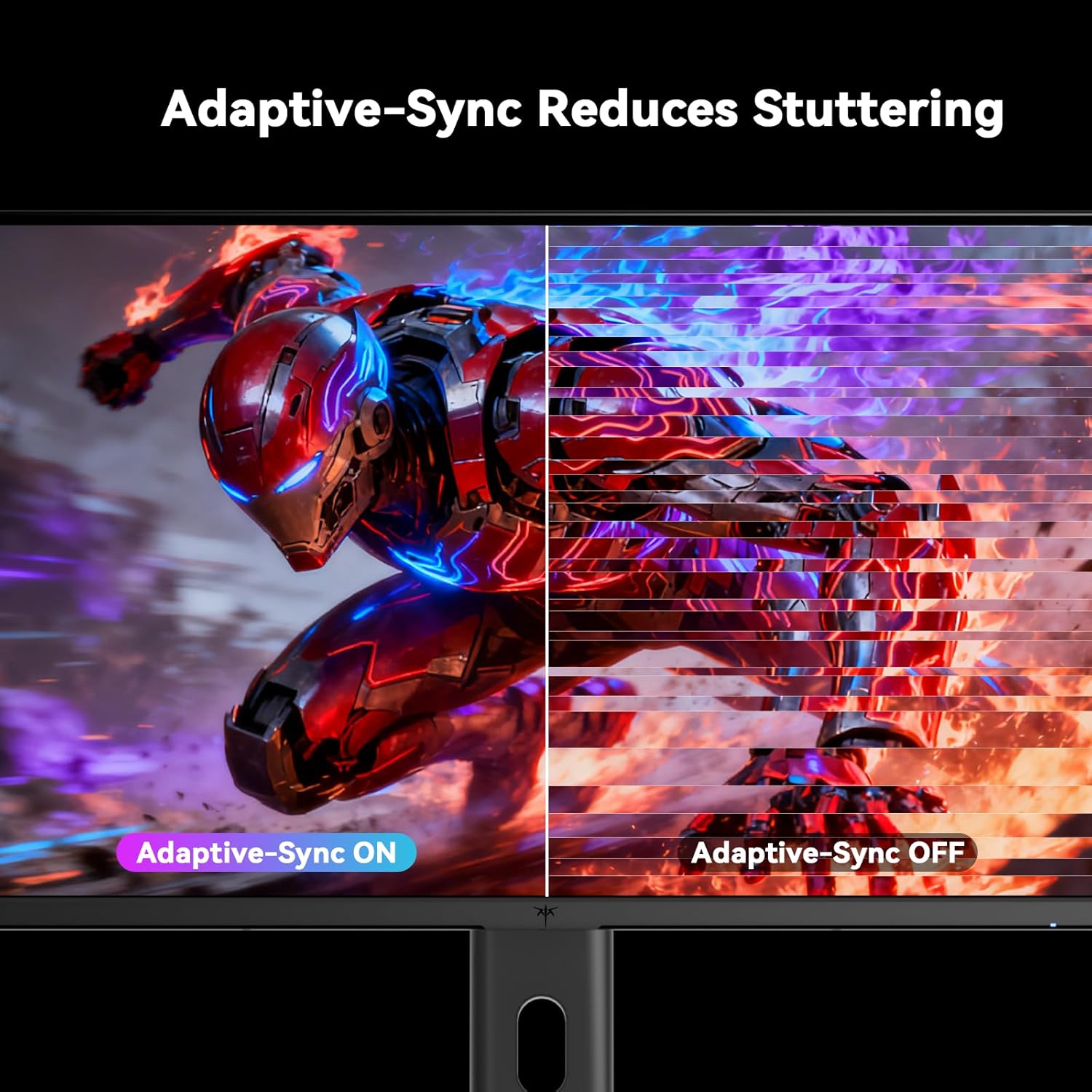
Figure 5.5: Diagram showing the tilt, pivot, and height adjustment capabilities of the monitor stand.
5.5 Produktuaren bideo ofiziala
Video 5.1: An official product video from KTC-Official showcasing the 24.5 Inch FHD 240Hz Gaming Monitor, demonstrating its features and performance.
6. Mantentzea
6.1 Monitorea garbitzea
Monitorearen pantaila eta c garbitzekoasing:
- Deskonektatu beti monitorearen entxufea korrontetik garbitu aurretik.
- Erabili lipurrik gabeko zapi leun bat dampUrarekin edo pantaila-garbitzaile ez-urratzaile batekin garbitu.
- Ez ihinztatu garbitzailea zuzenean pantailan.
- Avoid using benzene, thinner, ammonia-based cleaners, or abrasive materials.
6.2 Arreta orokorra
- Mantendu monitoreak eguzki-argitik, bero gehiegitik edo hotzetatik urrun.
- Saihestu objektu astunak monitorearen edo haren kableen gainean jartzea.
- Ez blokeatu monitorearen aireztapen-zuloak.
7. Arazoak
Monitorearekin arazoak badituzu, jo ezazu honako arazo eta irtenbide ohikoenei:
| Arazoa | Kausa posiblea | Irtenbidea |
|---|---|---|
| Botererik ez | Kable elektrikoa ez dago konektatuta; Entxufea ez dabil | Ziurtatu kablea ondo konektatuta dagoela. Probatu entxufea beste gailu batekin. |
| Seinalerik ez | Video cable not connected; Incorrect input source selected; Computer/device not powered on | Check video cable connections. Select the correct input source via the OSD menu. Ensure your computer/device is on. |
| Pantaila keinukaria | Incorrect refresh rate; Cable issue; Adaptive-Sync not enabled | Set refresh rate to 240Hz. Try a different video cable. Enable Adaptive-Sync in OSD and GPU settings. |
| Image distortion/poor quality | Incorrect resolution; Graphics driver issue; Monitor settings | Set resolution to 1920x1080. Update graphics drivers. Adjust OSD settings (brightness, contrast, color). |
7.1 Fabrika berrezarri
If problems persist, you may perform a factory reset through the OSD menu. This will revert all monitor settings to their default values.
8. Zehaztapenak
Detailed technical specifications for the KTC H25T7-3 monitor:
| Ezaugarri | Zehaztapena |
|---|---|
| Modelo zenbakia | H25T7-3 |
| Pantailaren tamaina | 24.5 hazbete |
| Panel mota | IPS azkarra |
| Ebazpena | FHD 1080p (1920 x 1080 pixel) |
| Aspektu-erlazioa | 16:9 |
| Freskatze tasa | 240Hz |
| Erantzun Denbora | 1 ms (MPRT) |
| Sinkronizazio egokitzailea | Bai |
| HDR euskarria | HDR400 |
| Kolore gama | %114 sRGB |
| Kontraste-erlazioa | 1000:1 |
| Bistaratzeko Koloreak | 16.7 milioi |
| Distira | 350 cd/m² |
| Viewangelua | 178° (H/B) |
| Konektibitatea | 2x HDMI 2.0, 1x DisplayPort 1.4, 1x USB 2.0 |
| VESA muntaiaren bateragarritasuna | 100x100mm |
| Doikuntza ergonomikoak | Tilt, Pivot, Height |
| Produktuaren neurriak (euskarriarekin) | 7.6 x 21.97 x 18.23 hazbete |
| Elementuaren pisua (euskarriarekin) | 11.58 kilo |
| liburukiatage | 12 voltio (DC) |
9. Bermea eta Laguntza
9.1 Bermearen informazioa
KTC monitors are designed and manufactured to the highest quality standards. For specific warranty terms and conditions, please refer to the warranty card included with your product or visit the official KTC webgunea. Gorde erosketa-agiria erosketaren frogagiri gisa berme-erreklamazioetarako.
9.2 Bezeroarentzako laguntza
If you have any questions, require technical assistance, or experience issues not covered in this manual, please contact KTC customer support. Contact details can typically be found on the official KTC webgunea edo Hasiera Azkarreko Gidan.


