Sarrera
Thank you for choosing the Acedeck L01 Super Loud Alarm Clock. This device is designed to provide a reliable and powerful wake-up experience, especially for heavy sleepers, with its 115dB dual alarms and adjustable features. This manual will guide you through the setup, operation, and maintenance of your new alarm clock.
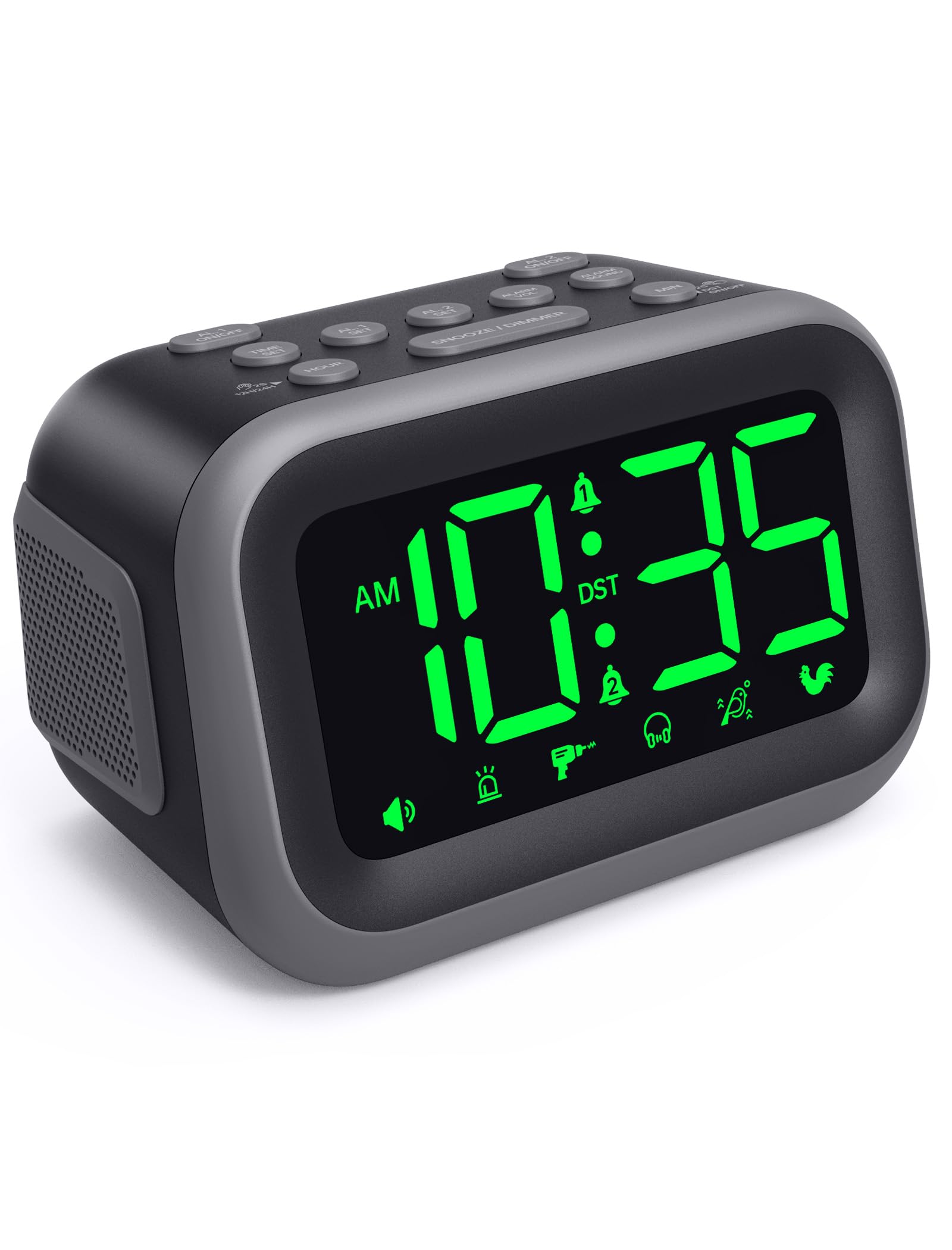
Figure 1: Acedeck L01 Super Loud Alarm Clock with green digits.
Konfigurazioa
1. Energia-konexioa
Connect the provided AC adapter to the DC 5V port on the back of the alarm clock and plug it into a standard wall outlet. The display will light up, indicating the clock is powered on.
2. Bateriaren babeskopia (aukerakoa)
For continuous operation during power outages, insert 3 AAA batteries (not included) into the battery compartment on the bottom of the clock. The battery backup system retains time and alarm settings and will activate the alarm function during a power loss, though the display will turn off to conserve power.

Figure 2: Power connection and battery backup functionality.
3. Ordua ezartzea
- Sakatu ORDUA botoia. Orduko zifrak keinu egingo dute.
- Erabili ORDUA button to adjust the hour. Press and hold for faster adjustment.
- Sakatu MIN button to adjust the minutes. Press and hold for faster adjustment.
- Sakatu ORDUA berriro baieztatzeko eta ordua ezartzeko modutik irteteko.
To toggle between 12-hour and 24-hour format, press the 12H/24H botoia denbora ezartzean.

Figure 3: Switching between 12-hour and 24-hour display.
4. Udako ordua (DST)
Sakatu DST ON / OFF button to activate or deactivate Daylight Saving Time. The clock will adjust automatically.
5. Botoiaren gaineanview

Figure 4: Labeled buttons for clear function and fast setup.
Video: Setting the Time
This video demonstrates how to set the current time on your Acedeck L01 alarm clock, including toggling between 12-hour and 24-hour formats.
Funtzionamendu-argibideak
1. Alarmak ezartzea (Alarma bikoitzak)
The Acedeck L01 features two independent alarms (AL1 and AL2). This allows you to set different wake-up times for different schedules.
- Sakatu AL1 SET or AL2 SET button. The hour digits for the selected alarm will flash.
- Erabili ORDUA botoia alarma ordua doitzeko.
- Erabili MIN botoia alarmaren minutuak doitzeko.
- Sakatu dagokion botoia. AL SET botoia berriro alarmaren ordua berresteko.
- Alarma aktibatzeko edo desaktibatzeko, sakatu tekla AL1 ON/OFF or AL2 ON/OFF button. An alarm icon will appear on the display when an alarm is active.
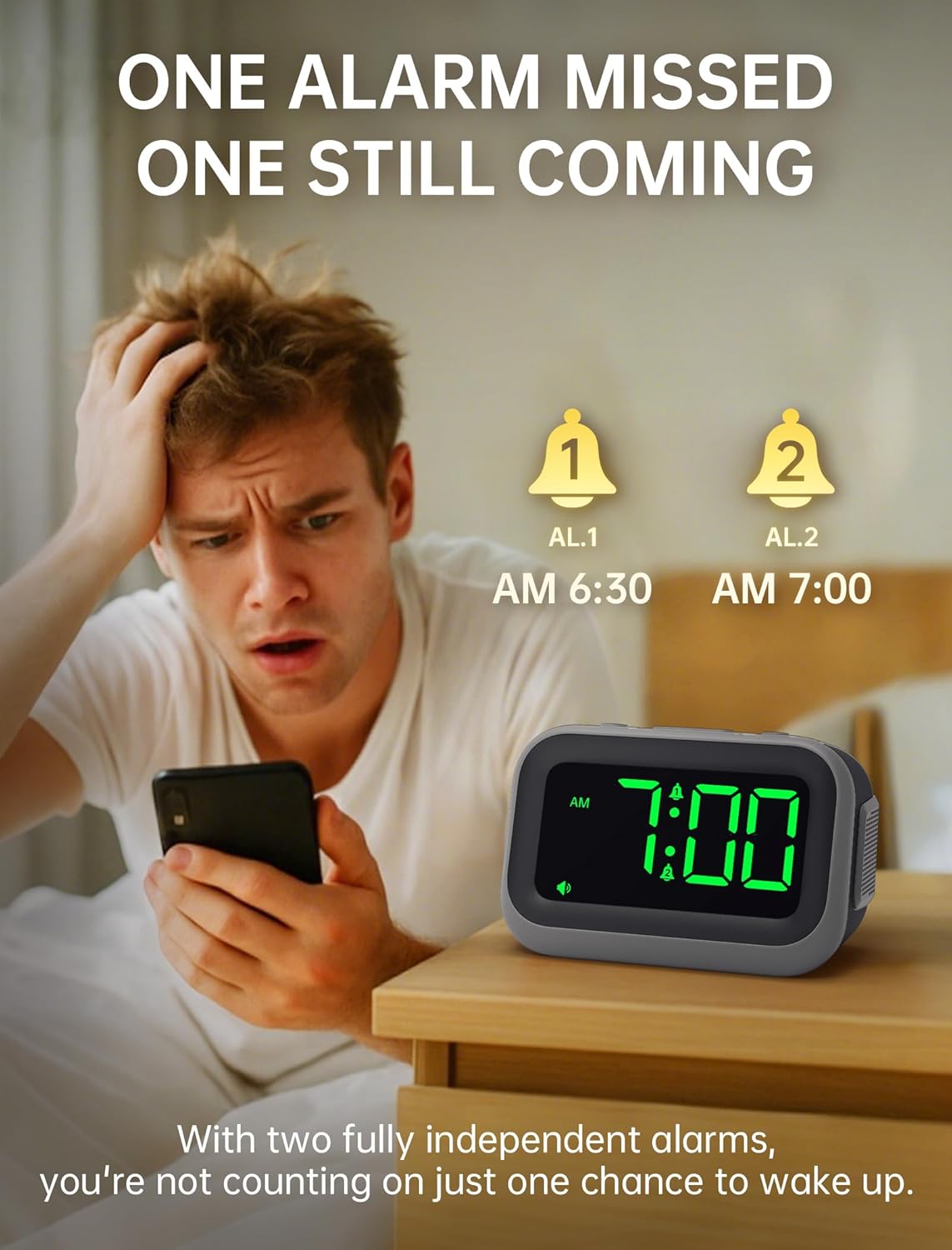
Figure 5: Dual alarm functionality for flexible scheduling.
2. Alarma Soinuak
Choose from 6 distinct alarm sounds to suit your preference. While setting the alarm, press the ALARMA SOINUA button to cycle through the available sounds: Beep, Siren, Jackhammer, Music, Bird Song, and Rooster.
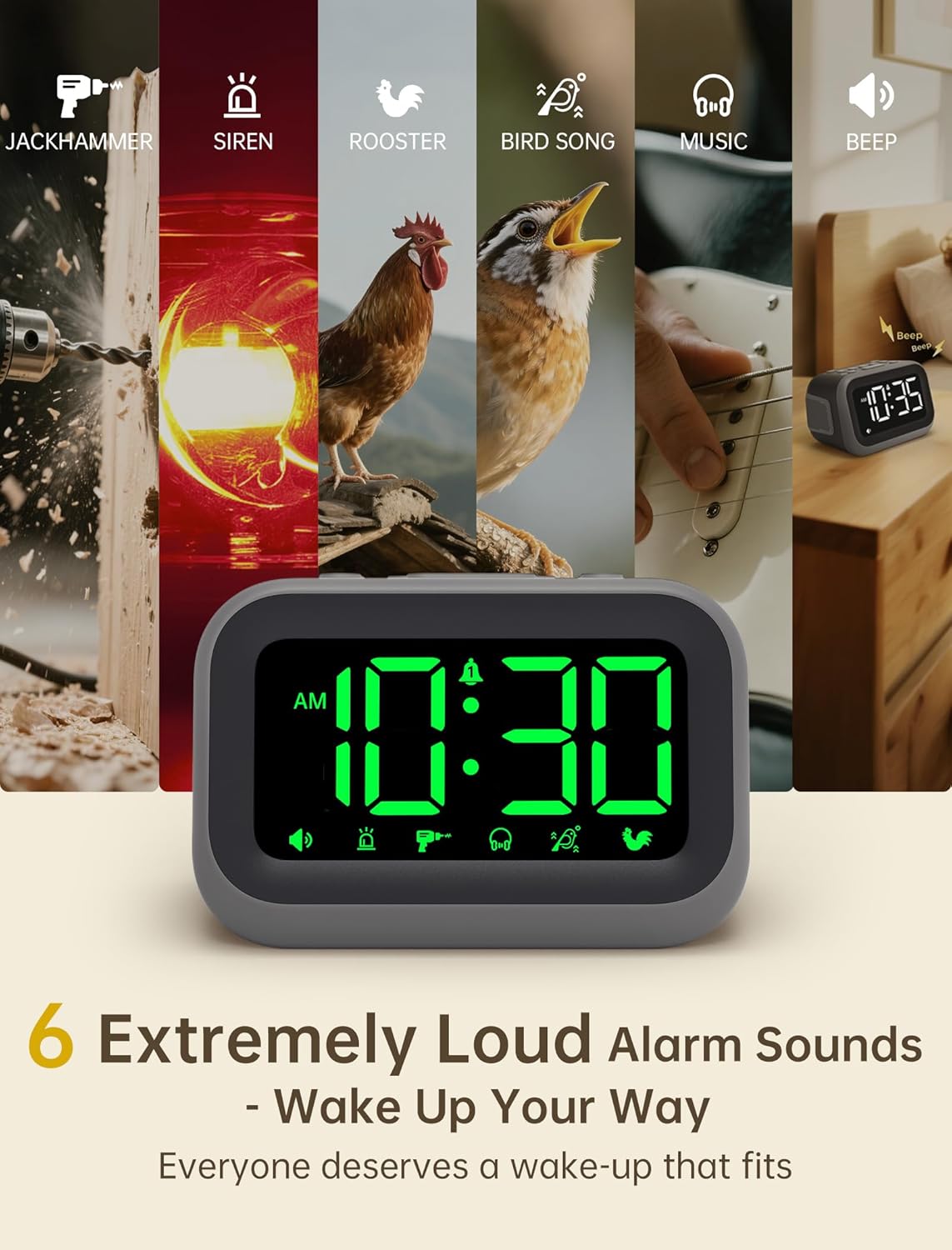
Figure 6: Selection of 6 unique alarm sounds.
3. Alarma bolumena
The Acedeck L01 features an extra-loud 115dB alarm, ideal for heavy sleepers. You can adjust the alarm volume through 6 levels. Press the ALARM VOL button to cycle through the volume settings. The default volume is set to maximum, so adjust to a comfortable level before first use.

Figure 7: Adjustable volume levels for the alarm.
4. Errepikapen funtzioa
Alarma jotzen duenean, sakatu botoi handia SNOOZE / DIMMER button to temporarily silence the alarm for a few minutes. The alarm will sound again after the snooze period ends.

Figure 8: Using the snooze function.
5. Adjustable Brightness
The 4.2-inch LED display offers 5 levels of adjustable brightness. Press the SNOOZE / DIMMER button (when the alarm is not sounding) to cycle through the brightness levels, from brightest to completely off. This allows for comfortable viewing day or night without disturbing sleep.

Figure 9: Adjusting the display brightness.
6. USB kargatzeko ataka
A built-in USB port on the back of the clock allows you to charge your smartphone or other USB-powered devices overnight. This feature is active when the clock is connected to AC power.

Figure 10: USB charging port in use.
Video: Setting the Alarm
This video demonstrates how to set and activate the dual alarms on your Acedeck L01 alarm clock.
Video: Product Features Overview
This video provides a detailed demonstration of the Acedeck L01 alarm clock's features, including alarm sounds, volume, and brightness settings.
Mantentzea
To ensure the longevity and optimal performance of your Acedeck L01 alarm clock, follow these simple maintenance guidelines:
- Garbiketa: Garbitu erlojua zapi leun eta lehor batekin. Ez erabili garbitzaile edo disolbatzaile urratzailerik, akabera kaltetu baitezakete.
- Bateria ordezkatzea: If using battery backup, replace the AAA batteries annually or when the battery indicator suggests low power to ensure continuous functionality during power outages.
- Lekua: Jarri erlojua gainazal egonkor eta lau batean, eguzki-argitik, bero gehiegitik edo hezetasunetik babestuta.
Arazoak konpontzea
| Arazoa | Irtenbidea |
|---|---|
| Erlojuaren pantaila itzalita dago. | Ensure the AC adapter is securely plugged into both the clock and a working power outlet. If using battery backup, the display turns off to save power, but the alarm function remains active. |
| Alarmak ez du jotzen. | Check if the alarm (AL1 or AL2) is activated (icon visible on display). Verify the alarm time is set correctly. Ensure the alarm volume is not set to zero. If running on battery backup, ensure batteries are fresh. |
| Ordua ez da zuzena. | Re-set the time following the 'Setting the Time' instructions. Check for power interruptions; if frequent, ensure battery backup is installed and functional. |
| USB kargatzeak ez du funtzionatzen. | Ensure the alarm clock is connected to AC power. The USB charging port does not function when the clock is running on battery power. Check the USB cable and the device being charged. |
Zehaztapenak
- Marka: Acedeck
- Eredua: L01
- Bistaratzeko mota: LED digitala
- Bistaratzeko kolorea: Zifra berdeak
- Alarmaren bolumena: Gehienez 115 dB
- Alarma soinuak: 6 unique sounds
- Distira maila: 5 maila erregulagarri
- Energia iturria: Corded Electric (AC 100-240V)
- Bateria babeskopia: 3 x AAA bateria (ez daude barne)
- USB kargatzeko ataka: Yes (for external devices)
- Produktuaren neurriak: 4.8"Z x 3.15"A
- Elementuaren pisua: 11 ontza
- Materiala: Plastikoa

11. irudia: Produktuaren neurriak.
Bermea eta laguntza
Your Acedeck L01 Super Loud Alarm Clock comes with an 18-month warranty from the date of purchase. This warranty covers manufacturing defects and malfunctions under normal use.
For technical support, troubleshooting assistance, or warranty claims, please contact Acedeck customer service through the retailer where you purchased the product or visit the official Acedeck webharremanetarako informazioa lortzeko gunea.


