Sarrera
Welcome to the user manual for your new Lenovo IdeaPad 3 82KU laptop. This guide provides essential information to help you set up, operate, maintain, and troubleshoot your device. Please read this manual thoroughly to ensure proper use and to maximize your laptop's performance and longevity.
Segurtasun Informazioa
Observe the following safety guidelines to prevent damage to your device or personal injury:
- Erabili emandako korronte-moldagailua eta kableak soilik.
- Saihestu ordenagailu eramangarria tenperatura altuetan, eguzki-argia zuzenean edo hezetasun handian jartzea.
- Ez jarri objektu astunak ordenagailu eramangarriaren gainean.
- Keep liquids away from the device to prevent electrical shock or damage.
- Ensure proper ventilation; do not block air vents.
- Do not attempt to disassemble or repair the laptop yourself. Contact authorized service personnel.
Paketearen edukia
Egiaztatu elementu guztiak zure paketean daudela:
- Lenovo IdeaPad 3 82KU Laptop
- 65W AC egokigailua
- 32 GB-ko USB unitate
- Hasiera Azkarreko Gida (barne badago)
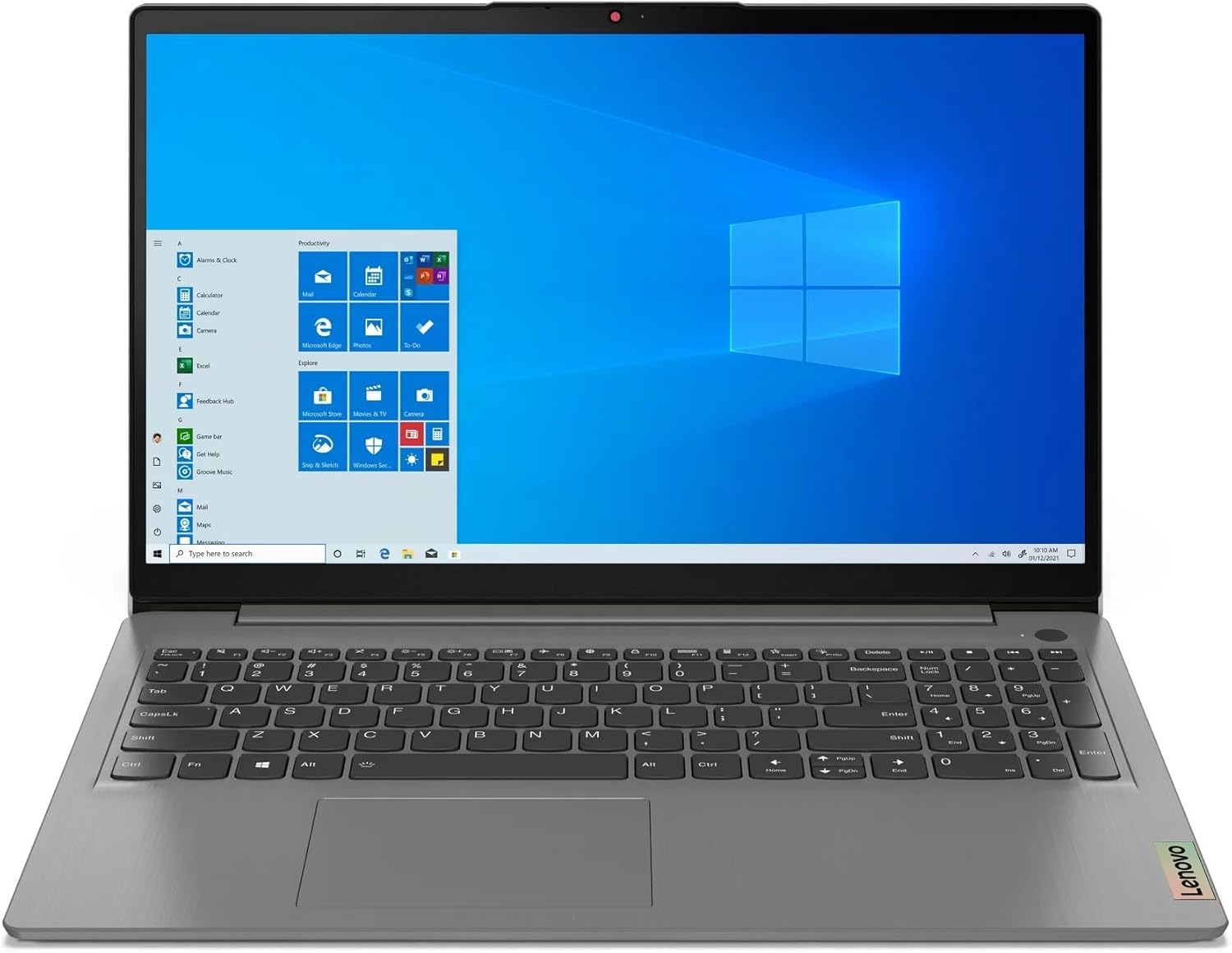
Image: Lenovo IdeaPad 3 82KU Laptop, showcasinbere diseinu dotorea eta 15.6 hazbeteko pantaila.
Produktua amaituview
Familiarize yourself with the physical features and components of your Lenovo IdeaPad 3 82KU laptop.
Aurrealdea View
The front features the 15.6-inch FHD (1920 x 1080) anti-glare display. Above the screen, you will find the 720p HD Camera with a privacy shutter for secure video conferencing.
Ezkerreko Aldea View
On the left side, the laptop includes a USB-C 3.2 Gen 1 port, a USB 3.2 Gen 1 port, an HDMI v1.4 port for external displays, and a headphone/microphone combo jack.
Eskuineko Aldea View
The right side typically houses a USB 2.0 port and the power connector.
Teklatua eta Touchpad
The full-size keyboard features a numeric keypad and backlighting for comfortable typing in various lighting conditions. The integrated touchpad supports multi-touch gestures. A fingerprint reader is also integrated for secure login.
Konfigurazioa
Follow these steps to set up your laptop for the first time.
Lehen erabilera
- Deskonprimitu ordenagailu eramangarria: Kontu handiz atera ordenagailu eramangarria eta osagarri guztiak paketetik.
- Konektatu energia: Plug the AC adapter into the laptop's power port and then into a wall outlet. It is recommended to fully charge the battery before first use.
- Piztu: Open the laptop lid and press the power button. The laptop will guide you through the initial Windows 11 Pro setup process.
- Hasierako Windows konfigurazioa: Follow the on-screen instructions to configure your region, language, network connection, and user account.
Periferikoak konektatzea
You can connect external devices such as mice, keyboards, and external monitors using the available USB and HDMI ports. Refer to the 'Product Overview' section for port locations.
Zure ordenagailu eramangarria erabiltzea
This section covers basic operation of your Lenovo IdeaPad 3 82KU.
Piztu/Itzali
- Pizteko: Sakatu ordenagailu eramangarrian dagoen pizteko botoia.
- Itzateko: Egin klik Windows-eko Hasi botoian, eta ondoren hautatu Energia > Itzali.
- Berrabiarazteko: Egin klik Windows-eko Hasi botoian eta, ondoren, hautatu Energia > Berrabiarazi.
- Lo egiteko: Close the laptop lid or click the Start button in Windows, then select Power > Sleep.
Using Windows 11 Pro
Your laptop comes pre-installed with Windows 11 Pro. For detailed instructions on using Windows 11, refer to the official Microsoft documentation or online help resources.
Keyboard and Touchpad Functions
Utilize the backlit keyboard for improved visibility. The numeric keypad allows for efficient data entry. The touchpad supports various gestures for navigation and control. The integrated fingerprint reader provides a convenient and secure way to log in to your system.
Wi-Fi eta Bluetooth-era konektatzen
- Wi-Fi: Click the network icon in the taskbar, select your desired Wi-Fi network, enter the password if prompted, and click Connect. Your laptop supports Wi-Fi 6.
- Bluetootha: To pair Bluetooth devices, go to Settings > Bluetooth & devices, turn on Bluetooth, and select your device from the list. Your laptop supports Bluetooth 5.1.
HD kamera erabiltzea
The 720p HD camera can be used for video calls and conferences. Ensure the privacy shutter is open when using the camera. You can access the camera through applications like Camera, Microsoft Teams, or Zoom.
Mantentzea
Proper maintenance helps extend the life of your laptop.
Ordenagailu eramangarria garbitzea
- Erabili lipurrik gabeko zapi leun bat dampPantaila garbitzeko, urarekin edo pantaila-garbitzaile batekin garbitu.
- Teklatuarentzat eta xasisarentzat, erabili oihal leun bat. Saihestu produktu kimiko gogorrak.
- Aldian-aldian, erabili aire konprimitua hautsa aireztapen-hodietatik kentzeko.
Bateria zaintzea
- Saihestu bateria maiz erabat deskargatzea.
- Denbora luzez erabiltzen ez baduzu, gorde ordenagailu eramangarria leku fresko eta lehor batean.
- Ez jarri bateria tenperatura altuetara.
Software eguneraketak
Regularly check for and install Windows updates and driver updates to ensure optimal performance and security. Go to Settings > Windows Update to check for updates.
Arazoak konpontzea
Atal honek aurki ditzakezun arazo ohikoenei irtenbideak eskaintzen ditu.
| Gaia | Irtenbide posiblea |
|---|---|
| Ordenagailu eramangarria ez da pizten. | Ensure the AC adapter is securely connected and the power outlet is functional. Try a different outlet. Check if the battery is charged. |
| Wi-Fi konexio arazoak. | Check if Wi-Fi is enabled in Windows settings. Restart your router and modem. Ensure you are within range of the Wi-Fi signal. |
| Errendimendu motela. | Close unnecessary applications. Check for background processes. Ensure Windows and drivers are up to date. Consider running a disk cleanup. |
| Teklatuaren atzeko argia ez dabil. | Check the function keys (Fn + Spacebar or other designated key) to toggle the backlight. Ensure drivers are updated. |
| Camera not detected. | Ensure the privacy shutter is open. Check device manager for camera drivers. Restart the laptop. |
Zehaztapenak
Key technical specifications for your Lenovo IdeaPad 3 82KU laptop:
| Ezaugarri | Xehetasuna |
|---|---|
| Ereduaren izena | IdeaPad 3 82KU |
| Prozesadorea | AMD Ryzen 5 5500U (6-core, up to 4 GHz) |
| Grafikoak | AMD Radeon grafikoak (integratuak) |
| Bistaratzea | 15.6-inch FHD (1920 x 1080) IPS, 60Hz, 250 nits, Anti-glare |
| RAM | 20 GB DDR4 SDRAM 3200 MHz |
| Biltegiratzea | 2 TB NVMe M.2 SSD |
| Sistema eragilea | Windows 11 Pro |
| Haririk gabeko konexioa | MediaTek Wi-Fi 6 (802.11ax), Bluetooth 5.1 |
| Portuak | 1x USB-C 3.2 Gen 1, 1x USB 3.2 Gen 1, 1x USB 2.0, 1x HDMI v1.4, 1x Headphone/Microphone Combo Jack |
| Kamera | 720p HD kamera pribatutasun-obturadorearekin |
| Bateria | 45Wh Lithium Polymer (up to 6 hours average battery life) |
| Neurriak (LxWxH) | 14.12 x 9.33 x 0.81 hazbete |
| Pisua | 3.6 lb (gutxi gorabehera 1.63 kg) |
| Teklatua | Backlit Keyboard with Numpad and Fingerprint Reader |
Bermea eta Laguntza
Your Lenovo IdeaPad 3 82KU laptop comes with a 12-month warranty covering manufacturing defects. For technical support, warranty claims, or service inquiries, please refer to the contact information provided with your purchase documentation or visit the official Lenovo support website. When contacting support, please have your laptop's model number (82KU) and serial number ready.
For additional resources and driver downloads, please visit the official Lenovo support portal.


