Sarrera
Thank you for choosing the Nerunsa D60 Wireless Earbuds. These earbuds are designed to provide a high-quality audio experience with advanced features for daily use. This manual will guide you through the setup, operation, and maintenance of your new earbuds.
Ezaugarri nagusiak:
- Advanced Bluetooth 5.4 for stable and fast connection.
- Hi-Fi Stereo sound with 13mm dynamic drivers.
- ENC Noise Cancelling microphones for clear calls.
- Kargatzeko zorroarekin, guztira 50 orduko erreprodukzio-denbora.
- IP7 Waterproof rating for sweat and rain resistance.
- Ergonomic design with comfortable fit and touch controls.
- LED digital display for battery status.
Paketearen edukia
Mesedez, markatu laukitxoa elementu hauetarako:
- Nerunsa D60 Wireless Earbuds (Left and Right)
- Kargatzeko kaxa
- USB-C kargatzeko kablea
- Ear Tips (3 sizes: S, M, L)
- Erabiltzailearen eskuliburua
Produktua amaituview
Familiarize yourself with the components of your Nerunsa D60 Wireless Earbuds.
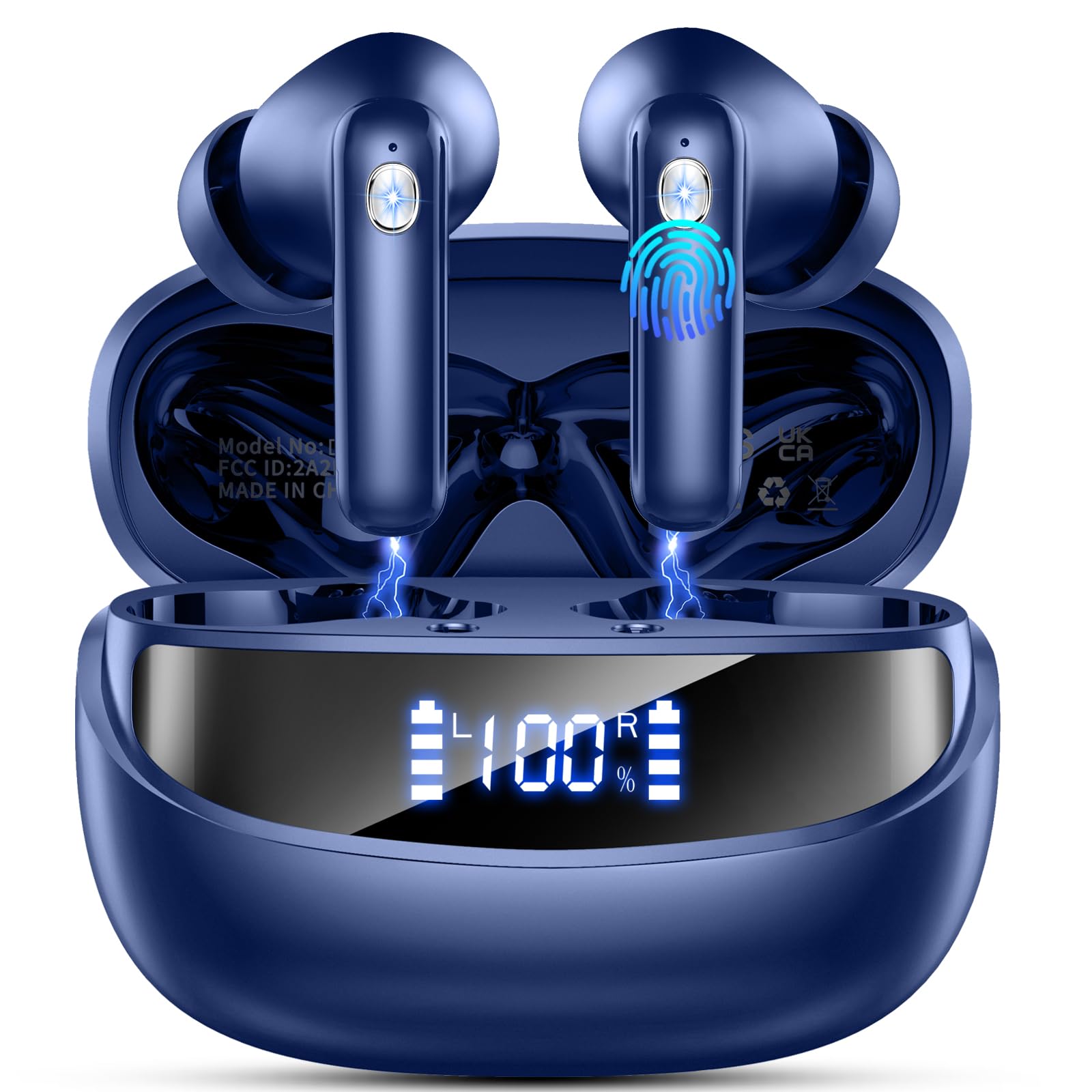
Image: Nerunsa D60 Wireless Earbuds in their charging case.

Image: Illustration of the advanced Bluetooth 5.4 chip, highlighting stable connection, lower latency, and longer distance compared to Bluetooth 5.3.

Image: A woman wearing the earbuds, with a visual representation of Environmental Noise Cancellation (ENC) reducing background noise by 40dB for clearer calls.
Konfigurazioa
1. Entzungailuak eta zorroa kargatzea
Lehenengo aldiz erabili aurretik, kargatu guztiz entzungailuak eta kargatzeko zorroa.
- Place the earbuds into the charging case. Ensure they are correctly seated; the LED indicators on the earbuds will light up.
- Konektatu USB-C kargatzeko kaxako kargatzeko atakara eta beste muturra USB elikatze-egokitzaile batera (ez dago barne).
- Kargatzeko kaxan dagoen LED pantaila digitalak bateriaren ehunekoa erakutsiko du.tage. Karga oso batek 1.5 ordu inguru behar ditu.
- Once fully charged, disconnect the charging cable. The earbuds provide up to 8 hours of playback on a single charge, and the charging case extends total usage to 50 hours.

Image: The charging case with earbuds inside, displaying the battery percentage on its LED screen, indicating charging status and total playtime.
2. Piztu/Itzali
- Piztu: Ireki kargatzeko kaxa eta entzungailuak automatikoki piztuko dira.
- Itzali: Jarri entzungailuak berriro kargatzeko zorroan eta itxi tapa. Automatikoki itzali eta kargatzen hasiko dira.
3. Zure gailuarekin parekatzea
The Nerunsa D60 earbuds feature one-step automatic pairing.
- Ireki kargatzeko zorroa eta atera bi entzungailuak. Automatikoki sartuko dira parekatze moduan.
- Zure gailuan (telefono adimenduna, tableta, ordenagailu eramangarria), gaitu Bluetooth-a.
- Bilatu available Bluetooth devices and select "D60" from the list.
- Behin konektatuta, baieztapen-tonu bat entzungo duzu, eta entzungailuak erabiltzeko prest egongo dira.

Image: A smartphone screen displaying the Bluetooth settings, with "D60 Pro" visible in the list of available devices, illustrating the one-step pairing process.
Entzungailuak erabiltzea
1. Entzungailuak janztea
Soinu-kalitate eta erosotasun optimoa lortzeko, aukeratu belarri-puntaren tamaina egokia eta ziurtatu ondo egokitzen direla.
- Select the ear tips (S, M, L) that best fit your ears.
- Gently insert each earbud into your ear canal and twist slightly to secure it. The ergonomic design helps distribute pressure for comfortable long-term wear.
2. Ukitu Kontrolak
The earbuds feature high-precision touch sensors for easy control of music, calls, and voice assistant functions.

Image: A visual guide to the touch control functions on the earbud, including controls for voice assistant, answering/rejecting calls, volume adjustment, and music playback.
| Ekintza | Funtzioa |
|---|---|
| Ukitu bakarra (ezkerreko/eskuineko entzungailuak) | Musika erreproduzitu/pausatu, deia erantzun/amaitu |
| Sakatu birritan (ezkerreko aurikularra) | Aurreko Pista |
| Sakatu birritan (eskuineko aurikularra) | Hurrengo Pista |
| Sakatu hirukoitza (ezkerreko aurikularra) | Bolumena jaitsi |
| Sakatu hirukoitza (eskuineko aurikularra) | Bolumena igo |
| Long Press (Left/Right Earbud, 2s) | Aktibatu Ahots Laguntzailea / Ukatu Deia |
Mantentzea
1. Garbiketa
Garbiketa erregularrak errendimendu eta higiene optimoak mantentzen laguntzen du.
- Erabili zapi leun, lehor eta lihorik gabeko bat entzungailuak eta kargatzeko zorroa garbitzeko.
- Belarri-puntak entzungailuetatik atera eta xaboi leun batekin garbitu behar izanez gero, eta ondoren, ondo garbitu eta guztiz lehortu berriro jarri aurretik.
- Saihestu produktu kimiko gogorrak, aerosolak edo garbitzaile urratzaileak erabiltzea.
2. Biltegiratzea
Store your earbuds properly to ensure longevity.
- Always store the earbuds in their charging case when not in use.
- Gorde gailua leku fresko eta lehor batean, muturreko tenperaturetatik eta eguzki-argitik babestuta.
3. Urarekiko erresistentzia (IP7)
The Nerunsa D60 earbuds are IP7 waterproof, meaning they are protected against immersion in water up to 1 meter for 30 minutes. This makes them suitable for workouts and use in rainy conditions.

Image: Earbuds shown with water droplets, illustrating their IP7 waterproof capability, protecting them from sweat and rain.
Oharra:
- Kargatzeko kaxa ez da iragazgaitza.
- Water resistance may decrease over time with normal use.
- Do not charge wet earbuds. Ensure they are completely dry before placing them in the charging case.
Arazoak konpontzea
Entzungailuekin arazorik baduzu, jo ezazu honako ohiko irtenbide hauetara:
| Arazoa | Irtenbidea |
|---|---|
| Entzungailuak ez dira parekatzen gailuarekin | Ensure earbuds are charged. Turn off and on Bluetooth on your device. Forget "D60" from your device's Bluetooth list and re-pair. |
| Aurikular bakarra funtzionatzen du | Place both earbuds back into the charging case, close the lid, then open and remove them again to re-sync. If issue persists, try resetting. |
| Soinurik ez edo bolumen txikia | Check device volume and earbud volume. Ensure earbuds are properly seated in your ears. Clean any debris from earbud speakers. |
| Kargatzeko kaxa ez da kargatzen | Ziurtatu USB-C kablea ondo konektatuta dagoela bai kaxara bai energia-iturrira. Saiatu beste kable edo energia-egokitzaile batekin. |
Entzungailuak berrezartzea
If you experience persistent connection issues, a factory reset may resolve the problem:
- Jarri bi entzungailuak kargatzeko zorroan.
- With the lid open, press and hold the reset button (if available, otherwise consult specific product instructions for reset method) on the charging case for approximately 10-15 seconds until the indicator lights flash.
- Remove the earbuds and attempt to re-pair them with your device.
Zehaztapenak
| Ezaugarri | Xehetasuna |
|---|---|
| Ereduaren izena | D60 |
| Bluetooth bertsioa | 5.4 |
| Aurikularretako bateriaren iraupena | Gehienez 8 ordu |
| Jolas-denbora osoa (zorroarekin) | Gehienez 50 ordu |
| Kargatzeko Denbora | Gutxi gorabehera. 1.5 ordu |
| Uraren Erresistentzia | IP7 Iragazgaitza |
| Zarata Kontrola | Ingurumeneko zarata baliogabetzea (ENC) |
| Audio kontrolatzailea | 13 mm-ko gidari dinamikoa |
| Kontrol-metodoa | Ukitu |
| Earbud pisua | 3.9 g (bakoitza) |
| Konektibitatea | Haririk gabeko (Bluetooth) |
| Gailu bateragarriak | Ordenagailu eramangarriak, mahaigaineko ordenagailuak, tabletak, telefonoak, bozgorailu adimendunak, telebistak, telefono mugikorrak |
Produktuaren bideo ofiziala
Ikusi bideo hau ikuspegi orokorra lortzekoview of the Nerunsa D60 Wireless Earbuds and their features.
Bideoa: Amaiera batview of the Nerunsa D60 Wireless Earbuds, showcasing features like battery life, Bluetooth 5.4, ENC noise cancellation, HiFi stereo sound, smart touch control, and IP7 waterproofing.
Bermea eta Laguntza
Bermearen informazioa
Nerunsa products come with a standard manufacturer's warranty. Please refer to the warranty card included in your package or visit the official Nerunsa webwebgunean bermearen baldintza zehatzak ikusteko.
Bezeroarentzako Arreta
If you have any questions, require technical assistance, or need to report an issue, please contact Nerunsa customer support through the following channels:
- Posta elektronikoa: Refer to your product packaging or the official Nerunsa webharremanetarako helbide elektronikorako gunea.
- Webgunea: Bisitatu Nerunsa Store on Amazon informazio eta laguntza baliabide gehiago lortzeko.


