Sarrera
Welcome to the user manual for your Rapoo EV310M Wireless Vertical Mouse. This ergonomic mouse is designed for comfort and efficiency, featuring multi-mode wireless connectivity and adjustable DPI settings. Please read this manual carefully to ensure proper setup and optimal performance.
Paketearen edukia
- Rapoo EV310M Wireless Vertical Mouse
- USB hargailua (saguaren barruan gordeta)
- AA Battery (pre-installed or included)
- Hasierako gida azkarra (dokumentu hau)
Produktua amaituview
Familiarize yourself with the components of your Rapoo EV310M mouse.
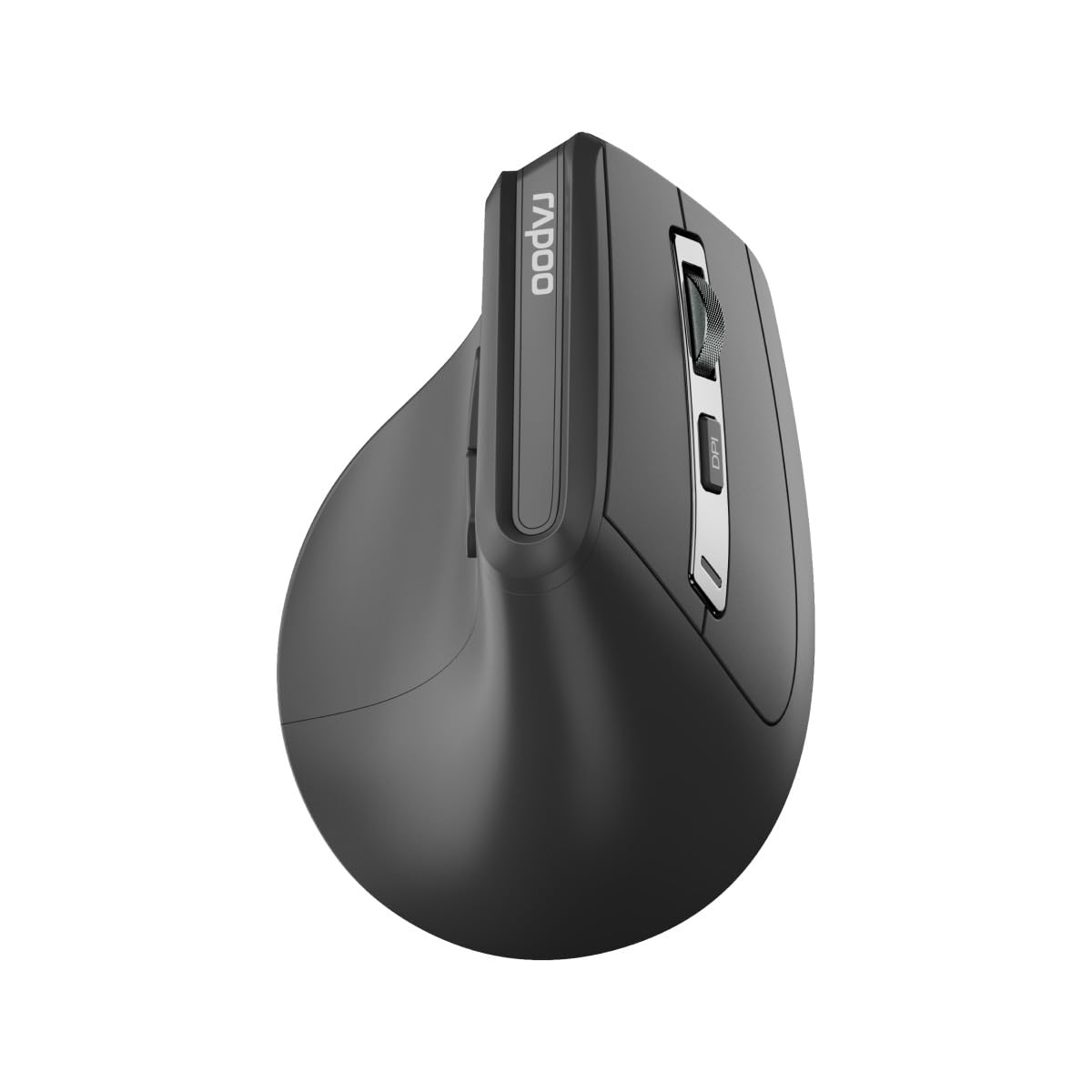
Irudia: Goian view of the Rapoo EV310M Wireless Vertical Mouse, highlighting the scroll wheel and DPI button.
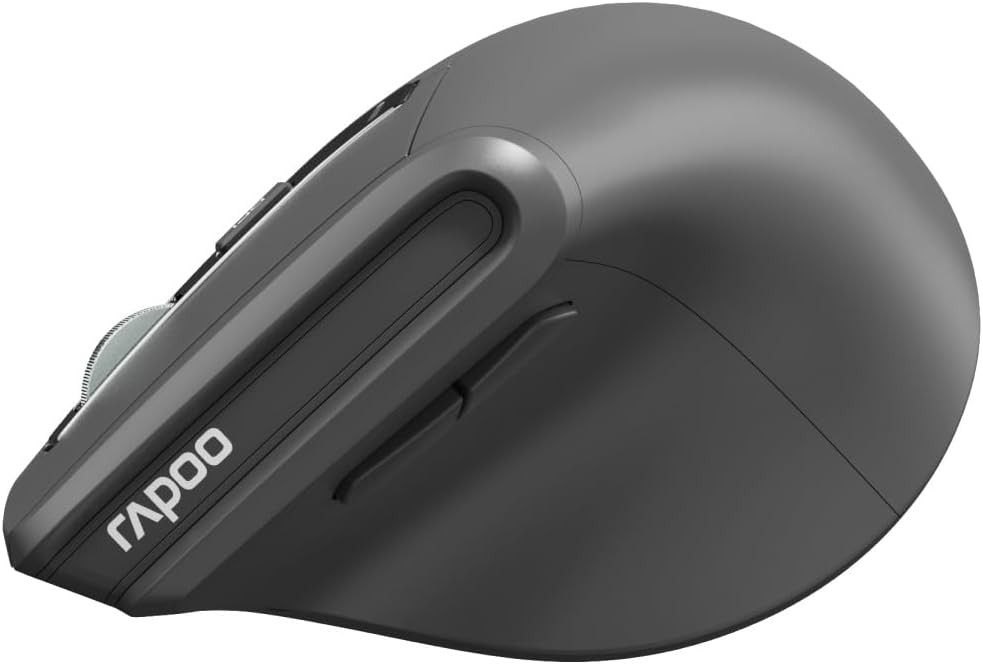
Irudia: Albokoa view of the Rapoo EV310M Wireless Vertical Mouse, showing the forward and backward navigation buttons.
Botoiaren funtzioak
- Ezkerreko klik botoia: Ezkerreko klik funtzio estandarra.
- Eskuineko botoiarekin klik egiteko: Eskuineko botoiarekin klik egiteko funtzio estandarra.
- Korritzeko gurpila: Scroll up/down, middle-click.
- DPI botoia: Kurtsorearen sentikortasuna (DPI) doitzen du.
- Aurrera egiteko botoia: Aurrera nabigatzen du web nabigatzaileak edo file esploratzaileak.
- Atzera botoia: Atzeraka nabigatzen du web nabigatzaileak edo file esploratzaileak.
- Mode Switch Button/Indicator: Switches between 2.4GHz and Bluetooth modes.
Konfigurazioa
1. Bateriaren instalazioa
- Kokatu bateriaren konpartimendua saguaren azpialdean.
- Ireki bateriaren konpartimenduaren estalkia.
- Sartu AA pila bat, polaritate zuzena ziurtatuz (+/-).
- Itxi bateriaren konpartimenduaren estalkia.
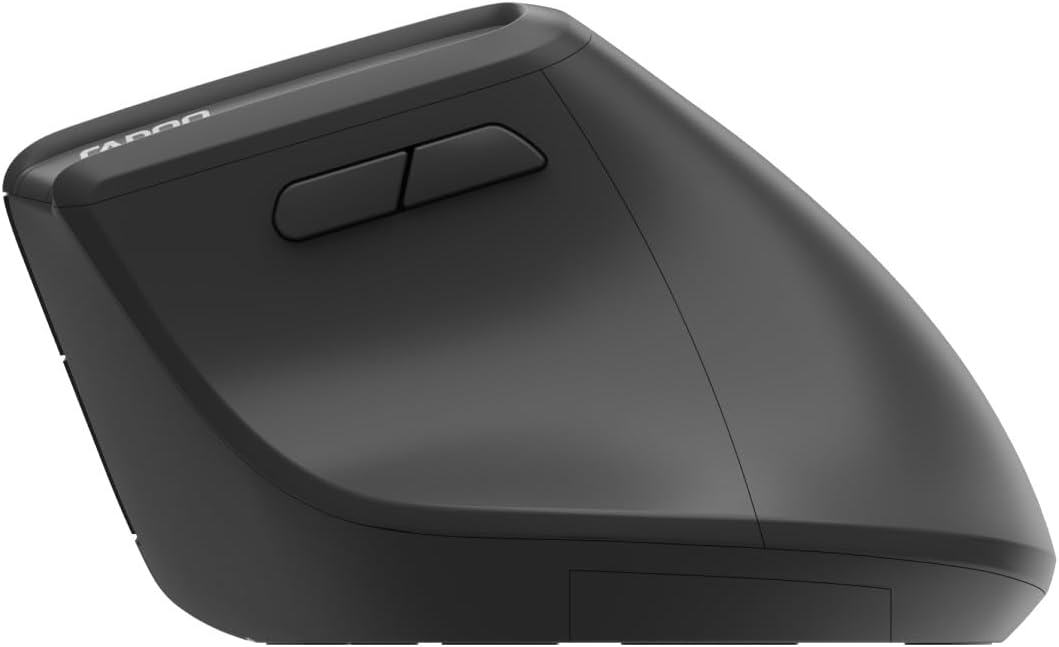
Image: Underside of the mouse, illustrating the battery compartment and the storage slot for the USB receiver.
2. Zure sagua konektatzea
The Rapoo EV310M supports multi-mode wireless connection: 2.4 GHz via USB receiver and Bluetooth 3.0/5.0.
2.1. 2.4 GHz-ko haririk gabeko konexioa
- Remove the USB receiver from its storage slot on the bottom of the mouse.
- Konektatu USB hargailua zure ordenagailuko USB ataka erabilgarri batean.
- Turn on the mouse using the power switch (usually on the bottom).
- The mouse should connect automatically. If not, press the mode switch button until the 2.4GHz indicator lights up.
2.2. Bluetooth konexioa
- Piztu sagua.
- Press the mode switch button to select a Bluetooth channel (e.g., Bluetooth 1 or Bluetooth 2). The indicator light for the selected Bluetooth channel will start blinking slowly.
- Press and hold the mode switch button for 3 seconds until the indicator light blinks rapidly. This indicates the mouse is in pairing mode.
- Zure ordenagailuan edo gailuan, ireki Bluetooth ezarpenak eta bilatu gailu berriak.
- Select "RAPOO EV310M" from the list of available devices to pair.
- Once paired, the indicator light will stop blinking and remain solid for a few seconds before turning off.
Funtzionamendu-argibideak
1. DPI doikuntza
The DPI (Dots Per Inch) button allows you to adjust the cursor speed and sensitivity.
- Sakatu DPI botoia located on the top of the mouse to cycle through available DPI settings (e.g., 800, 1200, 1600, 2400 DPI).
- Each press will change the sensitivity, allowing you to find your preferred cursor speed.
2. Konektatutako gailuen artean aldatzea
The EV310M mouse can be paired with up to three devices (one 2.4GHz and two Bluetooth devices).
- Konektatutako gailuen artean aldatzeko, sakatu besterik ez duzu egin behar modua aldatzeko botoia saguaren gainean.
- The indicator light will briefly show which channel (2.4G, BT1, BT2) is active.
Mantentzea
Garbiketa
Sagua garbitzeko, erabili zapi leun eta lehor bat. Zikinkeria egoskorra bada, garbitu apur bat.ampGarbitu zapi bat urarekin edo garbiketa-soluzio leun batekin. Saihestu produktu kimiko gogorrak edo material urratzaileak erabiltzea.
Bateria ordezkatzea
When the mouse performance degrades or the indicator light signals low battery, replace the AA battery following the installation steps in the Setup section.
Arazoak konpontzea
Saguak ez du erantzuten
- Egiaztatu bateria: Ziurtatu bateria behar bezala instalatuta dagoela eta nahikoa karga duela. Ordeztu behar izanez gero.
- Switch potentziala: Egiaztatu sagua piztuta dagoela.
- USB hargailua: For 2.4GHz mode, ensure the USB receiver is securely plugged into a working USB port. Try a different port.
- Bluetooth konexioa: For Bluetooth mode, ensure Bluetooth is enabled on your device and the mouse is correctly paired. Re-pair if needed.
- Distantzia: Ensure the mouse is within the effective operating range of your computer (typically 10 meters).
Kurtsorearen mugimendua irregularra da
- Azalera: Erabili sagua gainazal garbi eta islatzailerik gabeko batean. Sagu-alfonbra bat erabiltzea gomendatzen da.
- DPI ezarpena: Adjust the DPI setting to a lower value if the cursor is too fast or jumpy.
- Sentsorearen garbitasuna: Check the optical sensor on the bottom of the mouse for any obstructions or dirt. Clean gently with a soft cloth.
Zehaztapenak
| Ezaugarri | Xehetasuna |
|---|---|
| Marka | RAPOO |
| Modelo zenbakia | EV310M |
| Konektibitate Teknologia | Bluetooth (3.0, 5.0), 2.4 GHz Wireless |
| DPI sentikortasuna | Adjustable 800-2400 DPI |
| Botoi kopurua | 6 |
| Eskuen Orientazioa | Eskuinekoa |
| Energia iturria | Pilaz elikatzen da (1x AA) |
| Bateriaren iraupena | Gehienez 9 hilabete |
| Sistema eragileen bateragarritasuna | PC, Linux, Mac |
| Elementuaren pisua | 100 gramo |
| Kolorea | Beltza |
Bermea eta Laguntza
For warranty information or technical support, please refer to the official RAPOO webwebgunera edo jarri harremanetan zure tokiko saltzailearekin. Gorde erosketa-agiria berme-erreklamazioetarako.


