1. Produktua amaitu daview
The ANJIELO SMART 1080P Video Intercom System is designed for multi-unit buildings, supporting 2 to 12 apartments. This system provides secure communication and access control with a 7-inch touchscreen monitor, motion detection, two-way talk, and Tuya App integration. It ensures privacy for each unit and offers robust outdoor durability.
Ezaugarri nagusiak:
- Scalable & Private System: Supports 2 to 12 units with independent monitoring for each apartment.
- Eguraldi guztietarako iraunkortasuna: Outdoor doorbell crafted from aluminum alloy with an IP65 rating.
- Desblokeatzeko hainbat metodo: Unlock via ID card, Smart Tuya App, or indoor monitor.
- Grabaketa automatikoa: Built-in motion detection captures and records video to a 32GB microSD card.
- Modern 7-Inch Touchscreen Monitor: Manage calls, monitor, and unlock doors with a sleek TFT touchscreen.
- 1080P HD kamera: Wide-angle lens with enhanced IR night vision for clear day and night viewing.
- Bi norabideko audioa: Hands-free intercom for clear communication with visitors.
- Tuya App Integration: Connects wirelessly to the Smart Tuya App via Wi-Fi for remote control.
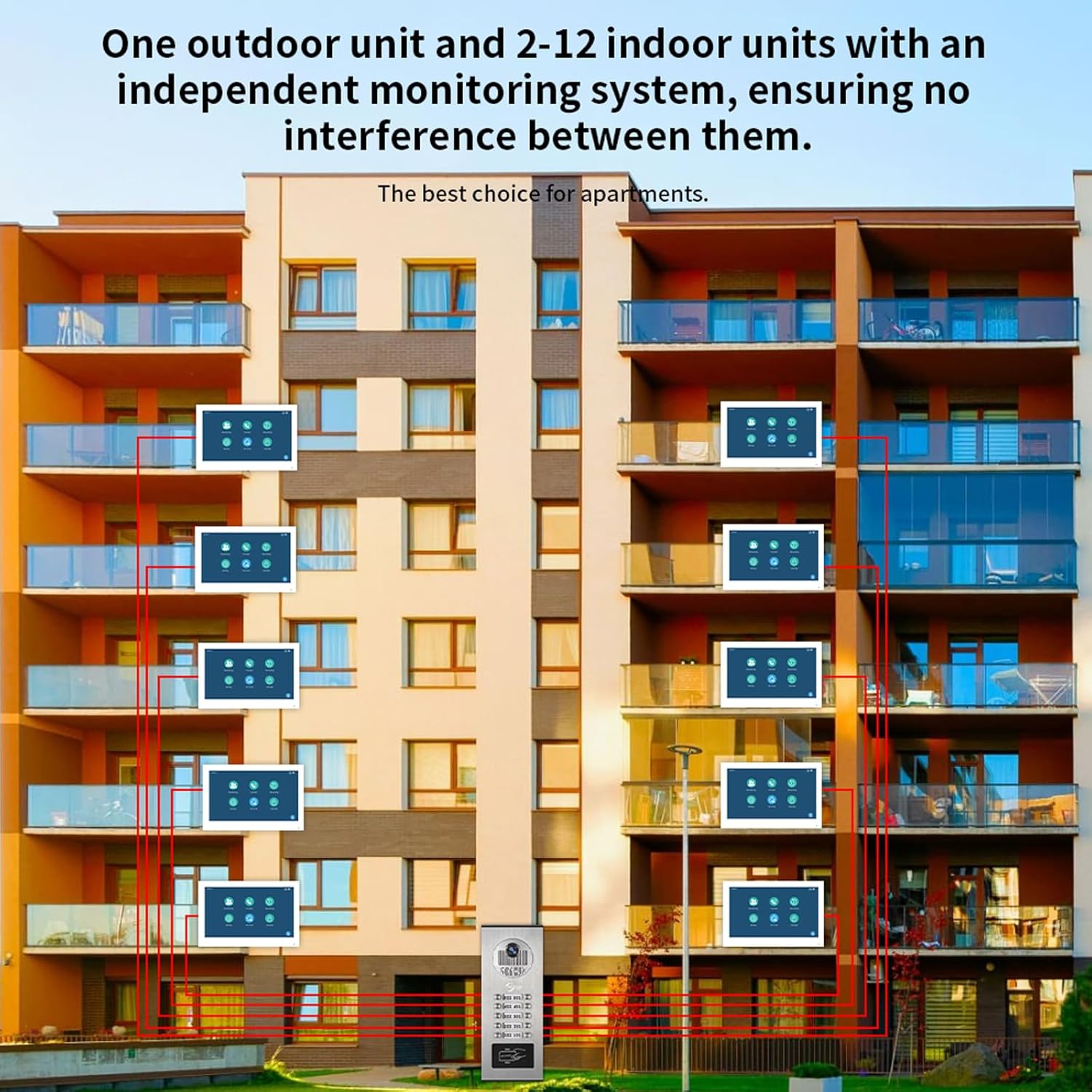
1.1. irudia: Sistema amaituview for multi-unit buildings, illustrating one outdoor unit serving multiple indoor monitors independently.
2. Konfigurazioa eta instalazioa
2.1 Paketearen edukia
Instalazioa hasi aurretik, ziurtatu osagai guztiak daudela:
- Outdoor Doorbell Unit
- Indoor Monitor(s) (quantity varies by system configuration)
- Power Adapter(s) (DC 12V, 2A for each monitor)
- 3-meter connection cable
- Muntatzeko Torlojuak eta Aingurak
- ID Cards (for unlocking)
- Erabiltzailearen eskuliburua (dokumentu hau)
2.2 Instalazio Jarraibideak
- Kanpoko unitatea muntatzea: The outdoor unit is designed for surface mounting. Choose a location that provides a clear view of visitors and is protected from direct impact. Ensure the unit is installed at an appropriate height for all users.
- Mounting the Indoor Monitor(s): Install indoor monitors in a convenient location within each apartment. They are also designed for surface mounting.
- Kableatu konexioa:
- The indoor monitor and doorbell require a wired connection. Use the provided 4-wire cable to connect the outdoor doorbell unit to each indoor monitor.
- Each indoor monitor must be connected to its dedicated 12V 2A power supply.
- The system supports extending the doorbell and camera with additional wiring, but be aware of distance limitations between the screen and doorbell for optimal performance.
- The monitor connects to your Wi-Fi network for Tuya App functionality, but the primary connection between the doorbell and monitor is wired for stability.
- Potentzia-konexioa: Connect the power adapters to each indoor monitor and plug them into a standard AC 100-240V 50/60Hz power outlet.
- Hasierako piztea: Once all connections are secure, power on the system. The indoor monitor should display the initial setup screen.

2.1. irudia: Detailed wiring diagram for connecting indoor monitors, the outdoor doorbell, power supplies, and an optional electronic lock.
3. Funtzionamendu-argibideak
3.1 Indoor Monitor Functions
The 7-inch TFT-LCD touchscreen monitor is the central control unit for your intercom system.
- Deiak erantzutea: When a visitor presses the doorbell, the indoor monitor will ring. Touch the screen to answer and initiate two-way communication.
- Jarraipena: Eskuz egin dezakezu view the outdoor camera feed at any time by selecting the monitoring function on the screen.
- Unlocking Doors: During a call or while monitoring, an unlock icon will appear on the screen. Tap it to remotely unlock the connected door.
- Volume and Color Adjustment: Navigate through the monitor settings to adjust ringtone volume, display color, and other preferences.

3.1. irudia: Indoor monitor interface and notification modes (At home, Not at home, Dormant).
3.2 Bi norabideko elkarrizketa
The system supports hands-free two-way audio communication. When a visitor rings the doorbell, you can see, speak, and hear them directly through the indoor monitor.

3.2. irudia: Demonstrating two-way audio communication via the indoor monitor.
3.3 Motion Detection and Auto-Recording
The outdoor unit features smart PIR motion detection. When movement is detected, the system will automatically capture video or photos and save them to the included 32GB microSD card. You will receive notifications on your smartphone via the Tuya App.
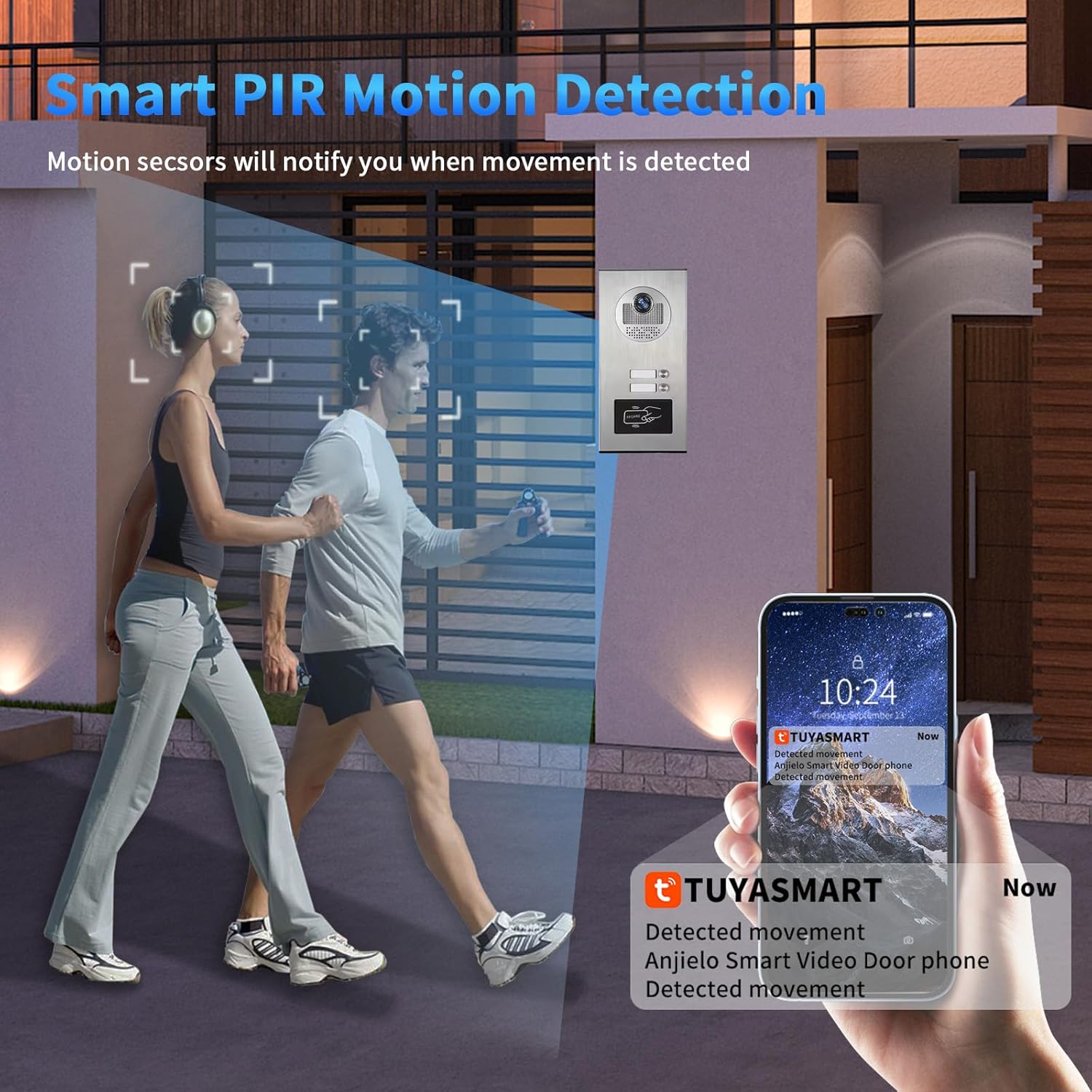
3.3. irudia: Motion detection triggering a notification on the Tuya Smart app.

3.4. irudia: Motion detection automatically recording video or taking photos.
3.4 Tuya App Remote Control
Connect your indoor monitor to your Wi-Fi network to enable remote control via the Smart Tuya App. This allows you to:
- Receive calls and notifications from the doorbell on your smartphone.
- View live video from the outdoor camera.
- Engage in two-way talk with visitors remotely.
- Remotely unlock the door from anywhere.
- Review recorded motion detection footage.

3.5. irudia: Remote unlocking via the Tuya App.

3.6. irudia: Receiving doorbell calls and unlocking via the mobile phone app.
3.5 ID Card Unlocking
The outdoor unit supports ID card swiping for convenient access. Present a registered ID card to the designated area on the outdoor unit to unlock the door. The system can store up to 500 ID cards with a frequency of 13.56MHZ and a card reading time of 1 second.
4. Mantentzea
Regular maintenance ensures optimal performance and longevity of your intercom system.
- Garbiketa: Erabili biguna, damp cloth to clean the outdoor unit and indoor monitor screens. Avoid abrasive cleaners or solvents that could damage surfaces.
- Firmware eguneraketak: Aldian-aldian egiaztatu fabrikatzailearen website or the Tuya App for any available firmware updates to ensure your system has the latest features and security enhancements.
- Kableen ikuskapena: Regularly inspect all wired connections for any signs of wear, damage, or loose connections.
- Elikatze-iturria: Ensure all power adapters are securely connected and functioning correctly.
- MicroSD txartela: Aldian behin berriroview and manage recordings on the microSD card. Replace the card if it shows signs of degradation or if storage capacity becomes an issue.
5. Arazoak
If you encounter issues with your ANJIELO SMART intercom system, refer to the following common problems and solutions:
| Arazoa | Kausa posiblea | Irtenbidea |
|---|---|---|
| No image or sound on indoor monitor. | Loose wiring connection between doorbell and monitor, no power to monitor. | Check all 4-wire connections. Ensure the monitor's 12V 2A power adapter is securely plugged in and receiving power. |
| Wi-Fi connection issues for Tuya App. | Incorrect Wi-Fi password, weak signal, monitor not connected to Wi-Fi. | Ensure the indoor monitor is within Wi-Fi range. Verify Wi-Fi password in monitor settings. Remember, the doorbell-monitor connection is wired, only the monitor connects to Wi-Fi. |
| Motion detection not recording or notifying. | Motion detection disabled, microSD card full or faulty, app notifications off. | Check motion detection settings on the monitor and in the Tuya App. Ensure the 32GB microSD card is properly inserted and has free space. Enable notifications in the Tuya App settings. |
| Door unlocking not working. | Electronic lock not properly connected, ID card not registered, app not connected. | Verify the connection to the electronic lock. Ensure ID cards are correctly registered. Check Tuya App connectivity for remote unlocking. |
| Gaueko ikusmenaren kalitate eskasa. | Obstruction in front of camera, IR sensors blocked. | Clear any obstructions from the outdoor camera lens and IR sensors. |
6. Produktuaren zehaztapenak
Kanpoko Txirrina Unitatea:
- Kameraren sentsorea: 2.0MP, 1/4" CMOS, 3.6MM Lens
- View Angelua: 120 degrees wide angle
- Rainproof & Night Vision: IP65 rated, 3M night vision distance (Infrared night vision)
- Night Vision Sensitivity: 0.01 lux
- Elikatze-iturria: Barruko monitoreak hornitzen ditu
- Instalazioa: Gainazaleko muntaia
- Lan-tenperatura: -30°C eta 60°C artean
- Materiala: Aluminio aleazioa
- Seinale mota: CVBS/AHD720/AHD1080
- Unlocking Type: Indoor unit unlocking / ID card swiping
- Number of ID Cards: 500 fitxa
- ID Card Frequency: 13.56MHZ
- Card Reading Time: 1 segundo
- Dimensions (2-6 units): 264x127x43mm
- Dimensions (8-12 units): 330x127x43mm
Indoor Touch Monitor:
- Pantaila: 7-inch TFT-LCD touch screen
- Ebazpena: 1024 x 680
- Tonua: 7-chord melody rings
- Egokigarria: Volume, color
- Konexio modua: 4-wires, WIFI Tuya solution
- Panelaren materiala: Acrylic/ABS cover
- Instalazioa: Gainazaleko muntaketa
- Sarrera boltage: AC 100-240V 50/60Hz
- Lan bolumenatage: DC 12V, 2A
- Dimensions (7 inch): 176x115x21 mm
Sistemaren zehaztapen orokorrak:
- Ereduaren izena: 60120HD-60075F-W
- ASIN: B0G46WYVVG
- Energia iturria: Kable elektrikoa
- Bideoa ateratzeko ebazpena: 1080p
- Dakarten osagaiak: Doorbell, Monitor
- Instalazio mota: Torloju
- Kontrol-metodoa: Aplikazioa, ukitu
- Konektibitate Teknologia: Wired (between doorbell and monitor), Wi-Fi (for monitor to app)
- Gailu bateragarriak: Smartphone (via Tuya App)
- Produktuaren neurriak: 8 x 5 x 1 inches (for the 12-family variant)
7. Bermearen informazioa
ANJIELO SMART products are manufactured to high quality standards. For specific warranty details regarding your 1080P Video Intercom System, please refer to the warranty card included in your product packaging or visit the official ANJIELO SMART webgunea. Normalean, bermearen estaldurak fabrikazio-akatsak hartzen ditu barne erabilera-baldintza normaletan.
Gorde erosketaren egiaztagiria bermearen erreklamazioetarako.
8. Bezeroarentzako arreta
For technical assistance, troubleshooting, or further inquiries regarding your ANJIELO SMART 1080P Video Intercom System, please contact our customer support team.
- Lineako laguntza: Bisitatu ofiziala ANJIELO SMART Store on Amazon maiz egiten diren galderetarako eta produktuen informazioa lortzeko.
- Posta elektronikoko laguntza: Kontsultatu zure produktuaren ontzia edo informazio ofiziala webgunea, posta elektroniko bidezko harremanetarako informazio eguneratuena lortzeko.
Laguntzarekin harremanetan jartzean, izan zure produktuaren modelo zenbakia (60120HD-60075F-W) and purchase details ready.


