Sarrera
Thank you for choosing the Grundig 3-in-1 Wireless Charging Station. This device is designed to provide a convenient and efficient way to charge your Qi-compatible smartphone, smartwatch, and wireless earbuds simultaneously. Please read this manual carefully before use to ensure proper operation and to maximize the lifespan of your product.
Segurtasun Informazioa
- Ez desmuntatu edo aldatu gailua.
- Mantendu gailua uretatik, hezetasunetik eta tenperatura altuetatik urrun.
- Saihestu gailua kolpe gogorrak erortzea edo jasaten.
- Use only certified power adapters that meet the specified input requirements (5V/2A or 9V/1.67A).
- The charging station features integrated protection against overcharge, overheating, and overvoltage funtzionamendu segurua bermatzeko.
- Do not place metal objects or magnetic cards on the charging surface, as this may interfere with charging or damage the device.
Paketearen edukia
- 1x Grundig 3-in-1 Wireless Charging Station
- 1x USB-C kargatzeko kablea
- 1x Erabiltzailearen eskuliburua
Produktua amaituview
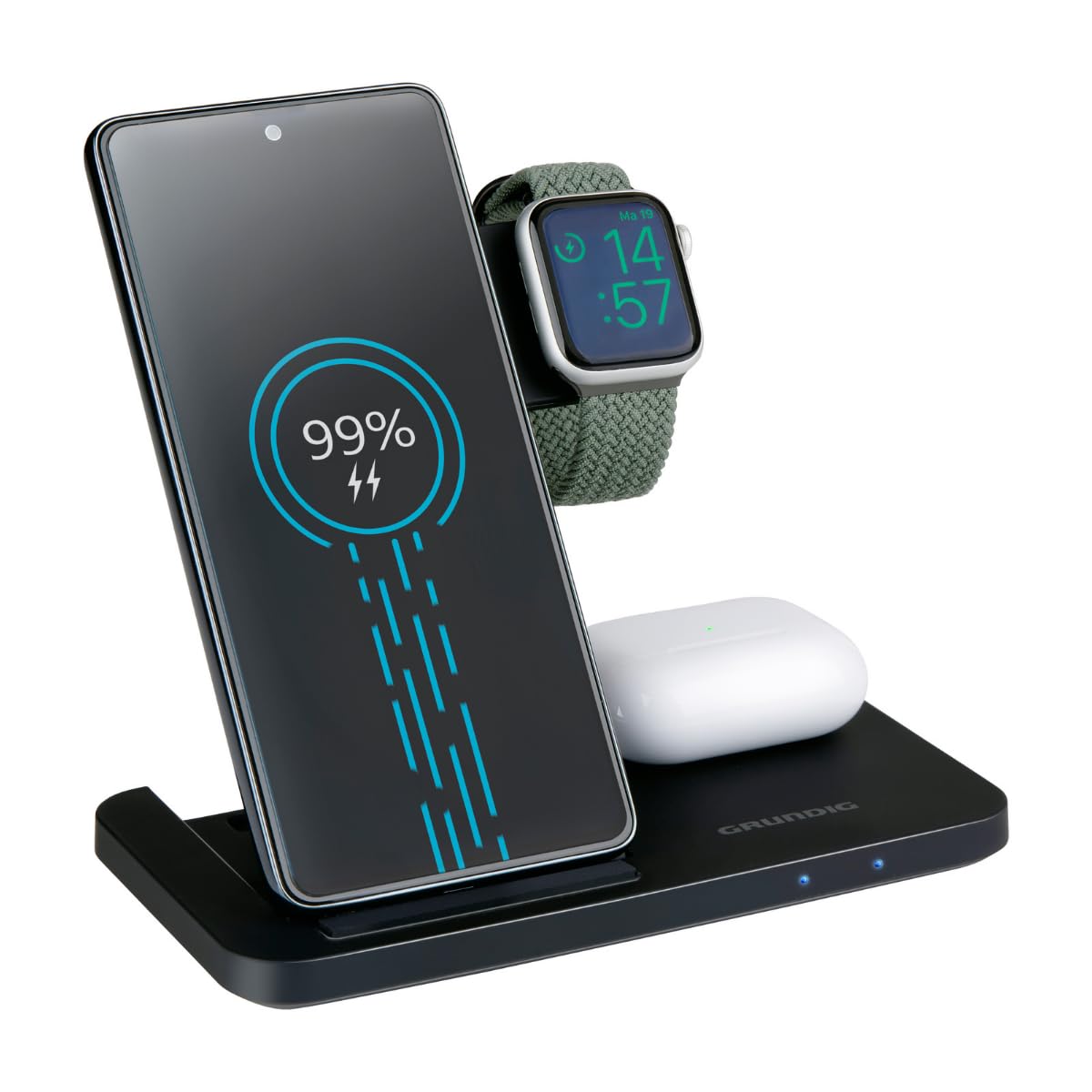
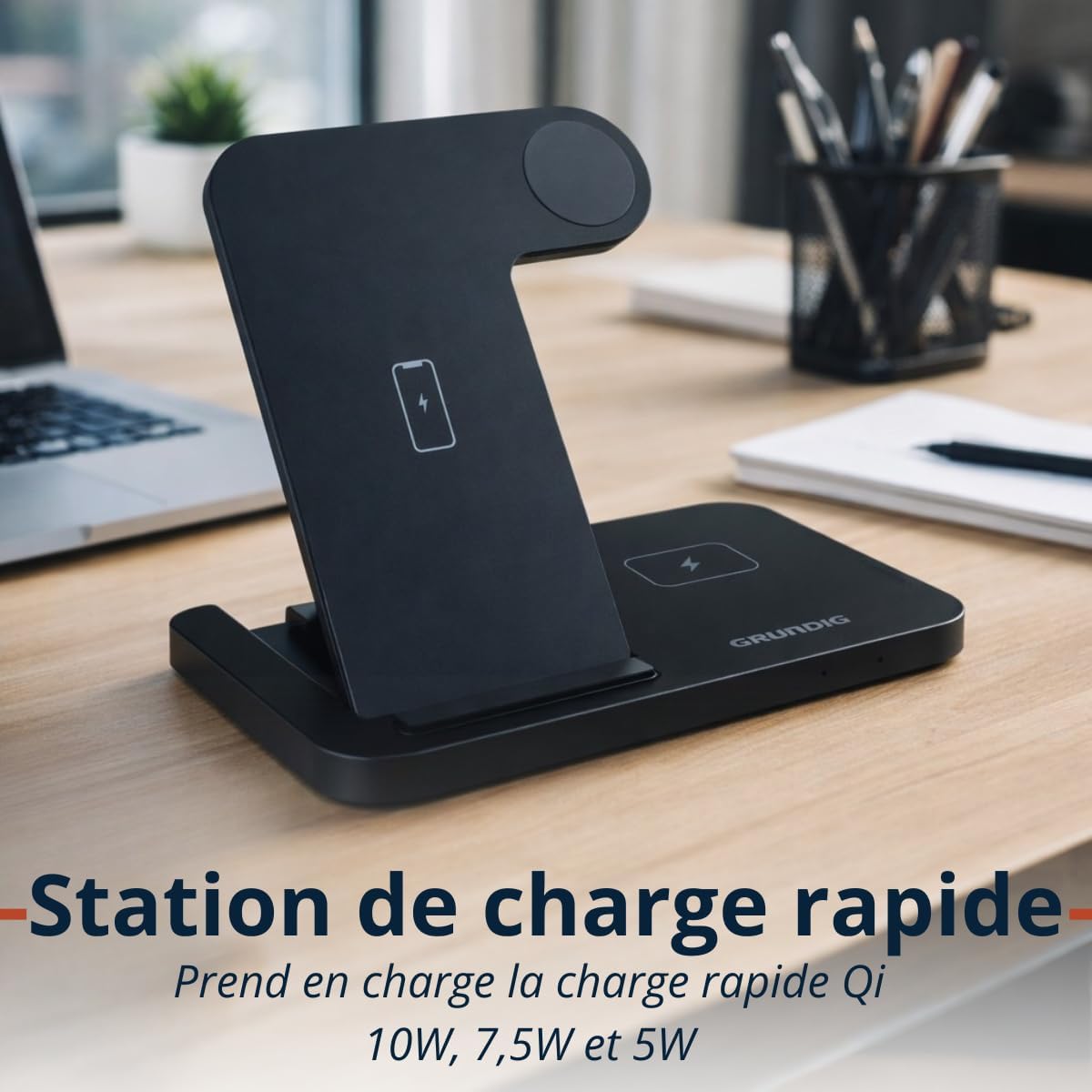
The Grundig 3-in-1 Wireless Charging Station is designed for convenience and efficiency. It features a foldable design for portability and three dedicated charging zones for your smartphone, smartwatch, and wireless earbuds.

Konfigurazioa
- Unpack the Grundig 3-in-1 Wireless Charging Station and the USB-C cable.
- Connect the provided USB-C cable to the input port on the charging station.
- Connect the other end of the USB-C cable to a compatible power adapter (not included). Ensure the power adapter meets the input specifications (5V/2A or 9V/1.67A) for optimal performance, especially for fast charging.
- Jarri kargatzeko estazioa gainazal egonkor eta lau batean.
Funtzionamendu-argibideak
Zure gailuak kargatzen
- Smartphone-aren kargatzea: Place your Qi-compatible smartphone vertically on the designated smartphone charging pad. Ensure the phone is centered for proper alignment. The charging station supports 10W, 7.5W, and 5W wireless charging for smartphones.
- Erloju adimendunaren kargatzea: Place your Apple Watch or other compatible smartwatch on the dedicated smartwatch charging module. The module provides 2W charging output.
- Aurikularrak kargatzen: Place your wireless earbuds case on the designated earbuds charging pad. This pad provides 5W charging output.
LED adierazleak
The charging station is equipped with LED indicators to show the charging status of your devices. Refer to the product's specific LED behavior for detailed status information (e.g., solid light for charging, blinking for error, off for fully charged or no device).

Mantentzea
- To clean the charging station, disconnect it from the power source and wipe it with a soft, dry cloth.
- Ez erabili garbitzaile urratzailerik, disolbatzailerik edo produktu kimiko gogorrik, gainazala edo barneko osagaiak kaltetu baititzakete.
- Ensure the charging pads are free from dust and debris to maintain optimal charging efficiency.
Arazoak konpontzea
- Gailua ez da kargatzen:
- Ensure the charging station is properly connected to a power source.
- Verify that your device is Qi-compatible.
- Check if the device is correctly aligned on the charging pad. Remove any thick cases that might interfere with wireless charging.
- Saiatu USB-C kable eta korronte egokitzaile ezberdin bat erabiltzen.
- Karga motela:
- Ensure you are using a power adapter that supports fast charging (e.g., a Quick Charge 3.0 or Power Delivery adapter).
- Confirm proper alignment of the device on the charging pad.
- LED adierazleak ez dute funtzionatzen:
- Check the power connection to the charging station.
- Arazoak jarraitzen badu, jarri harremanetan bezeroarentzako laguntza-zerbitzuarekin.
Zehaztapenak
| Marka | Grundig |
| Eredua | Haririk gabeko 3 kargatzeko estazioa |
| Sarrera | USB-C 5V/2A, 9V/1.67A |
| Smartphone Output | 10W / 7.5W / 5W (Qi) |
| Smartwatch Output | 2W |
| Entzungailuen irteera | 5W |
| Neurriak (tolestuta) | Gutxi gorabehera. 140 × 70 × 14 mm |
| Pisua | Gutxi gorabehera. 150 g |
| Wireless Charging Zones | Smartphone, Smartwatch, Earbuds |
| Bateragarritasuna | Qi-enabled smartphones, Apple Watch, other smartwatches, wireless earbuds |
| Babes-eginbideak | Overcharge, Overheat, Overvoltage Babesa |
Bermearen informazioa
This Grundig 3-in-1 Wireless Charging Station comes with a manufacturer's warranty of 2 urte erosketa-datatik aurrera. Berme honek ohiko erabileran materialen eta eskulanen akatsak estaltzen ditu.
The warranty does not cover damage caused by misuse, accidents, unauthorized modifications, or failure to follow the instructions in this manual. Please retain your proof of purchase for warranty claims.
For full warranty terms and conditions, please refer to the official Grundig webwebgunean edo jarri harremanetan bezeroarentzako laguntzarekin.
Laguntza
If you encounter any issues or have questions regarding your Grundig 3-in-1 Wireless Charging Station that are not addressed in this manual, please visit the official Grundig website for further assistance or contact their customer support.
Informazio gehiago eta laguntza baliabideak aurki ditzakezu bisitatuz GRUNDIG Brand Store.


