1. Sarrera
This manual provides detailed instructions for the setup, operation, and maintenance of your Glacier Weikav Lucky65 V3 65% Mechanical Keyboard Kit. This kit is designed for enthusiasts and modders, offering a customizable experience with its hot-swappable design, tri-mode connectivity, and premium aluminum construction.
2. Paketearen edukia
Mesedez, egiaztatu elementu guztiak zure paketean daudela:
- Glacier Weikav Lucky65 V3 Keyboard Base (Aluminum Case)
- USB-C kablea
- Tekla-tapoi/etengailu-ateragailua
- Erabiltzailearen eskuliburua (dokumentu hau)
- Note: Keycaps and switches are not included and must be purchased separately.

Image: Contents of the Glacier Weikav Lucky65 V3 Keyboard Kit. Shows the red aluminum keyboard base, a USB-C cable, and a keycap/switch puller.
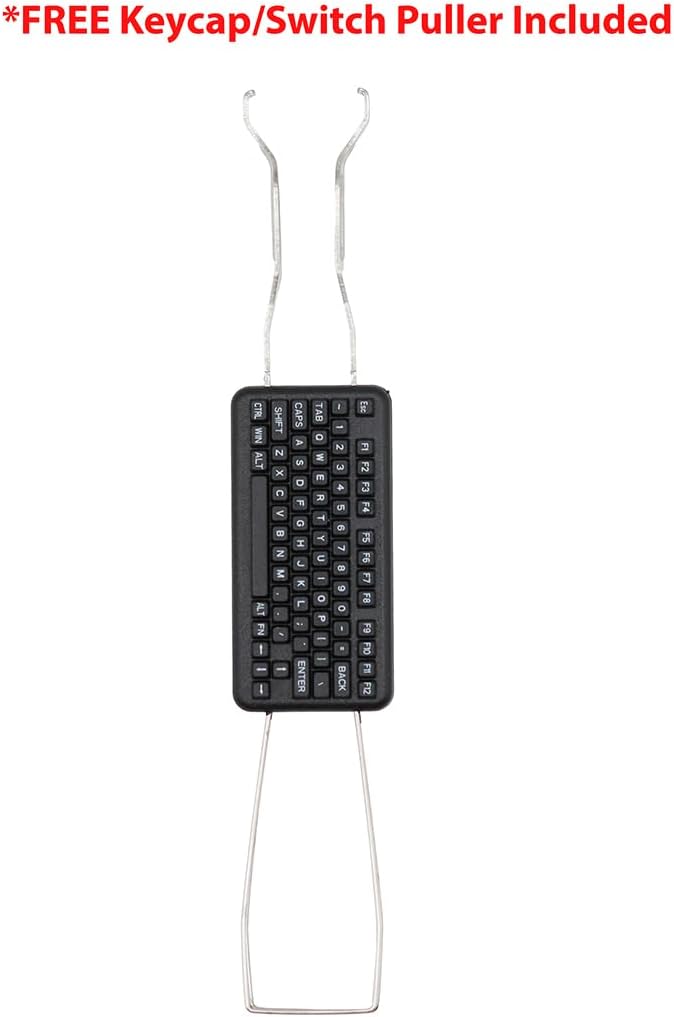
Image: The included keycap and switch puller tool, essential for customizing your keyboard.
3. Ezaugarriak
- Tri-Mode Wireless Connectivity: Seamlessly switch between USB-C wired, Bluetooth, and 2.4G wireless modes.
- Premium 6063 Aluminum Keyboard Case: CNC-machined full aluminum alloy chassis for superior durability and a high-end feel.
- Hot-Swappable Mechanical Keyboard Kit: Easily install or change switches without soldering.
- 16 Million Color ARGB RGB Lighting: Fully customizable per-key RGB effects.
- % 65ko diseinu trinkoa: Space-saving design ideal for enthusiasts and minimalist setups.
- Supports QMK/VIA: Advanced customization options for key remapping and macros.
- FR4 kokapen-plaka: Provides a stable and consistent typing experience.

Image: Key features of the Lucky65 V3, including its aluminum case, triple-mode connectivity, QMK/VIA support, and FR4 positioning plate.

Image: The durable aluminum base of the keyboard, featuring an engraved 'Lucky' logo and anti-slip rubber feet.
4. Konfigurazio gida
4.1 Etengailuak eta tekla-tapoiak instalatzea
The Lucky65 V3 is a hot-swappable kit, allowing for easy installation and removal of mechanical switches and keycaps without soldering.
- Using the provided keycap puller, gently remove any pre-installed keycaps if necessary.
- Align your desired 3-pin or 5-pin mechanical switches with the hot-swap sockets on the PCB.
- Press each switch firmly until it clicks into place. Ensure the pins are straight to avoid bending.
- Once switches are installed, place your chosen keycaps onto the switches.
Video: Demonstration of keycap removal and showing the hot-swappable nature of the keyboard base. The video also highlights the aluminum base and the on/off switch location.
4.2 Powering On and Connectivity Modes
The keyboard supports three connectivity modes: Wired USB-C, 2.4G Wireless, and Bluetooth.
- Switch potentziala: Locate the power switch on the keyboard. This switch controls the keyboard's power and mode.
- Kable modua: Connect the provided USB-C cable from the keyboard to your computer. The keyboard will automatically detect the wired connection.
- 2.4G Haririk gabeko modua:
- Ziurtatu teklatua piztuta dagoela.
- Sartu 2.4G USB dongle-a ordenagailuko USB ataka libre batean.
- The keyboard should automatically connect. If not, refer to the operating instructions for pairing.
- Bluetooth modua:
- Ziurtatu teklatua piztuta dagoela.
- Activate Bluetooth pairing mode on the keyboard (refer to operating instructions for specific key combinations).
- On your device (PC, laptop, etc.), search for Bluetooth devices and select "Lucky65 V3" to pair.
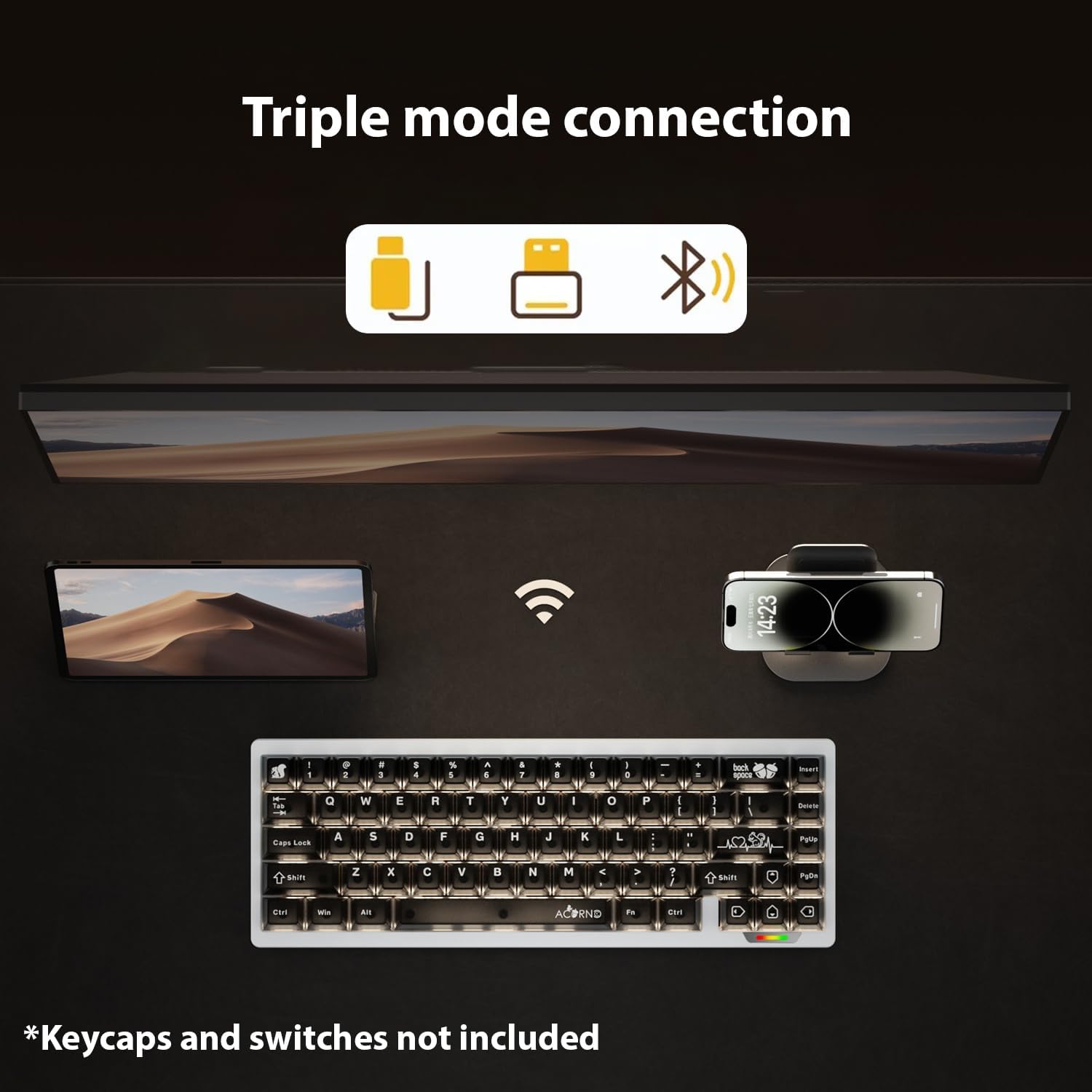
Image: Visual representation of the keyboard's triple connectivity modes: wired USB-C, 2.4G wireless, and Bluetooth.

Image: Detail of the 8-pin magnetic wave guide and magnetic quick release, facilitating modularity and connection.
5. Funtzionamendu-argibideak
5.1 Modu aldaketa
Use the physical switch on the keyboard to select between wired, 2.4G, and Bluetooth modes. Specific key combinations may be required for Bluetooth pairing or switching between multiple Bluetooth devices (refer to the manufacturer's official software or documentation for details).
5.2 RGB atzeko argiaren kontrola
The keyboard features 16 million color ARGB RGB lighting. Lighting effects can be customized using the keyboard's dedicated function keys or through the official software (QMK/VIA compatible).
- Distira doitzea: Typically Fn + ↑/↓
- Effect Change: Typically Fn + ←/→
- Kolore aldaketa: Typically Fn + Del (or other designated key)
For advanced customization, download the QMK/VIA software and the specific JSON file for the Lucky65 V3 from the manufacturer's webgunea.
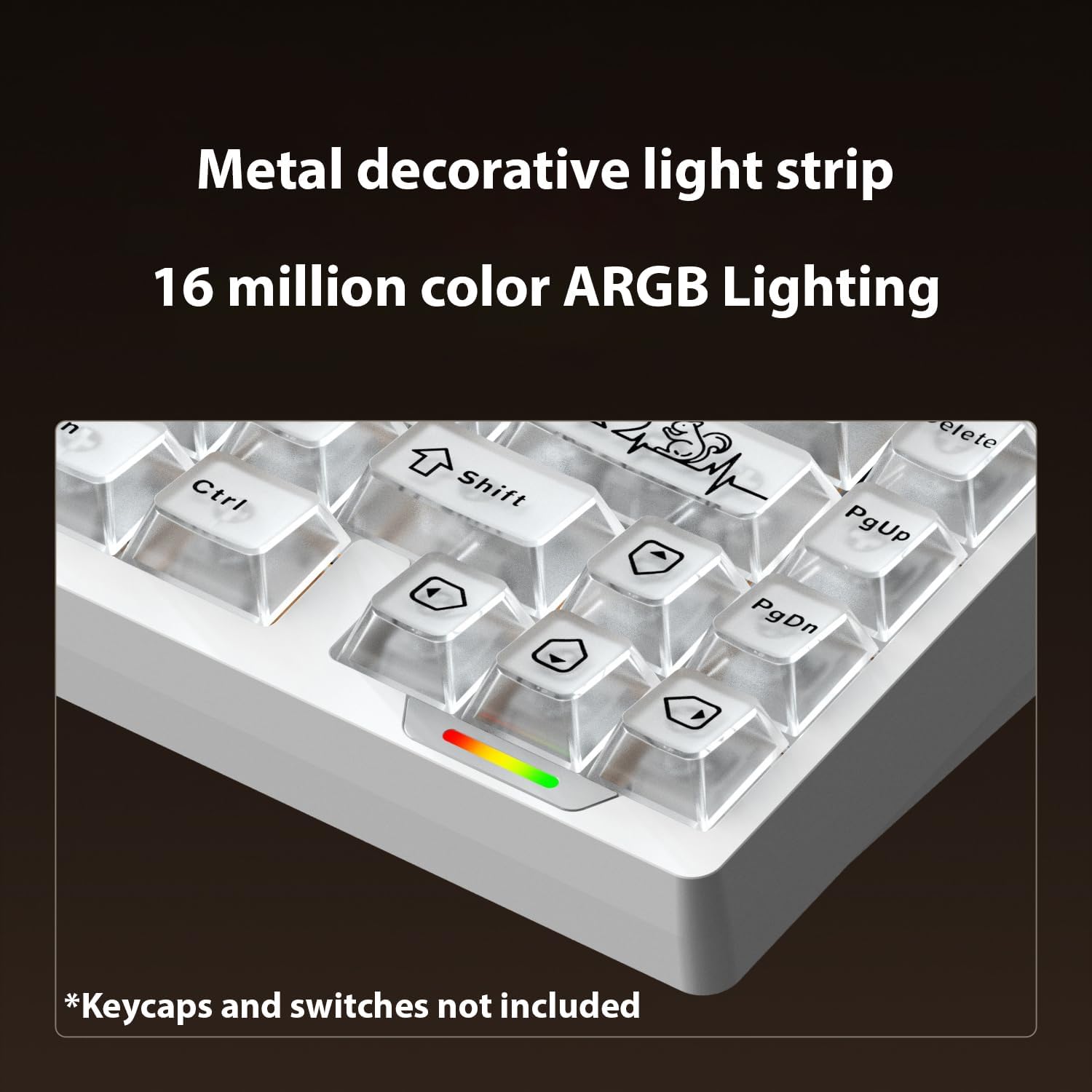
Image: The keyboard's RGB lighting in action, showcasing the metal decorative light strip and customizable colors.
5.3 Teklen birmapeatzea eta makroak (QMK/VIA)
The Lucky65 V3 supports QMK/VIA for comprehensive key remapping and macro creation. To utilize these features:
- Download the VIA software from the official VIA webgunea.
- Obtain the specific JSON file for the Lucky65 V3 from the Glacier manufacturer's support page.
- Load the JSON file VIA softwarean.
- Follow the software's interface to remap keys, create macros, and customize layers.
Important: Ensure you download the correct and official JSON file for your specific keyboard model to avoid compatibility issues.
6. Mantentzea
6.1 Garbiketa
- Deskonektatu teklatua energia-iturri guztietatik garbitu aurretik.
- Use a soft, lint-free cloth to wipe down the aluminum case.
- For keycaps, remove them using the provided puller and clean with mild soap and water, ensuring they are completely dry before re-installation.
- Erabili aire konprimatua etengailuen arteko hautsa eta hondakinak kentzeko.
6.2 Etengailuaren ordezkapena
Thanks to its hot-swappable design, switches can be replaced easily:
- Kendu teklaren estalkia astiro-astiro teklaren tiratzailea erabiliz.
- Use the switch puller to carefully grip the top and bottom clips of the switch.
- Tira etengailua gora PCBtik kentzeko.
- Align the pins of the new switch with the hot-swap socket and press down firmly until it clicks into place.
- Re-install the keycap.
7. Arazoak
- Teklatuak ez du erantzuten (kable bidez):
- Ziurtatu USB-C kablea ondo konektatuta dagoela teklatura eta ordenagailura.
- Probatu beste USB ataka bat zure ordenagailuan.
- Probatu beste USB-C kable batekin, eskuragarri badago.
- 2.4G haririk gabeko konexioaren arazoak:
- Ensure the 2.4G dongle is properly inserted and the keyboard is in 2.4G mode.
- Move the keyboard closer to the dongle to rule out interference.
- Re-pair the keyboard with the dongle if necessary (refer to manufacturer's specific pairing instructions).
- Bluetooth konexio arazoak:
- Ziurtatu teklatua Bluetooth moduan dagoela eta aurkigarria dela.
- Check your device's Bluetooth settings to ensure it's enabled and searching for devices.
- If the signal is weak, try reducing the distance between the keyboard and the connected device.
- Remove and re-pair the keyboard in your device's Bluetooth settings.
- RGB Lighting Not Working/Customizing:
- Verify the keyboard is powered on and not in a low-power state.
- Ensure you are using the correct function key combinations for lighting control.
- If using QMK/VIA, ensure the software is correctly installed, the JSON file is loaded, and the firmware is up to date.
- Key Remapping/Macros Not Working (VIA):
- Confirm that the correct Lucky65 V3 JSON file is loaded in the VIA software.
- Ensure the VIA software is running and detecting the keyboard.
- Check for any conflicting software or drivers.
8. Zehaztapenak
| Marka | Glaziarra |
| Eredua | Lucky65 V3 |
| Diseinua | 65% ANSI |
| Konektibitatea | 2.4G wireless dongle, Bluetooth, USB-C (Tri-Mode) |
| Kasu Materiala | 6063 Aluminioa |
| Bero-trukagarria | Bai |
| Atzeko argiztapena | 16 Million Color ARGB RGB |
| Gailu bateragarriak | PC, ordenagailu eramangarriak |
| Elementuaren pisua | 3 kilo |
| Paketearen neurriak | 16 x 6 x 2.5 hazbete |
9. Bermea eta Laguntza
For warranty information, technical support, or to download the latest firmware and VIA JSON files, please visit the official Glacier webwebgunera edo jarri harremanetan zuzenean bezeroarentzako arreta-zerbitzura. Gorde erosketaren frogagiria berme-erreklamazioetarako.
Fabrikatzailea: Glaziarra


