1. Sarrera
Thank you for choosing the LG 34 Inch UltraWide WQHD Curved Monitor. This manual provides essential information for the safe and efficient use of your new monitor. Please read it thoroughly before operating the device and keep it for future reference.
Paketearen edukia
- LG 34 Inch UltraWide Curved Monitor
- Monitorearen euskarria (oinarria eta lepoa)
- Elikatze-kablea
- HDMI kablea
- DisplayPort kablea
- USB-C kablea
- Erabiltzailearen eskuliburua eta berme txartela
2. Ezaugarri nagusiak
- 34-inch WQHD UltraWide Curved Display: Expansive 21:9 screen (3440 x 1440) for enhanced productivity and immersive viewing.
- HDR Display with 99% sRGB: Delivers vibrant, natural colors and distinct image layers, supporting HDR brightness performance.
- 120Hz-ko freskatze-tasa handia: Ensures fluid scrolling and dynamic content for a comfortable visual experience.
- 5ms (GTG) Response Time: Provides quick pixel response for smooth motion.
- LG Switch for Multitasking & Eye Care: Enables quick split-screen functionality, customizable layouts, and Reader Mode to reduce eye strain.
- Stand erregulagarria: Supports height, tilt, and swivel adjustments for optimal viewangeluak.
- Bozgorailu integratuak: Integrated audio for convenience.
- Konektibitate-aukera anitz: Includes DisplayPort and HDMI inputs.
3. Konfigurazioa
3.1 Standa muntatzea
Carefully remove the monitor and stand components from the packaging. Follow the instructions below to attach the stand to the monitor.
- Jarri monitorearen aurpegia behera gainazal leun eta garbi batean, marradurak saihesteko.
- Lotu euskarriaren lepoa monitorearen atzeko panelera. Ziurtatu ondo sartzen dela klik eginez.
- Attach the stand base to the bottom of the stand neck. Tighten the screw(s) firmly to secure the base.
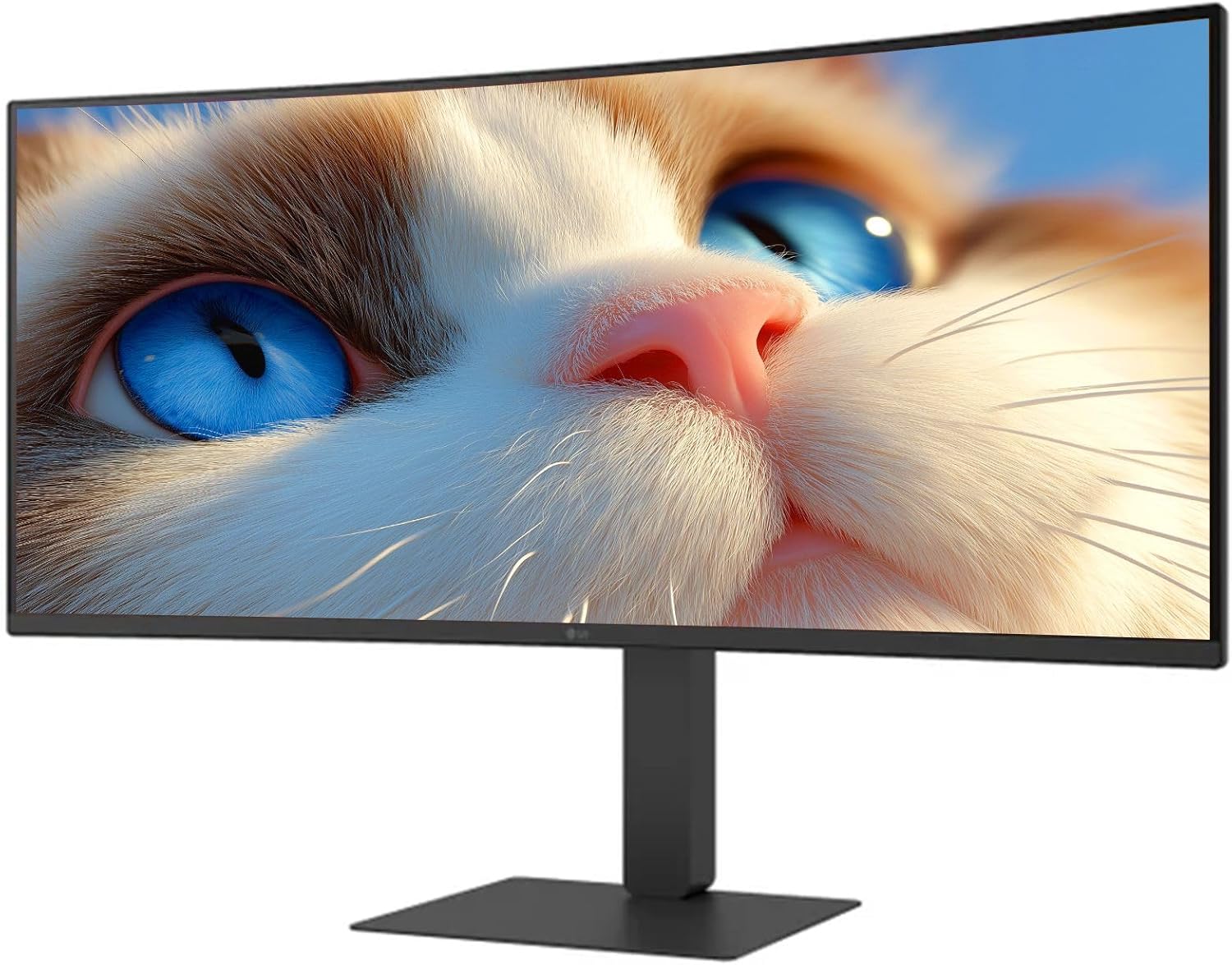
1. irudia: Aurrealdea view of the LG 34 Inch UltraWide Curved Monitor with stand.

2. irudia: Aldea view of the LG 34 Inch UltraWide Curved Monitor with stand.
3.2 Monitorea konektatzea
Konektatu monitorea zure ordenagailura edo beste gailu batzuetara kable egokiak erabiliz.
- Konektatu elikatze-kablea monitorearen elikatze-sarrerara eta gero entxufe batera.
- For video input, connect either an HDMI cable or a DisplayPort cable from your computer's graphics card to the corresponding port on the monitor.
- If your computer supports USB-C, you can use the provided USB-C cable for video, audio, and data transfer.

3. Irudia: Atzealdea view of the monitor showing available ports for connectivity.
4. Monitorea funtzionatzea
4.1 Piztu/Itzali
Press the power button, usually located on the bottom center of the monitor, to turn the monitor on or off. The power indicator light will illuminate when the monitor is on.
4.2 Pantailan bistaratzeko (OSD) menua
The OSD menu allows you to adjust various monitor settings. Use the joystick button (typically located on the bottom center) to navigate the menu.
- Irudi modua: Select from various preset modes (e.g., Custom, Reader, HDR Effect) or customize settings like brightness, contrast, and sharpness.
- Sarrera: Manually select the input source (HDMI, DisplayPort, USB-C).
- Orokorra: Access settings for language, OSD transparency, and power-saving options.
4.3 Euskarria doitzea
The monitor stand offers ergonomic adjustments for your comfort:
- Altuera doitzea: Astiro-astiro bultzatu edo tira monitoreari gora edo behera nahi duzun altuerara iritsi arte.
- Inklinazio doikuntza: Hold both sides of the monitor and tilt it forwards or backwards.
- Birako doikuntza: Biratu monitorearen oinarriaren gainean ezkerrera edo eskuinera.
5. Mantentzea
5.1 Monitorea garbitzea
Monitorearen iraupena eta errendimendu optimoa bermatzeko, jarraitu garbiketa-jarraibide hauek:
- Deskonektatu beti monitorearen entxufea korrontetik garbitu aurretik.
- Erabili lipurrik gabeko zapi leun bat dampUrarekin edo pantaila-garbitzaile espezializatu batekin garbitu.
- Ez ihinztatu garbitzailea zuzenean pantailan.
- Saihestu garbitzaile urratzaileak, disolbatzaileak edo amoniakoa duten produktuak erabiltzea.
6. Arazoak
Monitorearekin arazoak badituzu, jo ezazu ohiko irtenbide hauetara:
- Potentziarik gabe: Ziurtatu kablea ondo konektatuta dagoela monitoreari eta entxufeari. Egiaztatu entxufea funtzionatzen duen.
- Seinalerik ez: Egiaztatu bideo-kablea (HDMI, DisplayPort edo USB-C) behar bezala konektatuta dagoela monitoreari eta ordenagailura. Ziurtatu sarrera-iturri zuzena hautatuta dagoela OSD menuan.
- Pantaila keinukaria: Check the video cable connection. Try adjusting the refresh rate in your computer's display settings.
- Irudiaren distortsioa: Reset the monitor to factory settings via the OSD menu. Ensure your computer's display resolution matches the monitor's native resolution (3440 x 1440).
- Ez dago soinurik barneko bozgorailuetatik: Check the volume settings on both the monitor and your computer. Ensure the audio output is correctly routed to the monitor.
If the problem persists after trying these steps, please contact LG customer support.
7. Zehaztapenak
| Ezaugarri | Zehaztapena |
|---|---|
| Marka | LG |
| Modelo zenbakia | 195174134092 |
| Pantailaren tamaina | 34 hazbetekoa |
| Gehieneko Ebazpena | WQHD (3440 x 1440) |
| Freskatze tasa | 120Hz |
| Erantzun Denbora | 5 ms (GTG) |
| Aspektu-erlazioa | 21:9 |
| Kolore gama | sRGB% 99 |
| HDR euskarria | HDR10 |
| Viewangelua | 178 degrees (R/L), 178 degrees (U/D) |
| Bistaratzeko konektoreak | 1 x HDMI, 1 x DisplayPort |
| Eye Relief Features | Low blue light, Flicker-free, Anti-glare, Reader Mode |
| Bozgorailu integratuak | Bai |
| Produktuaren neurriak (euskarriarekin) | 8.7" L x 32.1" W x 19.2" H |
| Produktuaren pisua (euskarriarekin) | 16.8 kilo |
8. Bermea eta Laguntza
Your LG 34 Inch UltraWide Curved Monitor comes with a standard manufacturer's warranty. Please refer to the warranty card included in your package for detailed terms and conditions.
Laguntza teknikoa, zerbitzua edo kontsulta gehiago jasotzeko, bisitatu LGren webgune ofiziala. website or contact their customer service hotline. Keep your purchase receipt and product serial number (located on the back of the monitor) handy when contacting support.