1. Sarrera
Welcome to the FOSSIBOT S5 Pro user manual. This guide provides essential information to help you set up, operate, maintain, and troubleshoot your new Android 15 smartphone. The FOSSIBOT S5 Pro combines powerful performance with a durable design, featuring a large display, advanced camera system, and long-lasting battery.
2. Zer dago kutxan
Upon opening your FOSSIBOT S5 Pro package, please ensure all items are present:
- 1 x FOSSIBOT S5 Pro Cellphone
- 1 x Erabiltzailearen eskuliburua eta berme txartela
- 1 x SIM Card Pin
- 1 x USB Cable (Type-C, 2A)
- 1 x Power Adapter (5V2A)
- 1 x babes-zorroa
- 1 x Hasierako gida azkarra

Image: Contents of the FOSSIBOT S5 Pro retail package, including the phone, charger, cable, and documentation.
3. Hasierako konfigurazioa
3.1. SIM txartelaren instalazioa
- Locate the SIM card tray on the side of your FOSSIBOT S5 Pro.
- Insert the provided SIM card pin into the small hole next to the tray and gently push until the tray ejects.
- Place your Nano-SIM card(s) and/or microSD card (up to 2TB) into the tray, ensuring correct orientation.
- Kontu handiz sartu berriro erretilua telefonoan.
Oharra: The FOSSIBOT S5 Pro supports Dual SIM functionality. It is compatible with T-Mobile but not AT&T SIM cards. Supported frequency bands include GSM 850/900/1800/1900, WCDMA B1/2/4/5/8, FDD B1/2/3/4/5/7/8/12/17/18/19/20/25/26/28AB/66, and TDD 38/39/40/41.

Image: Close-up of the FOSSIBOT S5 Pro's SIM card tray, showing slots for two Nano-SIM cards and a microSD card for expandable storage up to 2TB.
3.2. Hasierako kargatzea
Before first use, it is recommended to fully charge your device. Connect the USB cable to the phone's Type-C port and the power adapter, then plug the adapter into a wall outlet. The 6000mAh battery provides extended usage time.

Image: Illustration of the FOSSIBOT S5 Pro's internal battery, highlighting its 6000mAh capacity and charging capabilities.
3.3. Piztu/Itzali
- To power on: Press and hold the Power button (usually on the right side) until the FOSSIBOT logo appears.
- Itzaltzeko: Sakatu eta eutsi pizteko botoiari, eta ondoren hautatu "Itzali" pantailan agertzen diren aukeren artean.
4. Zure gailua funtzionatzea
4.1. Pantaila eta erabiltzaile interfazea
The FOSSIBOT S5 Pro features a 6.88-inch HD+ display with a resolution of 720x1640 pixels and a 120Hz refresh rate for smooth visuals. It runs on the native Android 15 operating system, offering a cutting-edge and intuitive user experience.

Image: The FOSSIBOT S5 Pro's 6.88-inch HD+ display with a 120Hz refresh rate, showcasing irudi bizigarriak.
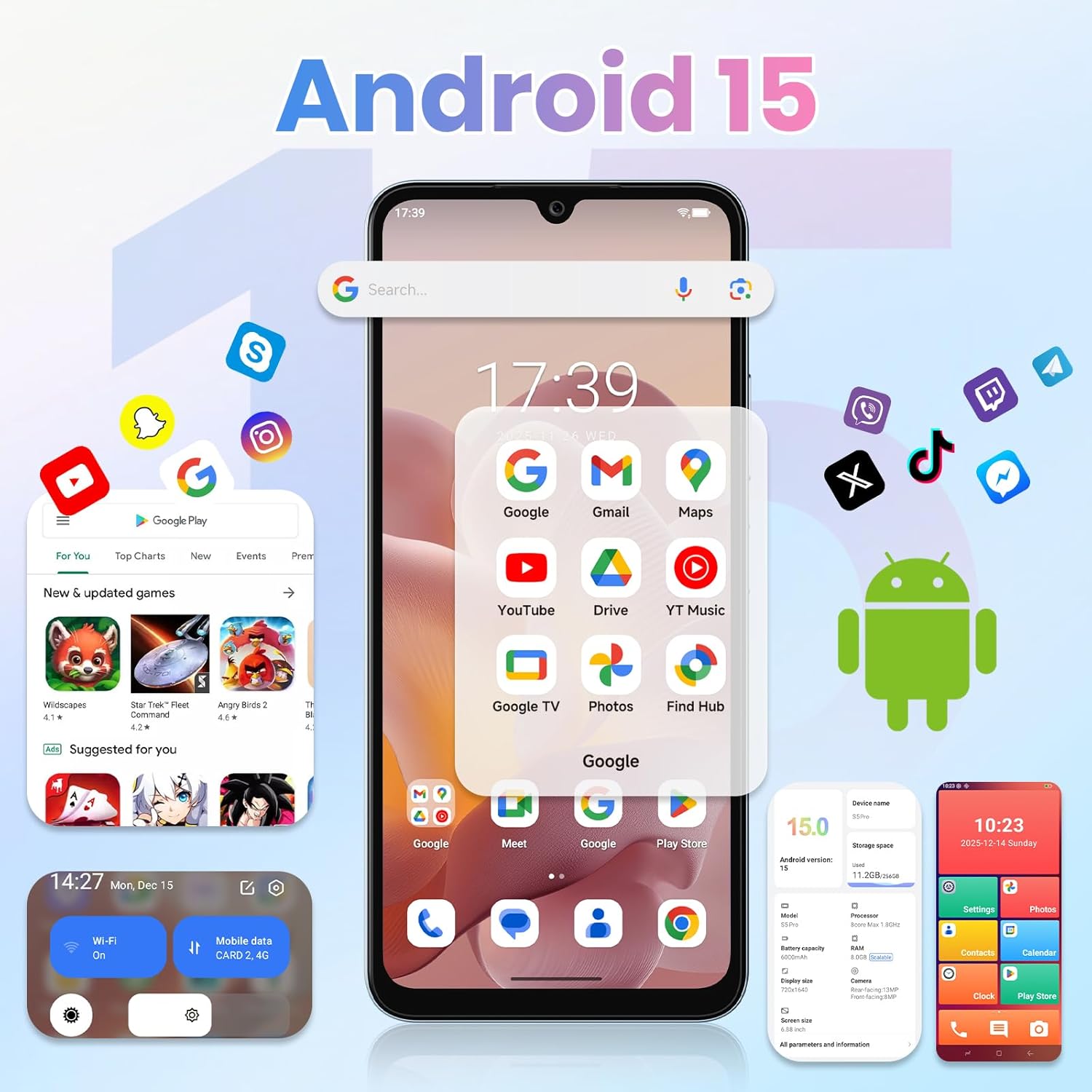
Image: The FOSSIBOT S5 Pro displaying the Android 15 user interface with various applications.
4.2. Errendimendua eta biltegiratzea
Equipped with 32GB of RAM (8GB physical + 24GB virtual) and 256GB of internal storage, expandable up to 2TB via microSD, the S5 Pro handles multitasking and demanding applications with ease. The Octa-core Unisoc T615 processor ensures smooth operation.

Image: Visual representation of the FOSSIBOT S5 Pro's performance, highlighting 32GB RAM, 256GB ROM, and the Unisoc Octa-core processor.
4.3. Kamera sistema
Capture high-quality photos and videos with the 50MP primary camera and 8MP ultra-wide dual-camera setup. The phone supports 4K HDR video recording and features enhanced night photography. The 8MP front camera is ideal for clear selfies and video calls.

Image: The FOSSIBOT S5 Pro's rear camera module with 50MP main sensor and 8MP front camera, demonstrating photo capabilities.
4.4. Gemini AI Ezaugarriak
The integrated Gemini AI 2026 localized model offers advanced smart experiences, including real-time multilingual translation, intelligent image composition, and document scanning.

Irudia: Adibamples of Gemini AI features on the FOSSIBOT S5 Pro, such as smart chat, image creation, video creation, and coding assistance.
4.5. Security and Connectivity
Unlock your device quickly and securely using the fingerprint unlock feature. The S5 Pro supports Bluetooth, USB, Wi-Fi 6, and GPS+GLONASS+Beidou+Galileo for reliable navigation and connectivity.
5. Mantentzea
5.1. Iraunkortasuna eta Babesa
The FOSSIBOT S5 Pro boasts IP68 water and dust resistance, making it suitable for outdoor use and protection against splashes and dust. While durable, avoid intentional submersion or exposure to high-pressure water jets.
5.2. Zaintza orokorra
- Mantendu gailua garbi, zapi leun eta lehor batekin.
- Saihestu telefonoa denbora luzez tenperatura altuetan edo eguzki-argitan zuzenean jartzea.
- Use only FOSSIBOT-approved accessories for charging and connectivity.
6. Arazoak
If you encounter issues with your FOSSIBOT S5 Pro, try the following basic troubleshooting steps:
- Gailuak ez du erantzuten: Berrabiarazteko, sakatu eta eutsi pizteko botoia 10-15 segundoz.
- Kargatzeko arazoak: Ensure the USB cable and power adapter are securely connected and functioning correctly. Try a different outlet or charger.
- Sarearen konexio arazoak: Check if your SIM card is properly inserted. Verify that mobile data or Wi-Fi is enabled. Restart your phone.
- Aplikazioak huts egiten du: Garbitu arazoa sortzen duen aplikazioaren cachea eta datuak Ezarpenak > Aplikazioak atalean. Arazoak jarraitzen badu, desinstalatu eta berriro instalatu aplikazioa.
- Errendimendu motela: Close unnecessary background apps. Clear cached data regularly. Consider performing a factory reset as a last resort (back up your data first).
For further assistance, refer to the Warranty & Support section.
7. Zehaztapenak
| Ezaugarri | Xehetasuna |
|---|---|
| Ereduaren izena | S5Pro |
| Marka | FOSSIBOT |
| Sistema eragilea | Android 15 |
| RAM | 32 GB (8 GB fisikoa + 24 GB birtuala) |
| Memoria Biltegiratzeko Ahalmena | 256 GB (2 TB arte zabaldu daiteke) |
| Pantailaren tamaina | 6.88 hazbete |
| Ebazpena | 720x1640 |
| Freskatze tasa | 120 Hz |
| CPU Abiadura | Octa Core (Unisoc T615) |
| Bateria Edukiera | 6000 milioiamp Orduak |
| Telefonoz hitz egiteko denbora | 43 ordu |
| Telefonoaren zain egoteko denbora (datuekin) | 180 ordu |
| Kargatzeko Denbora | 180 Hours (Standby time, not full charge time) |
| Konektibitate Teknologiak | Bluetooth, USB, Wi-Fi6 |
| GPSa | True (GPS+GLONASS+Beidou+Galileo) |
| Ezaugarri bereziak | Built-In GPS, Dual SIM, Expandable Memory, Octa Core Processor, Water Resistant (IP68) |
| Audio Jack | 3.5 mm |
| Elementuaren pisua | 9 ontza |
| Produktuaren neurriak | 0.03 x 0.01 x 0.07 hazbete |
| Haririk gabeko garraiolaria | T-Mobile (ez AT&T) |
8. Bermea eta laguntza
Your FOSSIBOT S5 Pro comes with a 2 urteko bermea. For any inquiries or assistance, FOSSIBOT provides 24/7 online after-sales support with real-time response.
For more information or to contact support, please visit the official FOSSIBOT webgunea edo kontsultatu paketean sartutako berme-txartela.
Era berean, bisitatu dezakezu FOSSIBOT Store on Amazon.
9. Produktuen bideoak
FOSSIBOT F105 Rugged Smartphone Overview
Video: This video showcases the FOSSIBOT F105 Rugged Smartphone, highlighting its durability and features. While not the S5 Pro, it demonstrates the brand's commitment to robust phone design, which aligns with the S5 Pro's IP68 rating and other rugged features.


