1. Sarrera
This manual provides essential information for setting up, operating, and maintaining your Samsung 75-Inch QN60F Neo QLED 4K Smart TV. This television features advanced display technology, including Quantum Mini LED and the NQ4 AI Processor, to deliver an enhanced viewing experience. It also integrates smart features and connectivity options for a comprehensive home entertainment system.
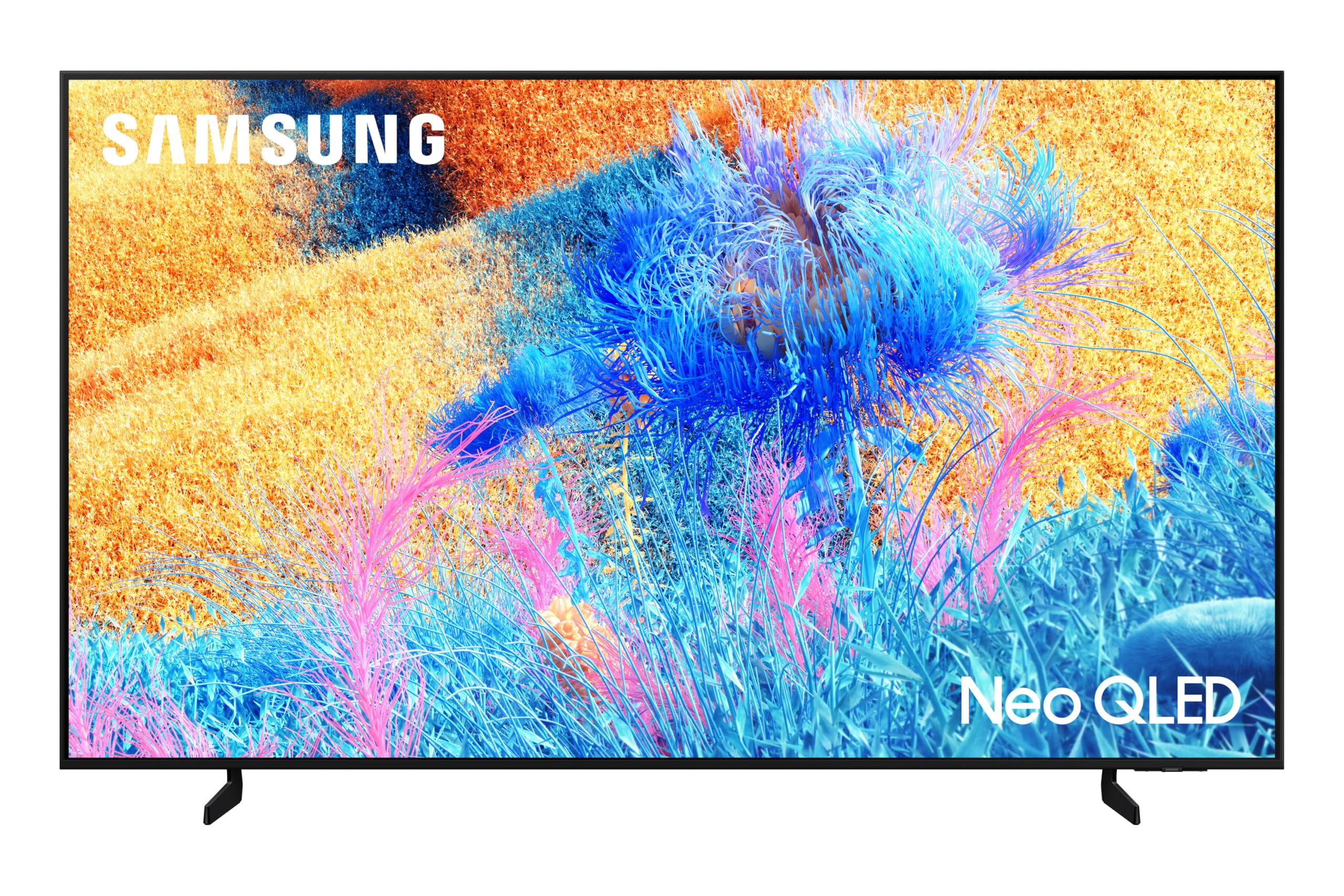
2. Konfigurazioa
2.1 Desontziratzea eta osagaien egiaztapena
Kontu handiz atera telebista paketetik. Ziurtatu osagai guztiak bertan daudela:
- Samsung 75-Inch QN60F Neo QLED 4K Smart TV
- Elikatze-kablea
- Solar Remote Control
- Erabiltzailearen eskuliburua (dokumentu hau)
2.2 Euskarri instalazioa edo horman muntatzea
The TV can be placed on a stand or wall-mounted. For stand installation, attach the provided stand legs securely to the TV base using the included screws. For wall mounting, use a compatible wall mount kit (sold separately) and follow the instructions provided with the mount. The TV is designed for wall mounting.

2.3 Hasierako piztea eta sareko konexioa
Connect the power cable to the TV and a power outlet. Turn on the TV using the remote control. Follow the on-screen prompts to select your language, connect to your Wi-Fi network, and complete the initial setup process. A stable internet connection is required to access smart features and updates.
3. Telebistaren funtzionamendua
3.1 Telebista adimendunaren ezaugarriak (Tizen OS)
Your Samsung QN60F Smart TV runs on the Tizen operating system, providing access to a wide range of streaming applications and services. Navigate the intuitive interface using the included Solar Remote control.

3.2 AI Mode and AI Vision Companion
Utilize the AI Mode for adaptive picture and sound settings, which intelligently optimize your viewing experience based on your surroundings and content. The Samsung Vision AI Companion offers visualized and comprehensive assistance, including answering questions about content, recommending styles, or finding local points of interest, with responses often including related video or image options.
3.3 Voice Assistants and SmartThings
The TV supports built-in voice assistants like Bixby and Alexa, allowing for hands-free control and navigation. With Samsung SmartThings integration, your TV can act as a central hub for managing compatible smart home devices.
3.4 Jokoen Gunea
Access the Gaming Hub for an optimized gaming experience. While the TV has a 60 Hz refresh rate, the NQ4 AI Processor enhances picture clarity for gaming content.
4. Picture and Sound Features
4.1 Quantum Mini LED and Color Booster Pro
Experience ultra-fine contrast with Quantum Mini LED technology, precisely controlled by Quantum Matrix Technology Slim. The Color Booster Pro feature uses AI to recognize and enhance color expression in each scene, resulting in more vivid and dynamic visuals.

4.2 NQ4 AI Processor and 4K Upscaling
The NQ4 AI Processor optimizes viewing and sound experiences for 4K content. It also performs 4K upscaling, enhancing lower-resolution content to near-4K quality, ensuring crisp and immersive visuals.
4.3 Q-Symphony Audio
The TV features Dolby Digital Plus audio and supports Samsung's Q-Symphony. When paired with compatible Samsung soundbars, Q-Symphony orchestrates TV and soundbar speakers simultaneously for a fuller and more immersive sound experience.
5. Zehaztapenak
| Ezaugarri | Zehaztapena |
|---|---|
| Marka | Samsung |
| Ereduaren izena | QN75QN60FAFXZA |
| Eredu Urtea | 2025 |
| Bistaratzeko Teknologia | 4K Neo-QLED |
| Pantailaren tamaina | 75 hazbete |
| Ebazpena | 3840x2160 pixel (4K) |
| Freskatze tasa | 60 Hz |
| Prozesadorea | NQ4 AI Processor |
| Ezaugarri bereziak | AI Mode, AI Vision Companion, Color Booster Pro, Quantum Mini LED, Q-Symphony |
| Hardware interfazea | Bluetooth, HDMI, USB |
| USB portuak guztira | 1 |
| Audio Sarrera Bateragarria | Bluetooth, USB, Wireless, HDMI |
| Bozgorailuen inguruko soinuaren kanalaren konfigurazioa | 3.1 channel with soundbar (Q-Symphony) |
| Muntatze Mota | Hormako Muntaia |
| Produktuaren neurriak | 2.66 x 167.6 x 96.03 cm; 39.01 kg |
6. Arazoak
If you encounter any issues with your Samsung QN60F TV, please refer to the following general troubleshooting steps:
- Potentziarik gabe: Ensure the power cable is securely connected to both the TV and the power outlet. Check if the outlet is functional.
- Irudi/soinurik ez: Verify that the correct input source is selected. Check all cable connections (HDMI, audio, etc.).
- Irudiaren kalitate eskasa: Adjust picture settings (brightness, contrast, sharpness). Ensure your content source is of high quality. For streaming, check your internet connection speed.
- Urrunekoa ez dabil: Check the batteries in the Solar Remote control. Ensure there are no obstructions between the remote and the TV.
- Interneteko konexio arazoak: Restart your Wi-Fi router and the TV. Ensure the TV is within range of your Wi-Fi signal.
For more detailed troubleshooting, consult the full digital user manual available through the TV's Smart Hub or on the Samsung support webgunea.
7. Mantentzea
To ensure the longevity and optimal performance of your Samsung QN60F TV, follow these maintenance guidelines:
- Pantaila garbitzea: Garbitu pantaila astiro-astiro mikrofibrazko zapi leun eta lehor batekin. Orban egoskorrak izanez gero, garbitu astiro-astiro.ampen the cloth with distilled water or a specialized screen cleaner. Avoid harsh chemicals or abrasive materials.
- Markoa garbitzea: Erabili zapi leun eta lehor bat telebistaren markoa garbitzeko.
- Aireztapena: Ziurtatu telebistaren inguruan behar bezalako aireztapena dagoela gehiegi berotzea saihesteko. Ez blokeatu aireztapen-irekidurak.
- Energia kudeaketa: Unplug the TV during electrical storms or when it will be unused for extended periods.
- Software eguneraketak: Egiaztatu eta instalatu software eguneraketak aldizka, zure telebistak azken funtzioak eta segurtasun hobekuntzak dituela ziurtatzeko.
8. Bermea eta Laguntza
Your Samsung 75-Inch QN60F Neo QLED 4K Smart TV is manufactured by Samsung. For warranty information, please refer to the documentation included with your purchase or visit the official Samsung support website. The product is eligible for return, refund, or replacement within 30 days of receipt when purchased from Amazon.ca.
For customer support, please contact Samsung directly or refer to the support options provided by your retailer.