1. Sarrera
Thank you for choosing the ReniCharge TH05 WiFi Temperature Humidity Sensor. This device provides real-time monitoring of temperature and humidity in your environment, offering smart home integration with Tuya Smart/Smart Life applications and voice control via Amazon Alexa and Google Assistant. This manual will guide you through the setup, operation, and maintenance of your sensor to ensure optimal performance.
2. Segurtasun informazioa
- Irakurri arretaz argibide guztiak erabili aurretik.
- Do not expose the device to extreme temperatures, direct sunlight, or high humidity beyond its operating range.
- Do not disassemble or modify the device. This will void the warranty.
- Mantendu gailua uretatik eta beste likidoetatik urrun.
- Tokiko araudien arabera bota bateriak. Ez nahastu bateria zaharrak eta berriak edo bateria mota desberdinak.
- This device is for indoor use primarily. While it has a compact design, ensure it is placed in a stable location.
3. Paketearen edukia
Mesedez, egiaztatu paketea elementu hauek dituen:
- 1 x ReniCharge TH05 WiFi Temperature Humidity Sensor
- 1 x Erabiltzailearen eskuliburua
Oharra: AAA bateriak ez daude barne eta aparte erosi behar dira.
4. Produktua amaitu daview
The ReniCharge TH05 sensor features a clear display with backlight, showing current temperature, humidity, time, date, and battery status. It is designed for flexible installation on walls or desktops.
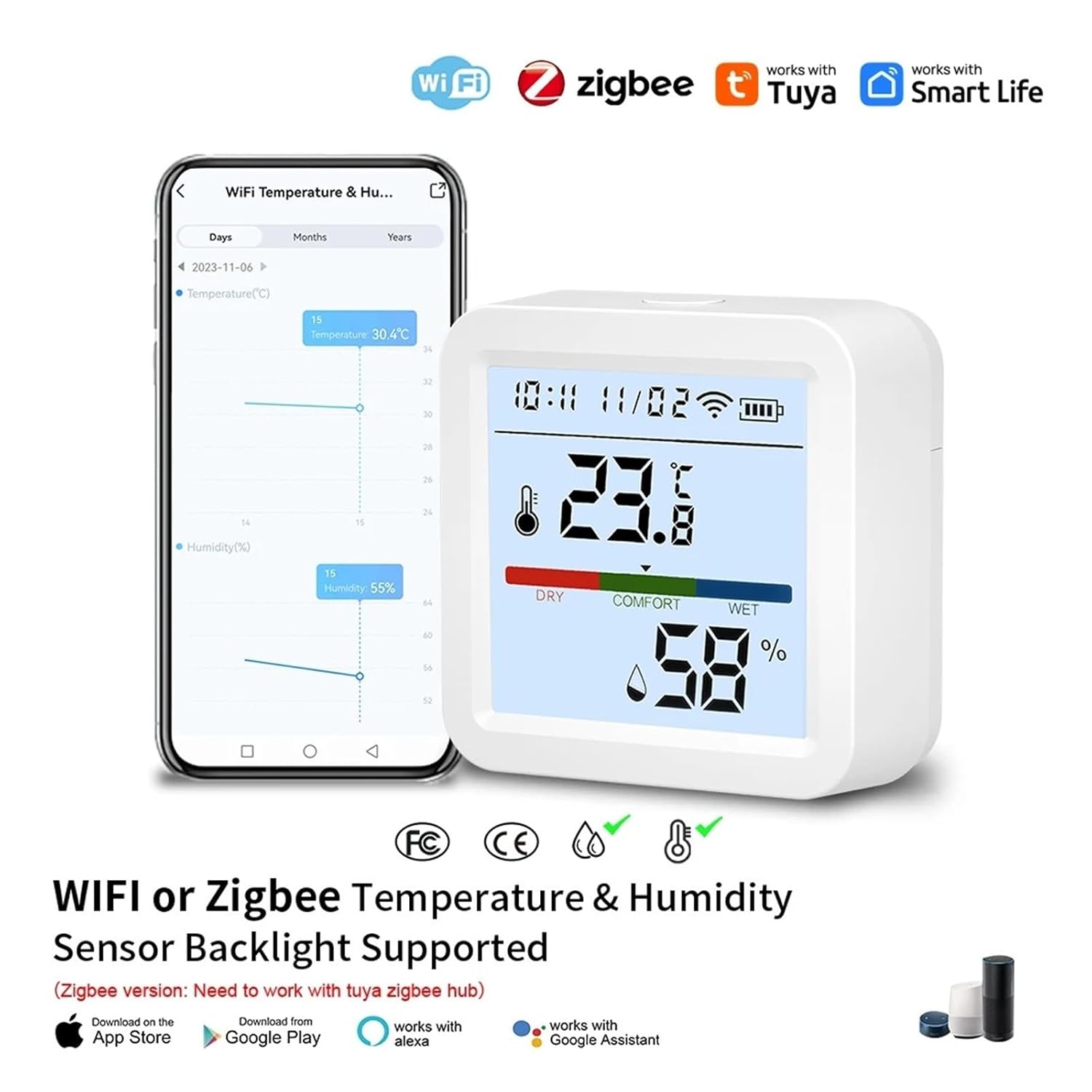
Image: ReniCharge TH05 WiFi Temperature Humidity Sensor displaying temperature and humidity, shown alongside a smartphone displaying the companion app with historical data. The sensor supports WiFi and integrates with Tuya Smart Life, Alexa, and Google Assistant.
4.1 Atzeko argiztapen funtzioa
The sensor features a backlight for improved visibility in low-light conditions. Pressing the reset button will activate the backlight for approximately 10 seconds.

Image: A demonstration of the sensor's backlight feature, showing the display both with the backlight off and on, triggered by pressing the reset button.
4.2 Flexible Placement
The sensor is designed for versatile placement, allowing it to be suspended on a wall or placed upright on a desktop. It includes a rear hole and bracket design for various installation methods.
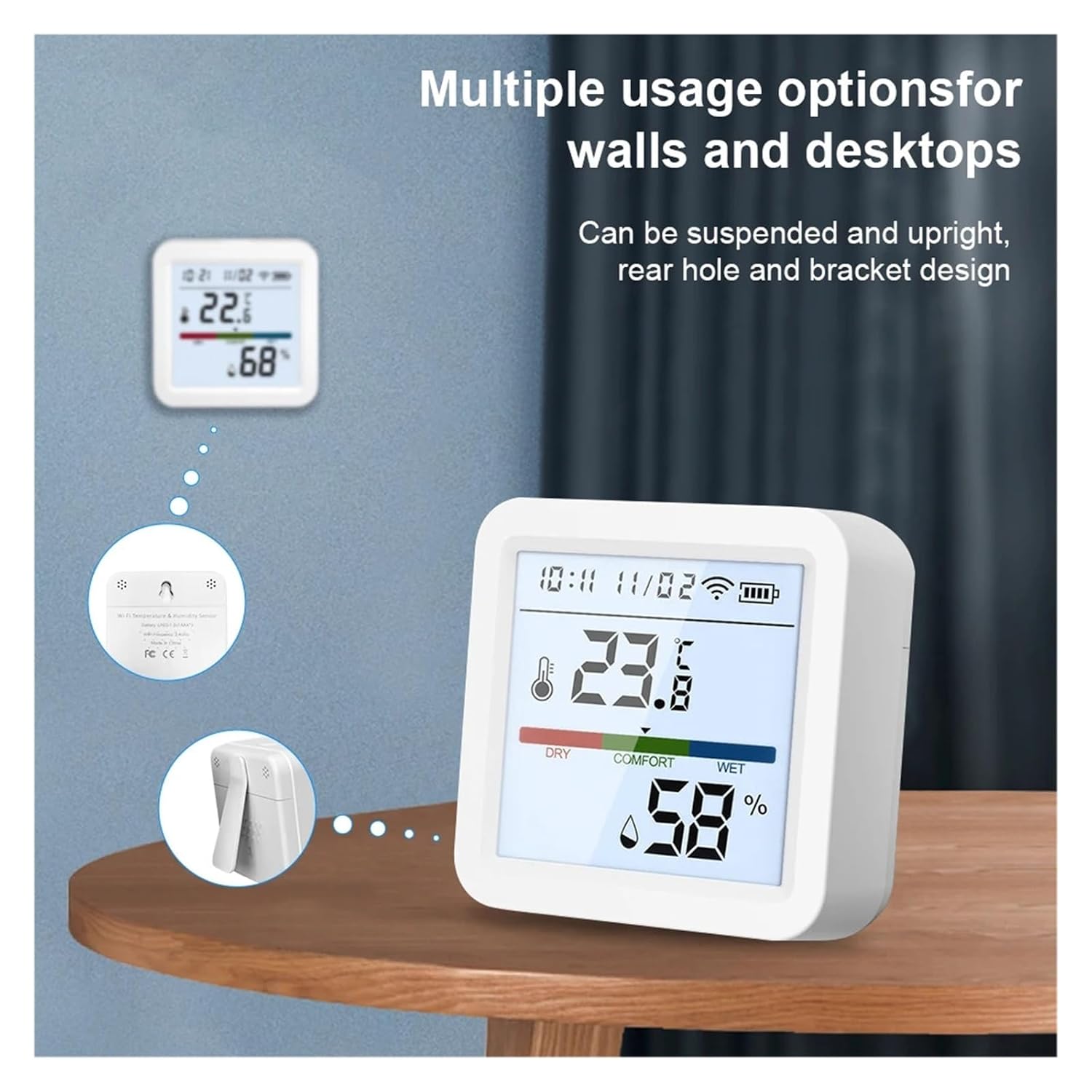
Image: Illustrations showing the ReniCharge TH05 sensor mounted on a wall and standing upright on a table, highlighting its flexible installation options.
5. Konfigurazioa
5.1 Bateriaren instalazioa
- Ireki sentsorearen atzealdean dagoen bateriaren konpartimentuaren estalkia.
- Insert three AAA (DC4.5V) batteries, ensuring correct polarity (+/-).
- Close the battery compartment cover. The display should power on.
5.2 Aplikazioaren deskarga eta kontuaren erregistroa
- Deskargatu Tuya Smart or Bizitza adimenduna aplikazioa Apple App Store edo Google Play Store-tik.
- Erregistratu kontu berri bat lortzeko edo hasi saioa lehendik duzun kontu batekin.
5.3 WiFira konektatzen
The TH05 WiFi version connects directly to your 2.4GHz WiFi router (5GHz networks are not supported).
- Ziurtatu telefonoa 2.4 GHz-ko WiFi sare batera konektatuta dagoela.
- Ireki Tuya Smart edo Smart Life aplikazioa.
- Sakatu goiko eskuineko izkinan dagoen "+" ikonoa gailu bat gehitzeko.
- Select "Sensor" or "Temperature & Humidity Sensor (Wi-Fi)" from the device list.
- Follow the on-screen instructions to put the sensor into pairing mode (usually by pressing and holding the reset button until the WiFi icon flashes rapidly).
- Enter your WiFi network password when prompted in the app.
- Wait for the app to discover and connect to the sensor. Once connected, the WiFi icon on the sensor's display will become solid.
5.4 Ahots-kontrolaren integrazioa (Alexa/Google Assistant)
Once the sensor is connected to the Tuya Smart/Smart Life app, you can link it to Amazon Alexa or Google Assistant for voice control and inquiries.
- Ireki Amazon Alexa edo Google Home aplikazioa.
- Joan "Trebetasunak eta jokoak" (Alexa) edo "Google-rekin funtzionatzen du" (Google Home) atalera.
- Bilatu and enable the "Tuya Smart" or "Smart Life" skill/service.
- Link your Tuya Smart/Smart Life account when prompted.
- Discover devices. Your ReniCharge TH05 sensor should appear.
- You can now use voice commands like: "Alexa, what's the temperature in the living room?" or "Hey Google, what's the humidity of the sensor?"
6. Funtzionamendua
6.1 Bistaratu informazioa
The sensor's display shows the following information:
- Uneko tenperatura (°C/°F)
- Current Humidity (%RH)
- Ordua eta data
- WiFi konexioaren egoera
- Bateriaren mailaren adierazlea
- Comfort Level (DRY, COMFORT, WET)
6.2 Atzeko argiaren aktibazioa
Briefly press the reset button on the back of the device to activate the backlight for approximately 10 seconds.
6.3 App Remote Control and Monitoring
The Tuya Smart/Smart Life app allows you to monitor temperature and humidity remotely, view historical data, and set up alerts.
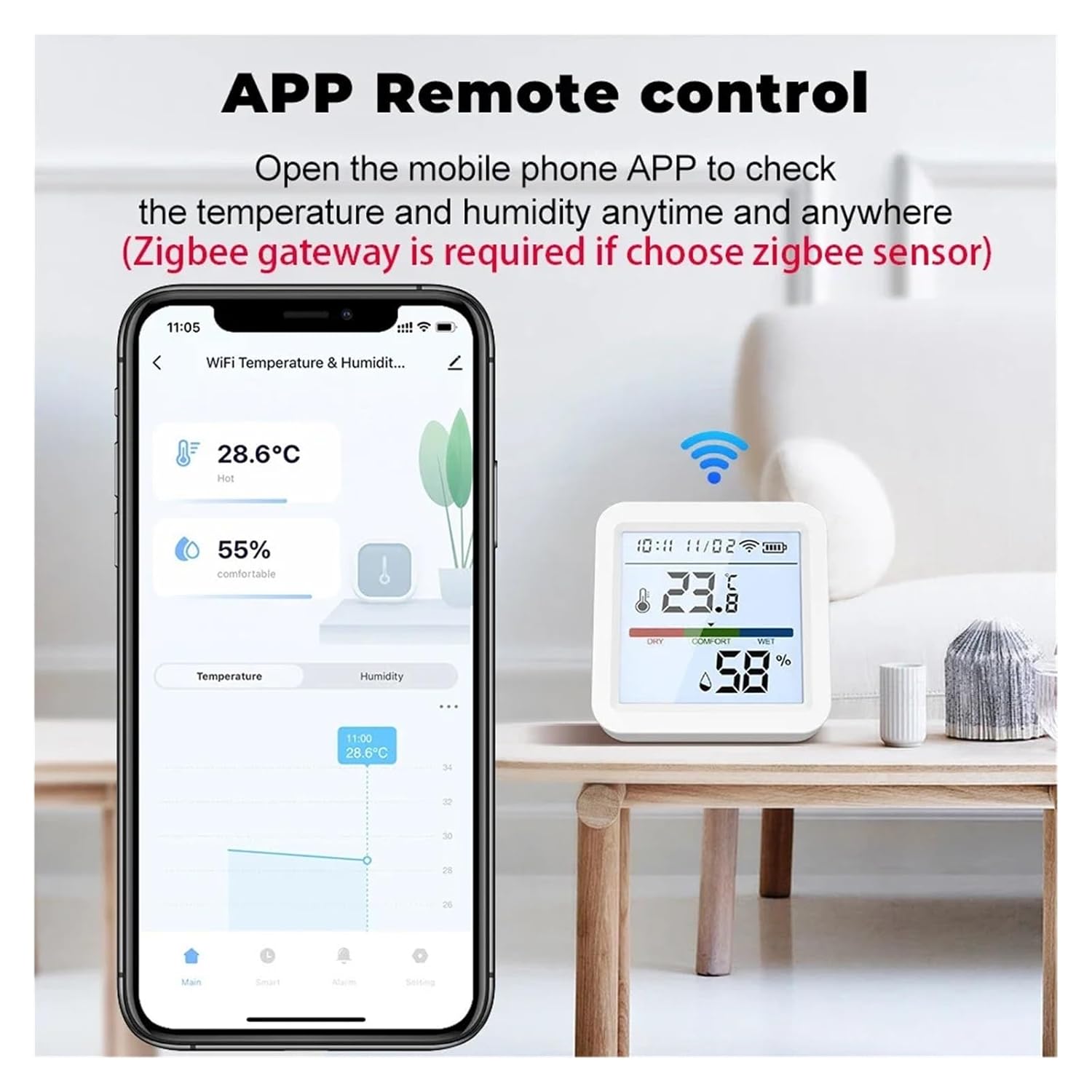
Image: A smartphone displaying the Tuya Smart/Smart Life app interface, showing real-time temperature and humidity readings from the ReniCharge TH05 sensor.
6.3.1 ViewHistoriako Erregistroak
The app automatically saves message notifications and allows you to easily view historical temperature and humidity data over days, months, or years.
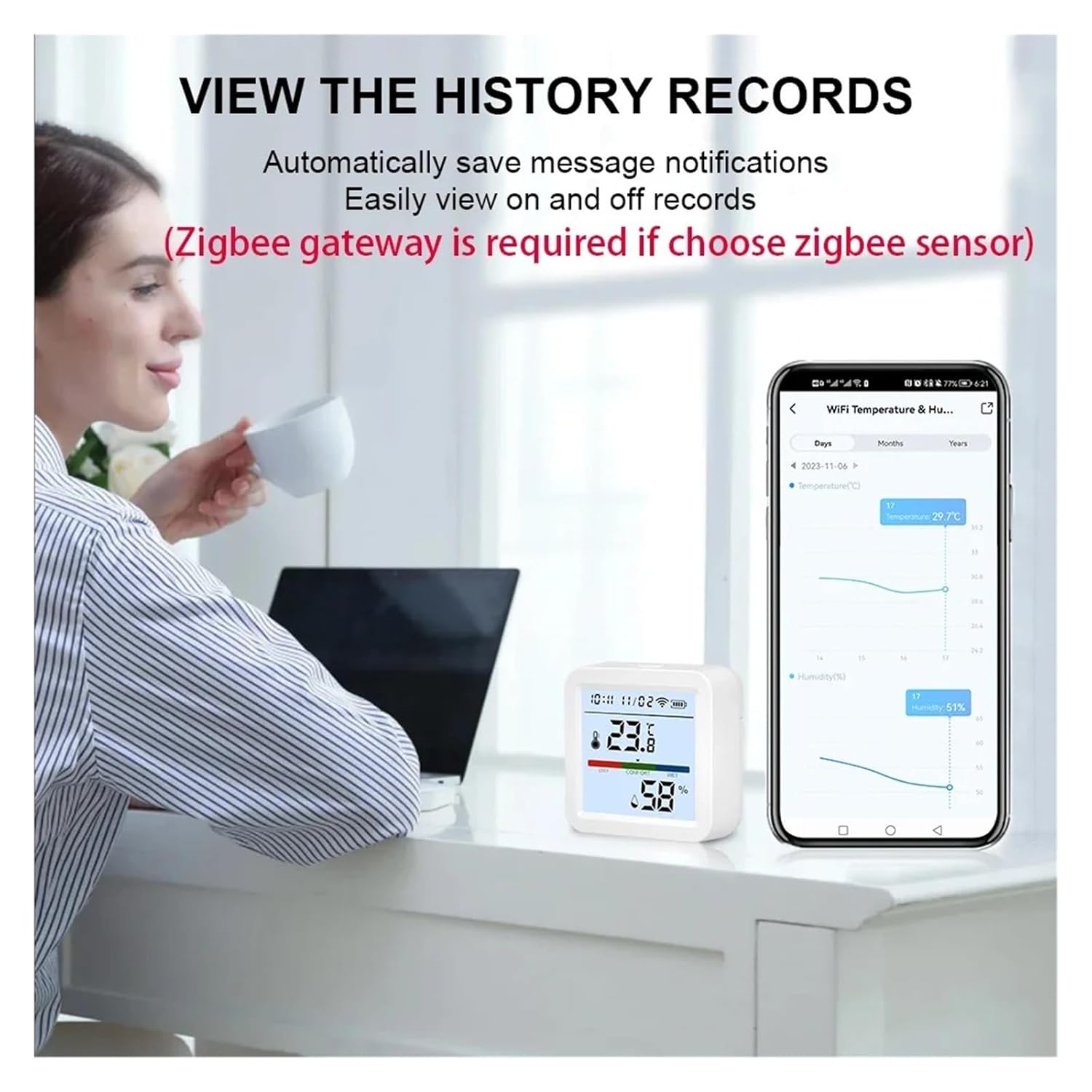
Irudia: Erabiltzaile bat viewing historical temperature and humidity graphs on the Tuya Smart/Smart Life app, demonstrating the data logging capability of the ReniCharge TH05 sensor.
6.3.2 Alarmak ezartzea
You can set custom temperature and humidity thresholds in the app to receive push notifications when readings go above or below your desired range.
6.4 Temperature Format Selection
The app allows you to switch between Celsius (°C) and Fahrenheit (°F) display for temperature readings.
7. Mantentzea
7.1 Bateria ordezkatzea
When the low-battery indicator appears on the display or in the app, replace the three AAA batteries promptly to ensure continuous operation. Refer to section 5.1 for battery installation instructions.
7.2 Garbiketa
Wipe the sensor's exterior with a soft, dry cloth. Do not use abrasive cleaners or allow water to enter the device.
8. Arazoak
| Arazoa | Kausa posiblea | Irtenbidea |
|---|---|---|
| Gailua ez da pizten. | Pilak agortuta daude edo gaizki instalatuta daude. | Ordeztu bateriak AAA bateria berriekin, polaritate zuzena ziurtatuz. |
| Ezin da WiFira konektatu. | Incorrect WiFi password; sensor too far from router; 5GHz WiFi network used; sensor not in pairing mode. | Verify WiFi password; move sensor closer to router; ensure you are connecting to a 2.4GHz network; reset sensor and re-enter pairing mode. |
| Tenperatura/hezetasun neurketa zehaztugabeak. | Sensor placed in direct sunlight, near heat/cold sources, or in a draft. | Relocate the sensor to a stable environment away from direct influences. Allow time for readings to stabilize. |
| No data updates in app. | WiFi connection lost; app not running in background; reporting cycle set too long. | Check WiFi connection; ensure app has background refresh permissions; adjust reporting cycle in app settings (default 120 min). |
9. Zehaztapenak

Image: A detailed graphic outlining the product parameters of the ReniCharge TH05 sensor, including connection type, input voltage, wireless type, measurement ranges, and quiescent current.
- Eredua: TH05 WiFi Version
- Konexio mota: WiFi (2.4GHz, 802.11b/g/n)
- Aplikazioen euskarria: Tuya Smart / Smart Life
- Ahots kontrola: Amazon Alexa, Google Laguntzailea
- Sarrera boltage: DC4.5V (3 x AAA batteries, not included)
- Laneko tenperatura-tartea: -10 °C eta 55 °C (14 °F eta 131 °F)
- Laneko hezetasun tartea: % 0 eta % 99.9 RH
- Tenperaturaren zehaztasuna: ±0.6°C (adjustable)
- Hezetasunaren zehaztasuna: ±6% RH (adjustable)
- Korronte lasaia: ≤ 30uA
- Korronte dinamikoa: 55mA
- Bateria baxuaren abisua: Yes (at 2.7V)
- Txostenaren Zikloa: 120 minutes (adjustable via app)
- Produktuaren neurriak: 56 x 56 x 23 mm (2.20 x 2.20 x 0.90 hazbete)
- Elementuaren pisua: Gutxi gorabehera 3.53 ontza (100 g)
10. Bermea eta laguntza
ReniCharge products are designed for reliability and performance. For warranty information and technical support, please refer to the contact details provided with your purchase or visit the official ReniCharge website. Please have your product model (TH05) and purchase details ready when contacting support.


