1. Sarrera
The iGPSPORT BSC100MAX is a GPS-enabled bike computer designed to track and display various cycling data. It features a 3-inch anti-glare screen, global 5-satellite positioning for fast and accurate tracking, and a long battery life of up to 40 hours. This device supports connection to external sensors via Bluetooth 5.0 and offers smart functions to enhance your cycling experience.
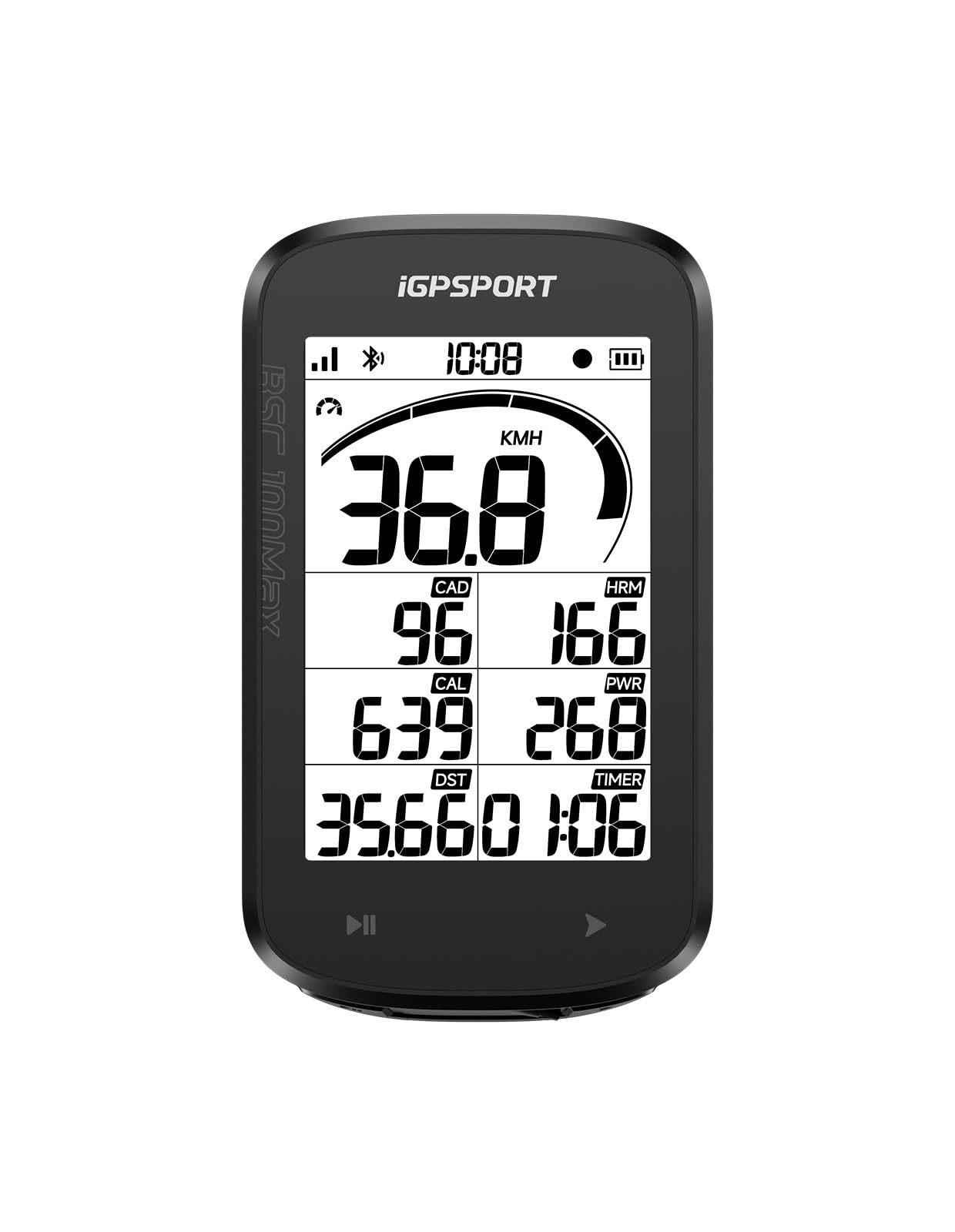
Image 1.1: The iGPSPORT BSC100MAX GPS Bike Computer.
1.1. bideoa: Over batview of the iGPSPORT BSC100MAX Bike Computer's features and use during cycling.
2. Paketearen edukia
Egiaztatu elementu guztiak paketean daudela:
- 1 x BSC100MAX Bike Computer
- 1 x Gomazko kutxa
- 2 x Rubber Band
- 1 x Erabiltzailearen eskuliburua

Image 2.1: Illustration of the BSC100MAX bike computer and its included accessories.
3. Konfigurazioa
3.1 Gailuaren muntaketa
Follow these steps to securely mount your BSC100MAX bike computer to your bicycle handlebar:
- Stack the two fixed bases together.
- Place the stacked base on the bike handlebar.
- Cross the two rubber bands to bind the base firmly.
- Adjust the angle of the mount for optimal viewing.
- Fix the bike computer onto the base by twisting it into place.
- Ensure the installation is completed and the computer is secure.

Image 3.1: Visual guide for installing the BSC100MAX bike computer mount.
3.2 Hasierako karga
Before first use, fully charge the device using the provided Type-C charging cable. The 700mAh battery provides up to 40 hours of operation on a full charge.
3.3 Sensor and App Pairing
The BSC100MAX supports Bluetooth 5.0 for connecting to various external sensors such as speed, cadence, heart rate monitors, and power meters. To pair, navigate to the device's settings menu, select 'Sensors', and follow the on-screen instructions to discover and connect your devices. For data analysis and sharing, download the iGPSPORT APP and connect your bike computer via Bluetooth.
4. Funtzionamendu-argibideak
4.1 Piztea/Itzaltzea eta Oinarrizko Nabigazioa
Press and hold the power button to turn the device on or off. Use the navigation buttons to scroll through data pages and access settings.
4.2 GPS kokapena
The BSC100MAX utilizes global 5-satellite positioning (GPS, GLONASS, Galileo, BeiDou, QZSS) for rapid and accurate location tracking. Positioning typically takes 3 seconds in open outdoor environments. The device also features tunnel compensation algorithms to maintain data integrity in areas with signal loss.

Image 4.1: The BSC100MAX supports multiple global satellite systems for enhanced positioning accuracy.
4.3 Datuen bistaratzea eta pertsonalizazioa
The 3-inch LCD screen displays over 38 types of riding data, including speed, distance, heart rate, cadence, power, gradient, calories, time, and temperature. Data pages are customizable via the iGPSPORT APP, allowing you to arrange up to 9 data fields per page using 8 display templates.

4.2 irudia: Adibideaample of rich cycling data displayed on the BSC100MAX screen.

Image 4.3: Customizing data display pages through the iGPSPORT mobile application.
4.4 Smart Functions
- Abiarazi/gelditu automatikoa: The device intelligently pauses recording when you stop cycling and resumes when you start, ensuring accurate data.
- Atzeko argi automatikoa: Automatically adjusts screen brightness for optimal visibility in varying light conditions.
- Deien alertak: Receive incoming call notifications directly on your bike computer when connected to your smartphone.
- Bateria gutxi gogorarazteko: Notifies you when the device's battery is low.
- Sunset Reminder: Provides a reminder 30 minutes before sunset and activates the backlight for safer night riding.
- Sports Data Alert: Set thresholds for cycling data (e.g., heart rate). The computer will prompt you when these thresholds are reached.

4.4. irudia: Amaituview of smart automatic functions like auto backlight, auto recording, and auto pause.

Image 4.5: The bike computer displaying an incoming call alert.

Image 4.6: The sunset reminder feature, activating backlight for night riding.
4.5 Wide Device Connections
The BSC100MAX connects to various sports devices via Bluetooth protocol, including speed sensors, cadence sensors, heart rate monitors, and power meters. It also supports connection and control of iGPSPORT smart front and tail lights, allowing you to view battery levels, switch light modes, and sync lights with your bike computer.

Image 4.7: The BSC100MAX's compatibility with various sensors and iGPSPORT lights.

Image 4.8: The BSC100MAX displaying battery level and mode of a connected iGPSPORT headlight.

Image 4.9: The BSC100MAX displaying battery level and mode of a connected iGPSPORT taillight.
4.6 Data Analysis and Sharing
Upload your ride data instantly to the iGPSPORT App for safe storage, detailed analysis, and personalized sharing. The app supports one-tap sync to platforms like Strava, TrainingPeaks, and Komoot.

Image 4.10: Managing and analyzing riding data through the iGPSPORT App.

Image 4.11: Seamless synchronization of ride data to popular cycling platforms.
5. Mantentzea
5.1 Garbiketa eta biltegiratzea
Garbitu gailua leun batekin, damp cloth. Avoid using harsh chemicals or abrasive materials. Store the device in a cool, dry place away from direct sunlight when not in use.
5.2 Urarekiko erresistentzia
The BSC100MAX has an IPX7 waterproof rating, meaning it can withstand immersion in water up to 1 meter for 30 minutes. This protects it from rain and splashes, but it is not recommended for prolonged underwater use.

Image 5.1: The BSC100MAX is designed to be IPX7 waterproof, suitable for riding in various weather conditions.
5.3 Bateria zaintzea
To prolong battery life, avoid fully discharging the device frequently. Charge the device regularly, especially if it will be stored for an extended period.
6. Arazoak
- Gailua ez da pizten: Ensure the device is fully charged. Connect it to a power source using the Type-C cable.
- GPS signal acquisition slow or inaccurate: Ziurtatu kanpoko eremu ireki eta garbi batean zaudela view zeruaren. Saihestu eraikin altuak edo zuhaitz trinkoak dituzten eremuak.
- Cannot connect to Bluetooth sensors: Ensure the sensors are powered on and within range. Check the sensor's battery level. Restart both the bike computer and the sensor, then attempt pairing again. Verify that the sensor is not already paired with another device.
- Aplikazioen konexio arazoak: Ensure Bluetooth is enabled on your smartphone and the iGPSPORT App has the necessary permissions. Restart the app and the bike computer.
- Data discrepancies: Ensure all sensors are correctly calibrated and securely mounted. For tunnel data recovery, ensure the feature is enabled if applicable.
- Screen readability in sunlight: The 3-inch anti-glare screen is designed for outdoor visibility. Ensure the auto backlight feature is enabled for optimal performance.
7. Zehaztapenak
| Ezaugarri | Zehaztapena |
|---|---|
| Marka | iGPSPORT |
| Ereduaren izena | BSC100MAX |
| Produktuaren neurriak | 3.54"L x 1.02"Z x 5.67"A (97.3 x 56.5 x 12.7mm) |
| Elementuaren pisua | 0.13 kilogramo (68 g) |
| Pantailaren tamaina | 3 hazbete |
| Bistaratzeko mota | LCDa |
| Bateriaren iraupena | 40 ordu |
| Bateria Edukiera | 700mAh |
| Kargatzeko ataka | C motakoa |
| Iragazgaitza kalifikazioa | IPX7 |
| Haririk gabeko konexioa | Bluetooth 5.0 |
| Sentsore motaren laguntza | Speed, Cadence, Heart Rate, Power |
| Muntatze Mota | Eskulekuaren muntaia |
| Giza Interfazearen Sarrera | Touchscreen (implied by product images, though specifications list 'Touchscreen' and 'Human Interface Input' separately, I'll combine for clarity) |
| Materiala | Plastikoa |

Image 7.1: The BSC100MAX features an ultra-thin design, measuring 12.7mm and weighing 68g.
8. Bermea eta Laguntza
8.1 Bermearen informazioa
The iGPSPORT BSC100MAX GPS Bike Computer comes with a 2-year warranty. Please retain your proof of purchase for warranty claims.
8.2 Bezeroarentzako laguntza
For technical assistance, troubleshooting, or warranty inquiries, please contact iGPSPORT Official customer support. Refer to the official iGPSPORT webwebgunean edo produktuaren ontzian emandako harremanetarako informazioan laguntza-kanal eguneratuenak ikusteko.