1. Produktua amaitu daview
The TECLAST T40Air is a high-performance tablet designed for various tasks, from entertainment to productivity. It features a 10.4-inch display, 16GB RAM, 256GB ROM, and runs on Android 13, powered by an octa-core processor. Its lightweight design and robust battery ensure portability and extended usage.

1.1. irudia: Aurrealdea eta atzealdea view of the TECLAST T40Air Tablet, showcasing its sleek design and dual rear cameras.
1.1. bideoa: Ofizial bat amaitu daview of the TECLAST T40Air Android Tablet, highlighting its key features and design.
2. Hasierako konfigurazioa
2.1 Unboxing and First Use
Carefully remove the tablet and all accessories from the packaging. Inspect the device for any physical damage. Before first use, it is recommended to fully charge the tablet.
2.2 Tableta kargatzea
Connect the provided USB-C cable to the tablet's charging port and the other end to the 18W PD fast charging adapter. Plug the adapter into a power outlet. The battery indicator on the screen will show the charging status. A full charge typically takes approximately 2-3 hours.
2.3 Piztu/Itzaltzea
- Pizteko: Press and hold the Power button located on the side of the tablet until the TECLAST logo appears on the screen.
- Itzaltzeko: Press and hold the Power button until a power menu appears. Select 'Power off' and confirm.
- Berrabiarazteko: Pizteko menuan, hautatu 'Berrabiarazi'.
2.4 Hasierako konfigurazioa
Lehenengo aldiz piztean, tabletak hasierako konfigurazio prozesuan zehar gidatuko zaitu:
- Hizkuntza hautaketa: Aukeratu zure hizkuntza hobetsia.
- Wi-Fi konexioa: Hautatu zure Wi-Fi sarea eta idatzi pasahitza internetera konektatzeko.
- Google kontua: Sign in with your Google account or create a new one. This is essential for downloading apps from the Google Play Store and syncing data.
- Data eta ordua: Ezarri data eta ordu zuzena, edo utzi sareari automatikoki ezartzen.
- Segurtasuna: Set up a screen lock (PIN, pattern, password, or Face Unlock).
2.5 SIM txartelaren instalazioa (aukerakoa)
The T40Air supports 4G LTE connectivity. To install a SIM card:
- Bilatu SIM txartelaren erretilua tabletaren alboan.
- Erabili SIM txartelaren kanporatzeko tresna erretilua irekitzeko.
- Place the Nano-SIM card(s) into the designated slots, ensuring correct orientation.
- Sartu erretilua tabletaren barrura astiro-astiro, klik egin arte.

Image 2.1: The TECLAST T40Air Tablet highlighting its 4G LTE support and SIM card tray location.
3. Funtzionamendu-argibideak
3.1 Navigating Android 13
The TECLAST T40Air runs on Android 13, offering an intuitive user experience. Use touch gestures to navigate:
- Sakatu: Hautatu elementu bat.
- Pasatu hatza: Pantailetan edo zerrendetan zehar joan.
- Zoom egiteko apur bat egin: Irudiak handitu edo txikitu eta web orrialdeak.
- Sakatu luzea: Sartu testuinguru-menuetara edo mugitu ikonoak.
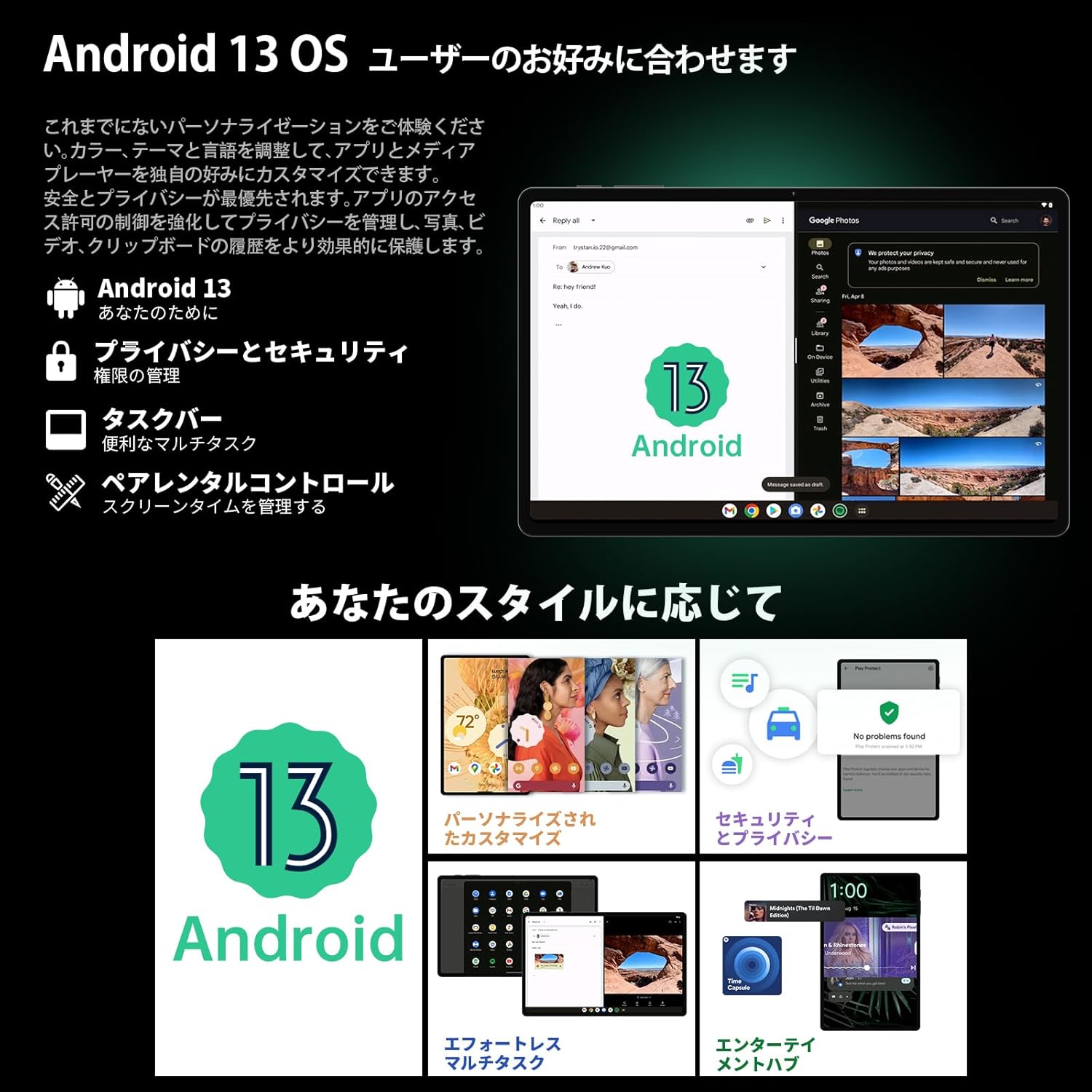
Image 3.1: The Android 13 interface on the TECLAST T40Air Tablet, showing personalization and security features.
3.2 Bistaratzeko Ezaugarriak
The 10.4-inch 2K FHD IPS display provides vibrant colors and sharp details. It features:
- TDDI Fully Laminated: Enhances touch responsiveness and visual clarity.
- Begiak babesteko modua: Begietako nekea saihesteko, argi urdina murrizten du.
- Irakurketa modua: Optimizes the screen for comfortable reading.
- Dark Mode & Dim Mode: Adjusts screen brightness and color for different lighting conditions.

Image 3.2: Visual representation of the TECLAST T40Air Tablet's display features, including eye protection and reading modes.
3.3 Kameraren erabilera
The tablet is equipped with a 13MP rear dual camera and an 8MP front camera.
- Argazkiak ateratzen: Ireki Kamera aplikazioa, markoztatu argazkia eta sakatu obturadorearen botoia.
- Bideoak grabatzen: Aldatu bideo modura Kamera aplikazioan eta sakatu grabazio botoia.
- Aurrealdeko kamera: Use for video calls and selfies.

Image 3.3: The TECLAST T40Air Tablet showcasing its camera capabilities and 3.5mm headphone jack.
3.4 Audioa eta konektibitatea
- SWEET 4 Speakers: Enjoy immersive audio with the tablet's quad-speaker system and Smart K Digital Ampbiziagoa.
- 3.5 mm aurikularretarako konektua: Connect your wired headphones for private listening.
- Wi-Fi: Supports 2.4GHz and 5GHz dual-band Wi-Fi (802.11ac) for stable and fast internet.
- Bluetooth 5.0: Connect wireless accessories like headphones, keyboards, and mice.
- VoLTE: Enables high-quality voice calls over 4G LTE networks.
3.5 Aurpegia desblokeatzea
The tablet supports Face Unlock for convenient and secure access. Set it up in the Security settings. Ensure good lighting conditions for optimal performance.
4. Mantentzea
4.1 Tableta garbitzea
Tableta garbitzeko, erabili zapi leun eta lihorik gabeko bat. Orban egoskorrak lortzeko, garbitu apur bat.ampGarbitu zapi bat urarekin edo pantaila-garbitzaile batekin. Saihestu produktu kimiko gogorrak, material urratzaileak edo gehiegizko hezetasuna erabiltzea.
4.2 Bateria zaintzea
- Saihestu tableta tenperatura altuetan jartzea.
- Ez utzi bateria maiz erabat agortzen.
- Use the original charger or a certified 18W PD charger for optimal charging.
4.3 Software eguneraketak
Egiaztatu eta instalatu software eguneraketak aldizka, zure tabletak azken funtzioak, segurtasun adabakiak eta errendimendu hobekuntzak dituela ziurtatzeko. Joan honera Ezarpenak > Sistema > Sistemaren eguneraketa.
4.4 Biltegiratze kudeaketa
The tablet comes with 256GB of internal storage, expandable via microSD card up to 1TB. Regularly manage your storage by:
- Behar ez den ezabatzea files eta aplikazioak.
- Moving large files microSD txartel batera.
- Utilizing cloud storage services.

Image 4.1: The TECLAST T40Air Tablet highlighting its 16GB RAM, 256GB ROM, and support for microSD card expansion.
5. Arazoak
This section addresses common issues you might encounter with your TECLAST T40Air Tablet.
5.1 Gailua ez da pizten
- Ensure the battery is sufficiently charged. Connect the charger and wait a few minutes before attempting to power on.
- Berrabiarazteko, sakatu eta eutsi pizteko botoia gutxienez 10-15 segundoz.
5.2 Wi-Fi konexio arazoak
- Egiaztatu Wi-Fia gaituta dagoen Ezarpenak > Sarea eta internet > Wi-Fi.
- Ziurtatu Wi-Fi pasahitz zuzena sartu duzula.
- Berrabiarazi Wi-Fi bideratzailea eta tableta.
- Try connecting to a different Wi-Fi network to isolate the issue.
5.3 Errendimendu motela
- Itxi erabiltzen ez diren atzeko planoan dauden aplikazioak.
- Clear cache data for apps that are running slowly (Ezarpenak > Aplikazioak > [Aplikazioaren izena] > Biltegiratzea eta cachea > Garbitu cachea).
- Ziurtatu biltegiratze leku libre nahikoa duzula.
- Berrabiarazi tableta.
5.4 Pantailak ez du erantzuten
- Berrabiarazi tableta pizteko botoia sakatuta edukiz.
- Ziurtatu pantaila garbi dagoela eta hezetasunik edo hondakinik gabe.
5.5 Fabrika Berrezarri (Azken Aukera)
If issues persist, you may consider performing a factory reset. Abisua: Honek tabletako datu guztiak ezabatuko ditu. Jarraitu aurretik, egin datu garrantzitsuen babeskopia.
Joan zaitez Ezarpenak > Sistema > Berrezarri aukerak > Ezabatu datu guztiak (fabrika berrezarri) eta jarraitu pantailako argibideei.
6. Zehaztapenak
Below are the technical specifications for the TECLAST T40Air Tablet:
| Ezaugarri | Zehaztapena |
|---|---|
| Modelo zenbakia | T40Air |
| Bistaratzeko tamaina | 10.4 hazbete |
| Pantailaren bereizmena | 1920 x 1080 pixels (2K FHD IPS) |
| RAM | 16 GB |
| Flash memoriaren tamaina (ROM) | 256 GB |
| Prozesadorearen marka | Rockchip or Unisoc (Octa-core) |
| Sistema eragilea | Android 13 |
| Haririk gabeko mota | 5 GHz Radio Frequency, 802.11a/b/g/n/ac |
| Bluetootha | Bluetooth 5.0 |
| Bateriaren batez besteko iraupena | 5 ordu (7200 mAh) |
| Elementuaren pisua | 1.01 kilo (460 g inguru) |
| Produktuaren neurriak | 9.6 x 6.1 x 0.3 hazbete |
| Ezaugarri Berezia | Arinak |
7. Bermea eta Laguntza
7.1 Produktuaren bermea
The TECLAST T40Air Tablet comes with a standard manufacturer's warranty. Please refer to the warranty card included in your product packaging for specific terms, conditions, and duration. Keep your proof of purchase for warranty claims.
7.2 Bezeroarentzako laguntza
If you encounter any issues not covered in this manual or require further assistance, please contact TECLAST customer support. You can typically find contact information on the official TECLAST webgunea edo zure dendariaren laguntza-kanalen bidez.
- Visit the official TECLAST webmaiz egiten diren galderen eta laguntza-baliabideen gunea.
- Contact the seller or retailer for product-specific support and return policies.


