📘 OptConnect manuals • Free online PDFs
OptConnect logotipoa

OptConnect Manuals & User Guides

OptConnect is a leading provider of fully managed global cellular IoT connectivity solutions and cellular routers for ATMs, vending, and digital signage.

Tip: include the full model number printed on your OptConnect label for the best match.

About OptConnect manuals on Manuals.plus

OptConnect is a premier provider of managed cellular IoT connectivity solutions and hardware, serving industries that rely on unattended equipment. Established in 2009, the brand offers simple, easy, and ultra-reliable connectivity for applications such as ATMs, smart safes, digital signage, security assets, and kiosks.

Providing more than just hardware, OptConnect offers 'Managed Wireless Services' that include lifetime access to their Gailurra management portal and proactive network monitoring. Their reliable cellular router lines, including the neo, mylo, eta igo series, feature robust multi-carrier redundancy, versatile mounting options, and secure private networking tailored specifically for industrial IoT and M2M setups.

OptConnect manuals

Azken eskuliburuak hemendik: manuals+ marka honetarako prestatua.

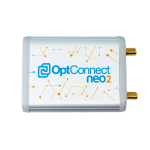
OptConnect neo2 Quick Start Guide

instalazio gida
Comprehensive Quick Start Guide for the OptConnect neo2 cellular router. Learn how to install, configure, and manage your device for reliable IoT connectivity.

OptConnect support FAQ

Marka honen eskuliburuei, erregistroari eta laguntzari buruzko ohiko galderak.

  • How do I change my OptConnect router's IP address and firewall settings?

    Devices arrive pre-configured to your specifications and do not need to be configured on-site. Contact OptConnect customer support at 877-678-3343 if you need to adjust network configurations.

  • How do I log in to OptConnect neo or mylo routers?

    There is no local web interface or login required for these devices. OptConnect manages all device firewall and networking aspects as part of their Managed Wireless Services.

  • How do I know if my OptConnect device is online?

    The middle green LED will flash or glow steadily when the router is communicating with the cellular network. You can also view deeper connection metrics in the Summit management portal.

  • How do I access the OptConnect Summit portal?

    You can log in to the OptConnect Summit portal at summit.optconnect.com or summit3.optconnect.com to manage, track, and monitor your entire inventory of cellular devices.